
System

Designation: The designation usually reflects the company name, and displays on the log-in screen and other places.
Time zone: Set up time zone.
WEB address: State the hostname for the system. The address is used to generate QR codes and for cURL (PDF generation).
Date Format: Default setup with DD.MM.YYYY
Time format: Default setup with 24h
First Day of Week: Default setup with Monday
Log_errors: For use for Ørn Software AS
Security

Strong password: One lowercase letter, one uppercase letter, one number and minimum 8 characters.
...
Single sign-on: SSO must be configured in VMWebAppConfig.ini. For assistance, contact our Support.
Uploading

Physical path for uploading: Default folder for uploading documents and pictures.
...
Default Document type: If a document type is selected, this will be suggested as the default when creating a new document.
Messaging settings

SMTP server: This does not apply to customers who use our cloud system.
...
SMTP Secure E-mail (this does not apply to anyone using our cloud system)
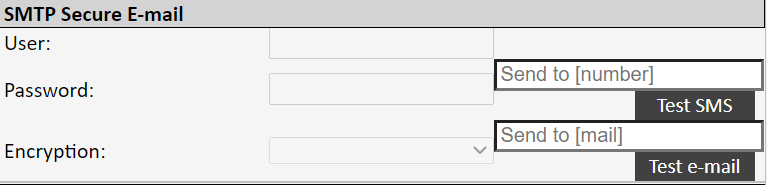
User and password: States the sender’s email address and password
Encryption: Select SSL or TLS
Messages
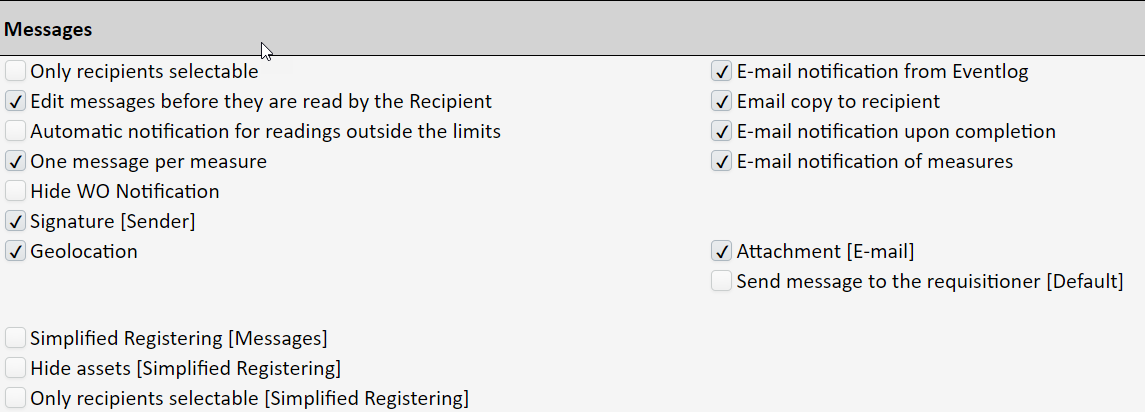
Only recipients selectable: If this is activated, only recipients are displayed when selecting the recipient to receive a message. This is set up under ‘System’ → ‘Messages’.
...
When using an external registration address, a reference to the object (ID=) and to a specific registration address (REG=) can be entered in the link, so that these two fields are pre-filled when the registration form is opened. (For example …../reg_mel_dash.php?ID=223®=3). Please contact our support if there is a need for it.
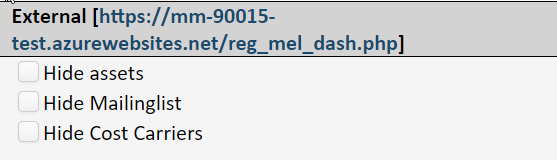
Hide assets: If this is activated, the option to link to an asset on the external registration form is hidden. For deviation messages, this applies irrespective of whether the deviation was created from within the system or via the URL for deviation registration.
...
Deviation management (customer-specific web address of registration form for deviations)

Deviation registration requires login: If this is activated, you must be logged on in View to create a deviation message.
...
Miscellaneous system settings

Please wait until WO/Asset etc. is saved: If this is activated, you remain in e.g. the work order screen, or you get to the work order list after saving.
...
Profession group from responsible [WO]: The WO can be set up to inherit the profession group from the person who is set as responsible on the work order. If this is set here, the profession group can still be changed on the work order, and it will also change automatically if the responsible changes.
Login via URL: If this is activated, you can log in without using a password. This is on condition that the username and password are in the URL.
...
Default priority: If this is set as blank, the priority on the jobs will automatically be set on the basis of the asset’s criticality, i.e. A=1, B=2, C=3 and D=3.

Automatic parts list [Asset]: If this is activated, parts that are used on the work order are automatically added to the parts list of the asset, if the part is not already there.
...
Email [PO Approved]: If an email address is inserted here, this address will receive an email notification when a purchase order has been set to approved.

Refresh/update Cost Price [Articles]: This is where you set how the cost price of the article will be updated when goods receipt is performed. Among other things, the cost price forms the basis for calculating the inventory value.
...