
...
CostCarriers [Asset --> WO]: Cost carriers that are set up on an asset are inherited on work orders and history in accordance with whatever has been checked/activated in Department, Account, Carrier and Objective.


Invoice [Purchasing]: Default invoice address is taken from this addressee in the purchase order.
...
See also ‘Time window [Work order]’ in ‘Edit profile’ 17.0 Edit profile .


Due Status WO:
...
Setup for integration with the R2 booking system.
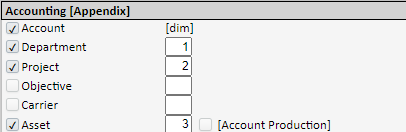
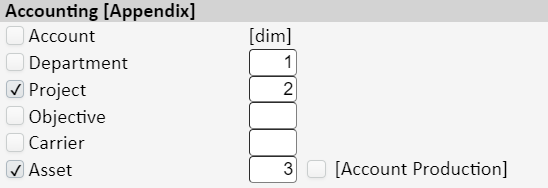
To be used when generating bundle files 9.9.0 Bundle [List view] . Only those that are activated will join the bundle with dimension (order) that is set here. If [Account Production] is activated, this account, which is an account on the asset, will override (if there is an account on the asset) the account in the accounting settings for the article group.
Note also that if 'Department' is activated, a requirement is set to fill in the department for input, withdrawal and adjustment transactions, regardless of whether accounting settings 15.5.6 Accounting are set up or not. For withdrawal transactions via WO/history, it is assumed that a department exists at the WO/history job.
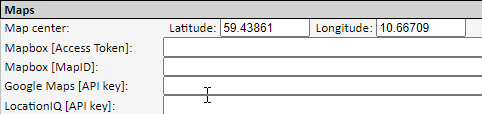

OpenStreetMaps is integrated, and this is the default unless another option is selected here. Google Maps may result in a licence being required by Google if it is used frequently. We therefore recommend not activating this. For more information, contact our Support department.
...
Setup for setting colours and themes in the system. In addition, every user can select/set colour/theme in their user profile.


For use by Ørn Software AS.
...