
...
For use by Ørn Software AS.


This is where the performance activators that are shown on ‘My page’ ‘My page’ are activated/selected. For further details about these, see the description under ‘My page’. here: 19.1.0 My Page.
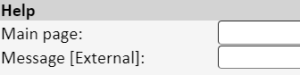

Main page: Here you can insert a link to a web address or other info that will be reached via the menu point ‘Help’.
Message [External]: In the same way as above, you can insert a link or other info that will be reached via the menu point ‘Help’ in the external registration form.


Field for inserting a specific bulletin that is displayed in the system when it is locked (checkbox to the right).


Via ‘Select file’‘Choose File’, you can upload your own company logo. The logo will display in the system and on all default PDF printouts.