
...
RStatus colour Red title UNRELEASED
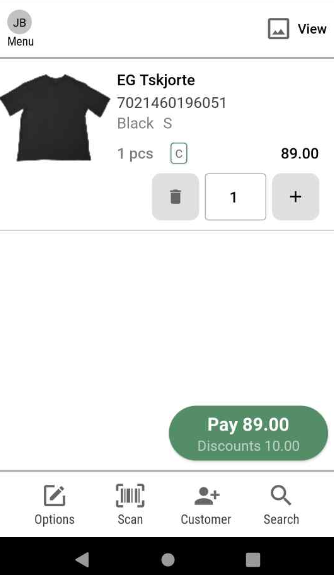
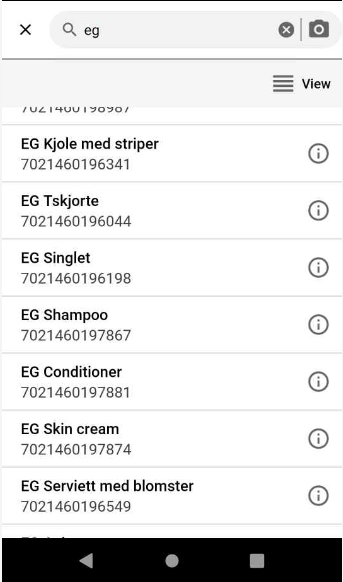
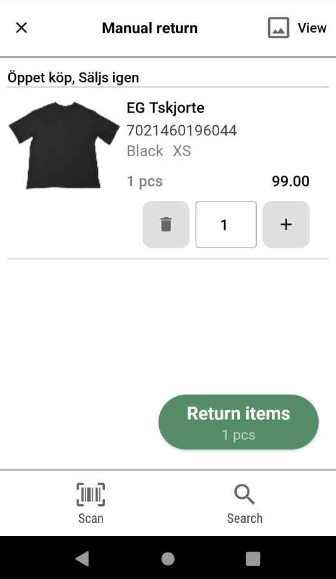
EAN is shown in more view
(RTM-8225)
EAN is now shown in some sales view and same return view as well as search for items.
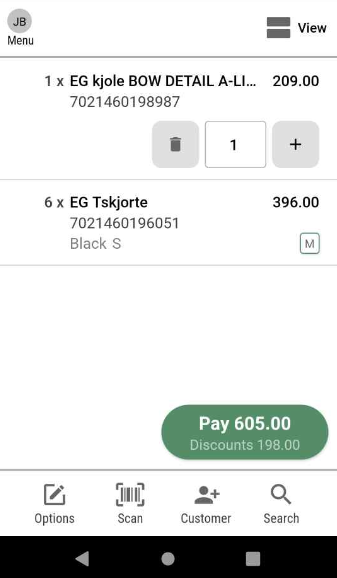
It depends what view items are shown in, for example compressed view in sale and image view in search does not show EAN code.
| EAN in sales view | EAN in compressed search view | EAN in return view | EAN in expanded sales view |
|---|---|---|---|
|
|
|
|
Support for Giftcards
...
| Functionality | Release notes |
|---|---|
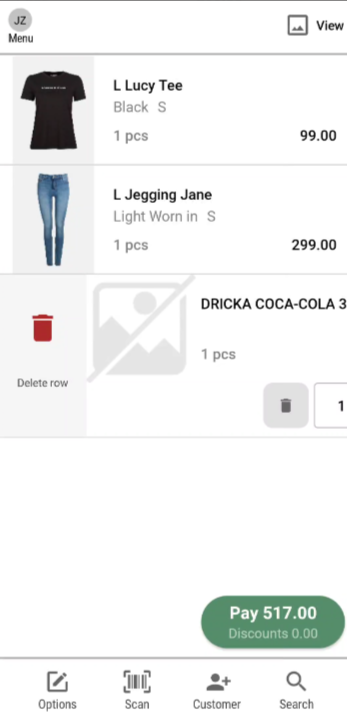
| Swipe to delete on last added item | (RTM-7894) Swiping on last added item On last added item there is a quantity function on the row of the item. When only one item is added to the receipt the easiest way to delete the item from the receipt is to press the dustbin icon that will remove it. |
| Error handling | (RTM-7727) Technical release notes We removed PerformPosApiAction in CheckoutCart and did general refactor in this method. (RTM-8122) Error messages Proper localization of error messages in Swedish and Norwegian are implemented when items are blocked for sale. (RTM-8499) Cancelling cart User can choose not to reopen cart if app has been closed in mid sale/web order. (RTM-8556) Improved error messages when getting member - Technical release notes Improved logs has been added in GetMemberByIdentifier method to receive clearer error information. |
| Member search | (RTM-8298) Member search We improved the search for members, not to be case sensitive. In other words, the matching between search and result is not that sensitive so more results will be shown.
|
| UI Improvements | (RTM-7999) Grey frame We have added a grey frame around the login view to match other views according to the design of the app. (RTM-8129) Improvements in cashier login When cashier login is used, the numerical keyboard has been set to default for entering cashier number and PIN, and Swedish/Norwegian translations for cashier number fields are added. |
| Reopen cart | RTM-8177 Reopen cart If Mobile POS is closed with a ongoing sale user is offered to resume the sale when logging in again. This is only available if user logs in to same store. RTM-8123 Re-parking a previous parked receipt When re-parking a previous parked receipt with an external loyalty number the number is used as default for when user parks it again.
RTM-8152 Customer added to resumed cart If a cart is resumed and it had a customer on it, this customer will still be presented in the sale. |
| Web orders | RTM-8177 Web order flow If a user has an ongoing sale and an ongoing web order, and then cancels the web order - user will not be shown customer information view for proceeding with a web order. Instead, when trying to complete the sale user is moved directly to the payment view. If user is planning to complete the web order and presses payment button they are moved to the member information view for proceeding with the web order. If the customer information prefilled, and user for some reason moves back to sales view, all filled information is saved. |
...