
...
Messaging settings

SMTP server: This does not apply to customers who use our cloud system.
Gategate: This does not apply to customers who use our cloud system.
...
Encryption: Select SSL or TLS
Messages
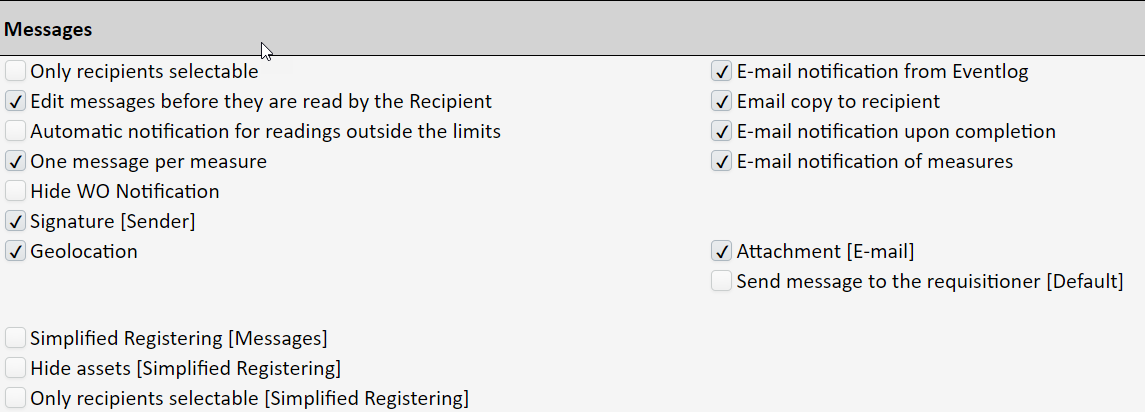
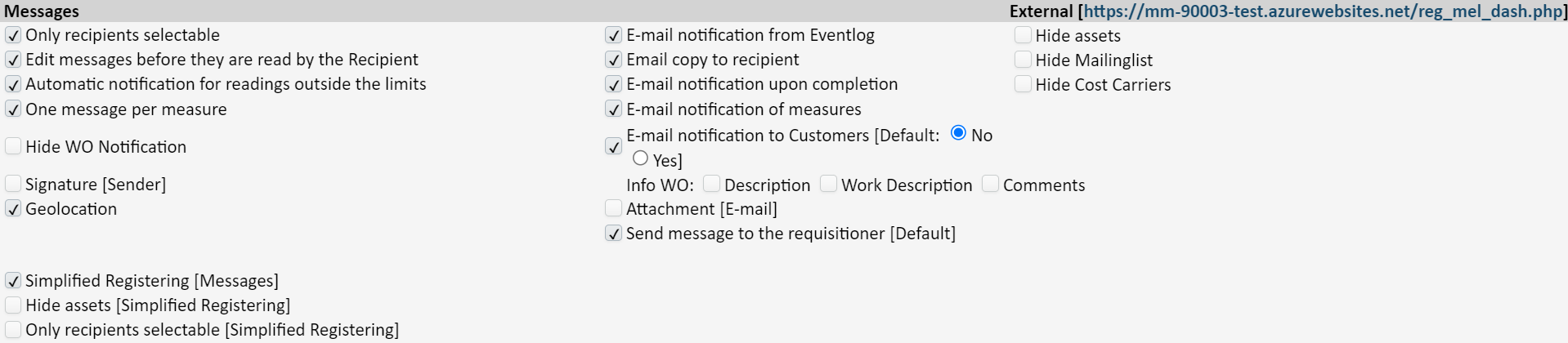
Only recipients selectable: If this is activated, only recipients are displayed when selecting the recipient to receive a message. This is set up under ‘System’ → ‘Messages’.
...
Only recipients selectable (Simplified registering): If this is activated, only recipients are displayed (set up under ‘System’ → ‘Messages’) when selecting the recipient to receive a message. Note that this only applies to users who have been set up with the log-in type ‘Messaging’.
E-mail notification from Eventlogfrom Eventlog: If this is activated, there will be an email copy from the event log post.
...
Email notification to customers (default [Default No / Yes)]: If this is activated with ‘Yes’, an email with a PDF file of the historical job will automatically be sent to the email address that is on the customer card when the job is approved. If this is set to ‘No’, you must manually check off ‘Send Notification’ in the completion screen if you want an email to be sent.
Info WO: Description or comments: These control what will accompany an email copy of the customer’s PDF file (historical job), i.e. whether there will be a description field or a comments field.
Attachment (email): If this is activated, pictures will be attached to the email.
...