...
Improvements POS
| Area | Description |
|---|---|
| Flight integration | Maximum stopover hours for boarding pass validation (RTP-32360) The maximum stopover hours can be configured in parameter ExternalFlightServiceMaxStopoverHours. This value will be sent to the external flight service when scanning a boarding pass and it will be used to check if the flights are valid or not. Date offset for boarding pass validation (RTP-32355) The value in parameter ExternalFlightServiceValidDateOffsetHours will be sent to the external flight service when a boarding pass is scanned. This will be used to check if the boarding pass is valid. Sending blocked CustomsIDs to external flight service (RTP-32354) CustomsIDs configured in parameter ExternalFlightServiceBlockedCustomsIDs will be sent to the external flight service. The service will use it to validate if the boarding pass is valid for the store it is scanned in. Example CustomsIds: U = EU, X = International, D = Domestic Sending Local Airport and Store Type to external flight service (RTP-32353) The store type configured in parameter ExternalFlightServiceStoreType (Arrival, Departure or All) will be sent to the external flight service together with the local airport code configured in parameter AirportCode. These will be used by the external flight service to check if a boarding pass is valid in the store it is scanned in. For example, a boarding pass containing only departure flights will not be valid in a store configured with ExternalFlightServiceStoreType = Arrival. |
| Orders | Alphanumeric external order numbers (RTP-33337) Alphanumeric external order numbers are supported in Web Orders View in POS. Showing of Click & Collect in Web Order View (RTP-33321) When CustomerOrderVariant is set as NULL then, Click & Collect orders are shown in Click & Collect tab always. |
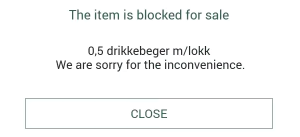
| Self-service | Sales start and end date on items (RTP-32000) When an item is outside the planned sales start or end date a message will be shown to the customer in self-service:
|