
...
Age control messages for time-restricted items, such as alcohol in Norway, can be set to display as information text only. When this setting is used, staff cannot approve the age check for such items from the POS Monitor and must complete the approval directly at the POS where the customer is making the purchase. For non-time-restricted items, age control messages continue to follow the existing configuration settings.
| Expand | ||
|---|---|---|
| ||
|
Improvements POS
| Area | Description |
|---|---|
| Coopay | Age Control Handling in Coopay (RTP-34699) When age control is configured in Coopay, EG POS skips requests to GiantLeap if the scanned member QR code does not include the 'E' tag. Since these requests would always result in "age not approved," the system automatically triggers standard age control instead, ensuring a smoother process. Relevant existing parameter in POS Configuration: 'UseCoopayToApproveAge' (default 'False') - If activated, age control will be performed via Coopay. |
| General | Improved handling of aborted open-priced item selection (RTP-34712) When selecting open-priced items using the "New PLU list" function, if the cashier aborts the operation using the ESC key or the 'C' key on a physical keyboard, EG POS seamlessly returns to the sales view without any errors or program interruptions. |
| Orders | PAC.CW picking orders with only freight items (RTP-32981) PAC.CW picking orders are not saved in the database and will not show up in POS. POS Configuration:
Default store selected for PAC.CW (RTP-34617) When a web order is created in POS and PAC.CW is selected as delivery option, then the current store is select as the default store for order pick-up. |
| Price calculation | BonusRewardAmount mixmatch handles quantity recalculation (RTP-34957) The 'BonusRewardAmount' mix type recalculates the bonus amount when the quantity exceeds 1. This ensures that the correct bonus is applied for multiple items in a single transaction. |
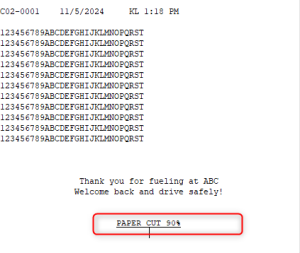
| Receipts | Paper cut for Epsilon Express fuel receipts (RTP-34827) Paper cut is added for reprinted fuel receipts from Epsilon Express.
|
| Self-service | QR code scanning from CoopKey app (RTP-34897) Self-service POS now accepts QR codes from the CoopKey app even if they do not include a member number. Previously, customers were told to seek help at a manned POS. Since these QR codes are valid, customers can now complete their purchases without interruptions. Surveillance messages expiry in Self-Service POS (RTP-34426) If a self-service POS cannot send surveillance messages to the POS Monitor (e.g., due to a network issue), unsent messages are only kept for the duration set by the 'SurveillanceMessageExpiry' parameter. Messages older than this are automatically removed and are not sent when the connection is restored. This ensures that only up-to-date messages are delivered to SurveillanceService. Changed existing parameter in POS Configuration: 'SurveillanceMessageExpiry' (default: 300 (seconds)) - Now affects sending surveillance messages to SurveillanceService, as well as removing them from VolatileSettings. Scanner disabled during reference input for Credit payments (RTP-28896) When a popup for adding a reference number or text is shown during a credit payment, scanners are temporarily disabled. This prevents unwanted scans, such as a customer’s member card, from being registered while the system is focused on receiving the reference input. Relevant existing parameter in POS Configuration: 'ShowReferenceDialogOnCreditPayment' (default 'True') - When activated, the reference input dialogue for a Credit payment is shown. |
Improvements POS Server
| Area | Description |
|---|---|
| POS API | Error when creating newcartwithitems when using WCF Rest (RTP-35125) Removed some exception when creating a receipt through POSWCF. Multiple active discounts (RTP-26913) When there are multiple discounts available for items in the cart, they are properly selected, so the best price is picked. POS WCF: Upgraded WCF to 64bit (RTP-26648) Changed the host of POS WCF to ensure handling of high load by converting POS API to x64 format. |