
...
Select user(s), select login type and click ‘Create User Profile’.NB! In order to be able to select user here, the user must be in the system as an employee (and checked off as a web user).
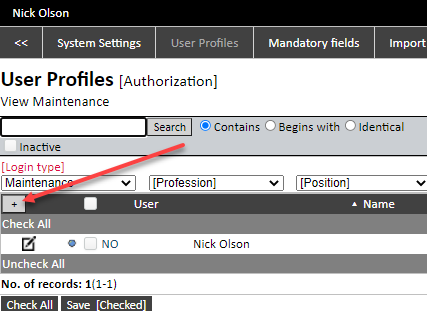
On the far right of the screen is a checkbox that allows for automatic sending of login information when creating new users.
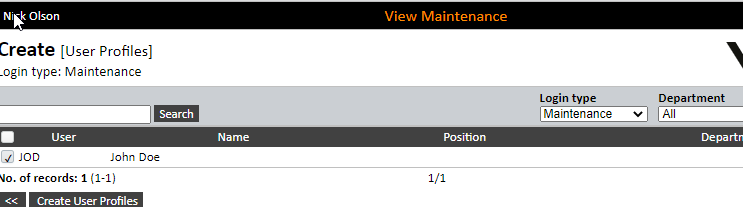

Login type:
Maintenance = ordinary maintenance user.
Production = for a user whose main focus is the Event log.
Messages = for a user with focus on messaging service. Note: For users who are set up with this, all main and mobile menus must be removed.
External = all suppliers and customers (address) that are inserted as web users will be given this, which gives restricted access.
Authorization
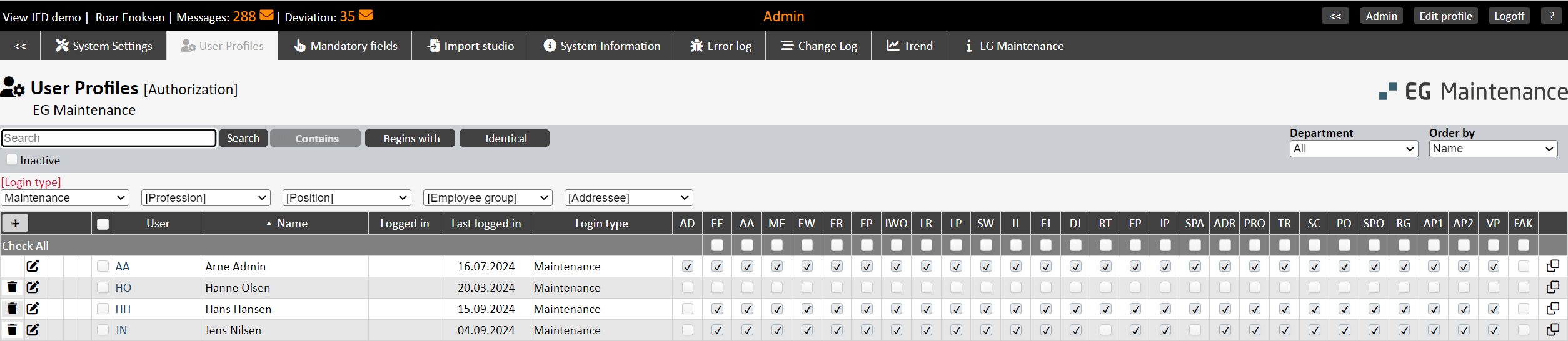
AD = Administrator - handles user profiles, system settings etc. Deleting assets is included in this authorization.
...
INV = Provides authorization to create invoice from the work order history (Service Management) and from the lending/renting of equipment/tools.
 = Copy The copy function that copies access all the settings from the selected user to the new user. Note that: only the accesses are copied, i.e. setup of Main menu, Mobile menu, My View, Mass update options as well as setup That is, these:
- Authorization
- Main Menu
- Mobile Menu
- My View
- Mass update options
- Setup inside the user's profile
...

Blue light bulb: Indicates that the user is logged in via View web.
...