
...
| Expand | ||
|---|---|---|
| ||
|

...
Payback in any tender type
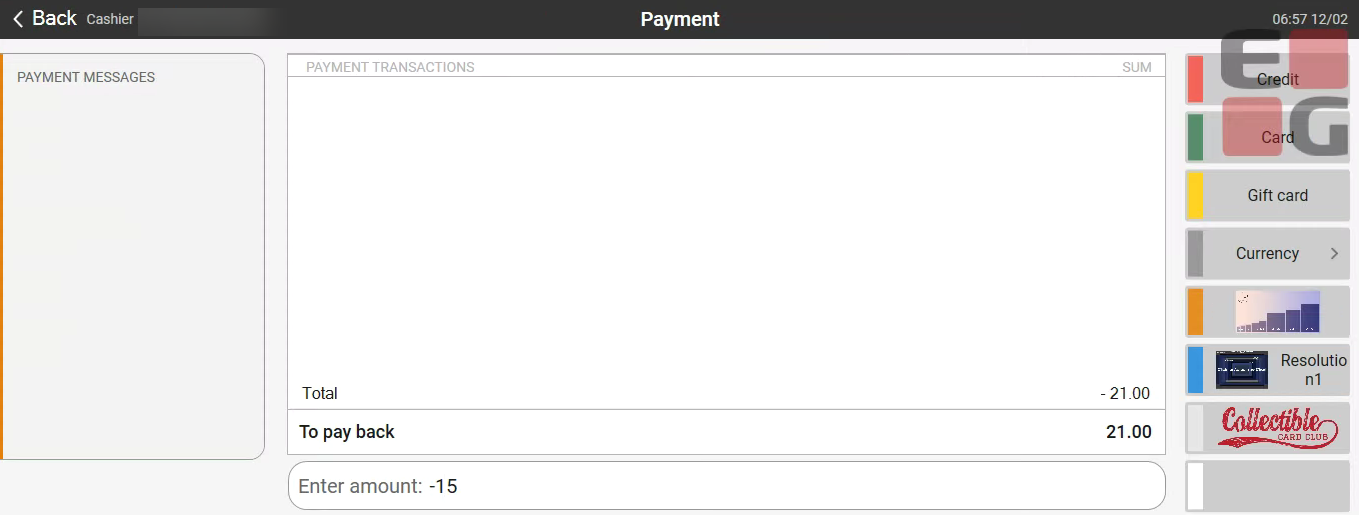
A cashier can payback to the customer using digital payment methods like Swish, Vipps etc. and not only credit notes, cash or bank payments. Which will me more convenient for the cashier and the customer.
Image 1: Digital payments on the right panel ( DisableTenderBackPopUpDialog = True):
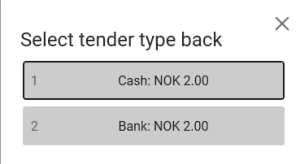
It is configurable if POS shows a dialog to select tender type for the remaining payback after doing a partial refund. (Example: Subtotal -500 and cashier pays out 200 using cash.)
When the dialog is disabled, the cashier is free to select any available and supported tender type to refund the remaining amount.
Example image with partial refund in cash when dialog is disabled: Wait for better pictures
Example image when dialog is enabled:Image 2: Only 2 options for refund (DisableTenderBackPopUpDialog = False)
| Expand | |||||
|---|---|---|---|---|---|
| |||||
DisableTenderBackPopUpDialog = True .
|
Cash Management - Improved receipt print
...
| Area | Description |
|---|---|
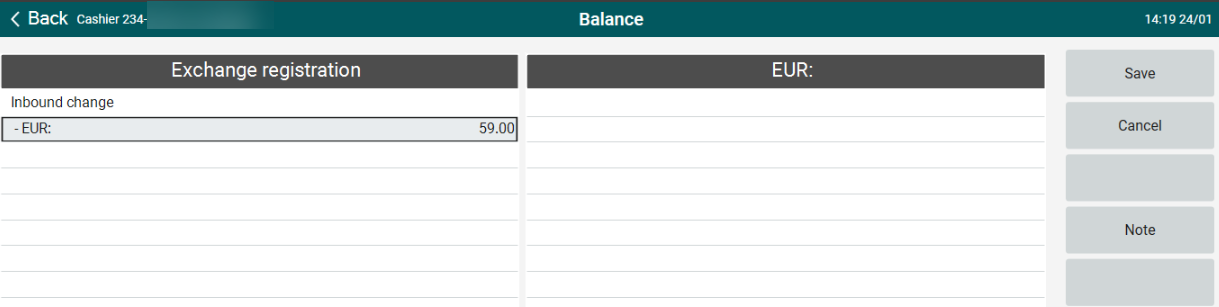
| Balance | Registering inbound change in POS (RTP-34833) When no denominations have been configured, the total amount for inbound change can be registered. Previously, it was not possible to enter any amounts in this case.
|
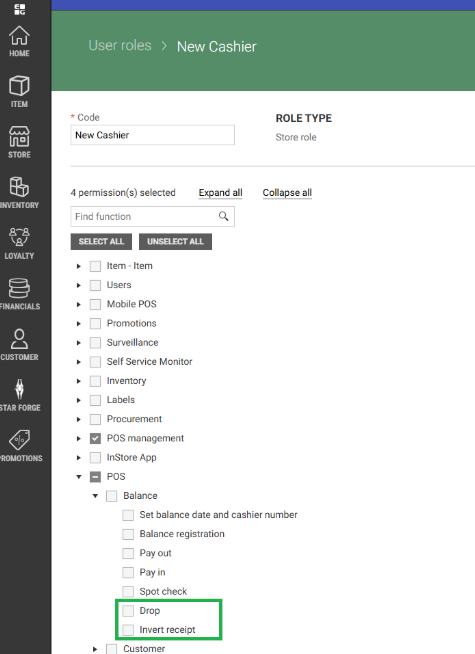
| Cashiers | Import of cashiers (RTP-37229) An improvement has been made to the import of cashiers to POS Master database to allow updating existing cashiers without "AD User Name" when the update contains an "AD User Name". This issue could occur when migrating from Chain Web/Classic to User Management. Cashier Permissions to pay in and out of cash drawer (RTP-37275) Handling of the permission to perform cash drawer pay in and pay out has been improved so the work correctly when the cashiers are handling in Chain Classic/Web and User Management. Permission to perform drop and to invert receipt (RTP-37274) Permission to perform drop from cash drawer and to invert a receipt (in order to correct it or cancel it) has been added in User Management. The permissions are also removed from baseline (=list of permissions that all cashiers have), so the cashier needs to have these permissions to execute related functions.
|
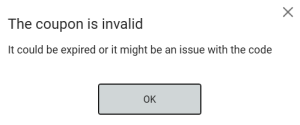
| Coupons | Error handling in POS for general and single-use coupons (RTP-33152) When coupon is not valid or doesn't exist, error handling dialog informs cashier about it:
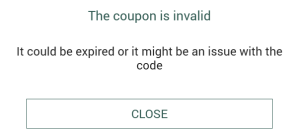
When coupon is not valid or doesn't exist, error handling dialog informs customer about it:
|
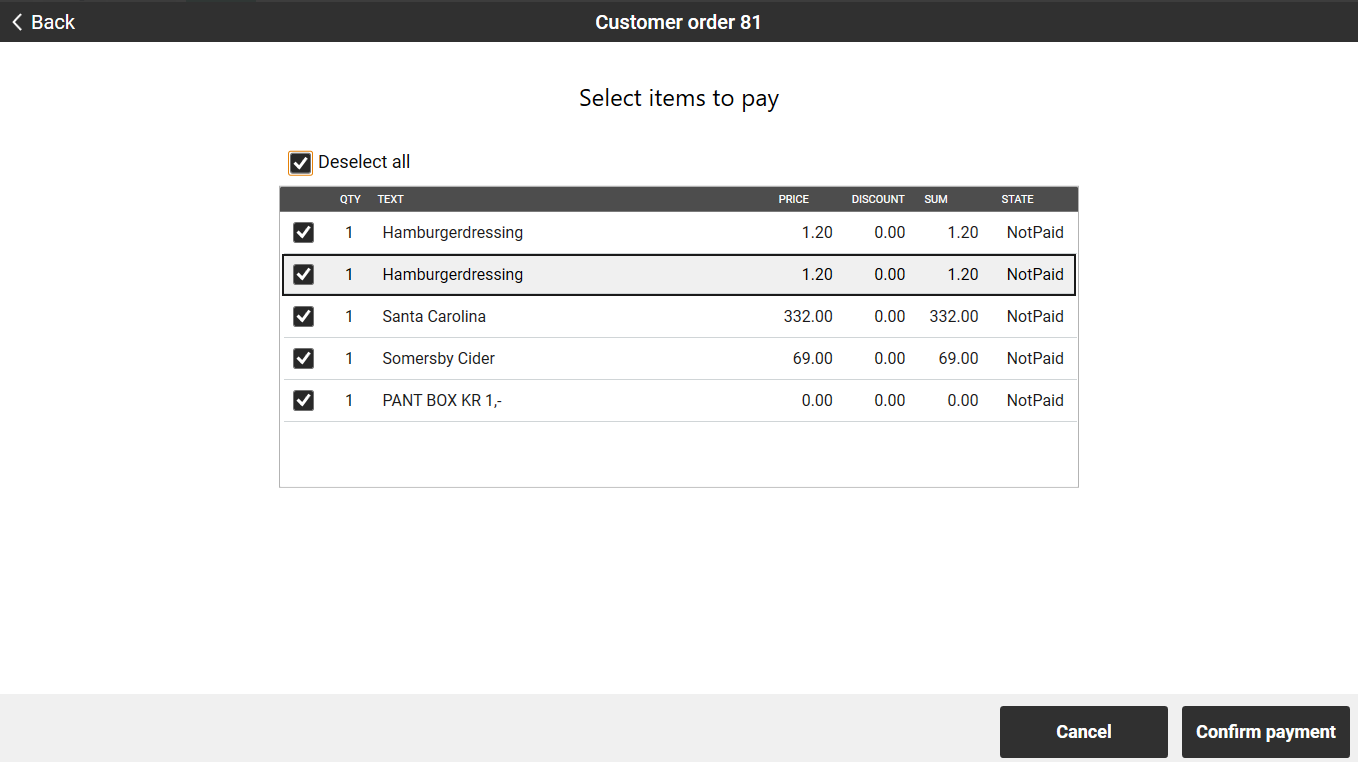
| Customer order | Pay later (RTP-37731) Multiselect behavior allows customer to select/deselect all items at once that are added to the order in the “Pay later” dialog.
|
| Deposit refund | Function to add deposit refund with configured EAN (RTP-37326) A bug that broke the function to add deposit refund using EAN configured in POS Configuration was fixed. |
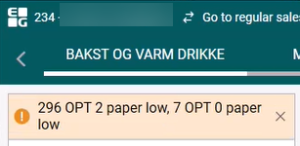
| Epsilon integration | Show code and text in warning notifications from Epsilon (RTP-34002) Warning notifications from Epsilon are shown with the error code and text in normal POS and Convenience sales screens, where only a generic warning message was shown before. Notifications appear in normal and Convenience sale screens in the header. It is possible to get multiple warning in a single warning notification. This works in both scenarios when configuration ShowEpsilonInPlu is True or False. Normal sales screen:
Convenience screen:
Car Wash Vouchers and Fuel Vouchers printouts (RTP-33810) Logo for car wash and fuel voucher printouts can be configured in PrinterVoucherLogoForEpsilonExpress parameter. When configured, selected logo is printed at the top of the voucher receipt. Additionally voucher code is larger and format of expiry date printed on the receipt is changed to YYYY-MM-DD. |
| Flight integration | Flight code on printed receipt (RTP-37555) The flight code (FIcode) on the printed receipt has been fixed so it displays the correct code. (The same code that is saved in POSLog XML) Scanning boarding cards in self-service (RTP-34211) A problem that could cause scanning of some boarding passes with much information in the barcode to fail in Self-service mode has been fixed. |
| Fuel integration | Fix for drive-off payment when cash changer is enabled (RTP-36007) Payment can be done successfully for a transaction with a drive-off if CashChanger parameter is setup. |
| Item transaction | Limits for items with active substances removed for item transactions (RTP-35379) In POS, item transactions can be done on items with with active substances and it is not restricted with the maximum limit. Sales transactions are still limited to the set maximum limit. Made It possible to perform item transactions on restricted items. |
| Login | Tab/Enter button in login view (RTP-23029) The behavior of the "Tab" and "Enter" keys has been improved for a better user experience. After the POS starts, the 'User name' field is focused and the cursor is placed in the field. |
| Loyalty | Coupon activation rules for mixtype 1004 (RTP-28414) This release ensures that coupons with mixtype 1004 are only activated when no other discounts are applied to the items. The system correctly prevents activation if a subtotal discount or line discount is present while allowing the coupon to be applied when no other discounts exist. |
| Order | Canceling a finished receipt with order payment (RTP-37531) A problem that caused order edit mode to be started incorrectly was fixed. This happened when using the function to cancel a finished receipt and the receipt contained payment of an order. |
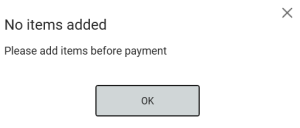
| Payment | Currency payment with no items (RTP-37016) When trying to use the currency payment function in an empty receipt, the following dialog will be shown:
|
| Permissions | Delete permissions from EG POS (RTP-37447) Permissions that are no longer in use and are deprecated are deleted from pos and from Chain Web. |
| Price check | Norwegian localizations in new Price check solution (RTP-37795) Norwegian translations are added to the new Price check solution. |
| Receipt | EFSTA Support for MeinElster in Germany (RTP-35781) Due to new regulation in Germany a report must be created in EFSTA Portal to be sent into German Authorities. |
| Sale | Showing prices when customer is registered (RTP-37619) When register a customer on the receipt that have the checkbox "Show prices excl. VAT in POS" checked , the label "Original Price (Overridden") is not shown if no price changes or discount is added to the item. Fixed issue with non-accessible menu buttons after clicking More Item option in the POS application. |
| Stock Control Service | Stock Control Service - save offline stock updates in local database (RTP-34659) When the integration to the central Stock Control Service is offline, stock changes are saved in the database in table [pos].[UnsentStockUpdates]. When the connection is re-established, the stock updated will be synchronized to the Stock Control Service and removed from the local database. |
| System | Use of none existing cash register number (RTP-23015) Added error handling when CashRegisterNum has a non-existent value |
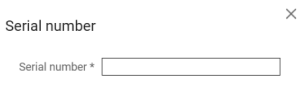
| User interface | Serial Number dialog fields (RTP-25706) When individual item is added to the sale and ShowIndividualNumberInSerialNumberDialog parameter is set to FALSE, then only Serial Number field will be shown.
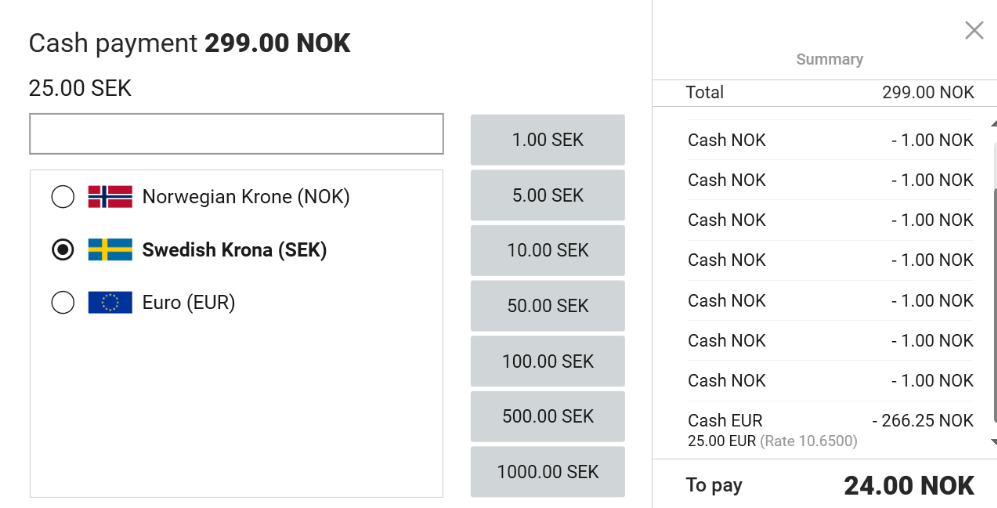
Fixes in model search screen (RTP-36572) Resolution adjustments (for 1920x1080 and1366x768) are added to model search view, along with proper translations and small user interface fixes. Price lookup and currency payment views adapted to full HD (RTP-37014) Price lookup and currency payment dialogs have been adapted to Full HD resolution (1920x1080).
|

...