
Support for imports and update imports of assets, addressees (suppliers and customers), articles, work orders, checkpoints, documents, etc.
...
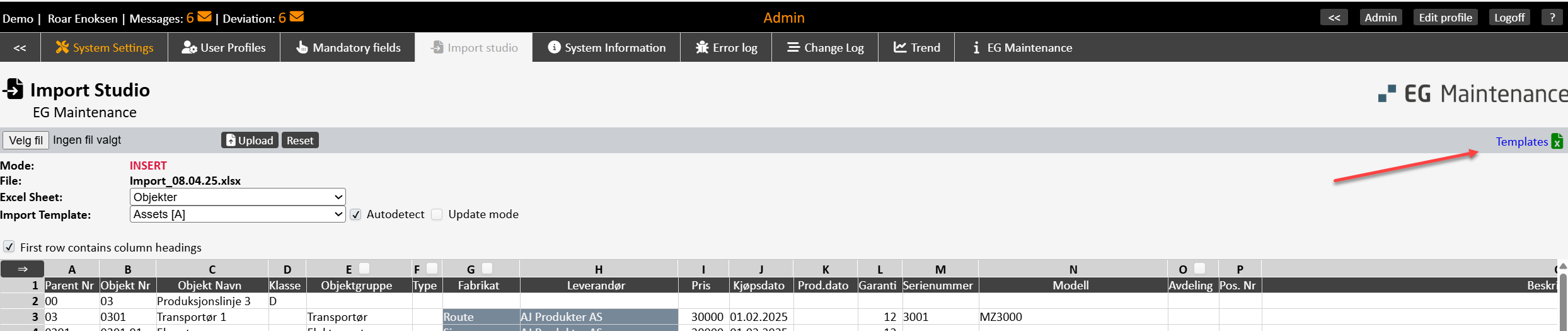
Import Excel file containing sheets for all available imports can be downloaded via the ‘Templates’ button.
Shown here is an example of an Excel sheet for asset imports.

The completed import file is uploaded in the import studio for imports. Select the correct Excel sheet and import template. A validation is performed, and if there are errors in the import basis, the errors will be listed with a reference to the cell in the Excel sheet. Information regarding error codes, see here here 16.4.1 Error messages . A copy of the Excel file, including colour code of the cells containing errors, can be downloaded for easier correction. It will not be possible to import this until all the errors have been corrected in the relevant Excel sheet and it has been uploaded again.
...