
...
- List configuration in the app: Just like in the web browser, you can change which fields are visible in lists in the app.
- Confirm read and understood in the app: There is now a dedicated tab for reading confirmation for documents in the app.
- Checklist gadget: You can display questions and answers from a checklist in a gadget on the dashboard. The gadget is called "Checklist responses with questions".
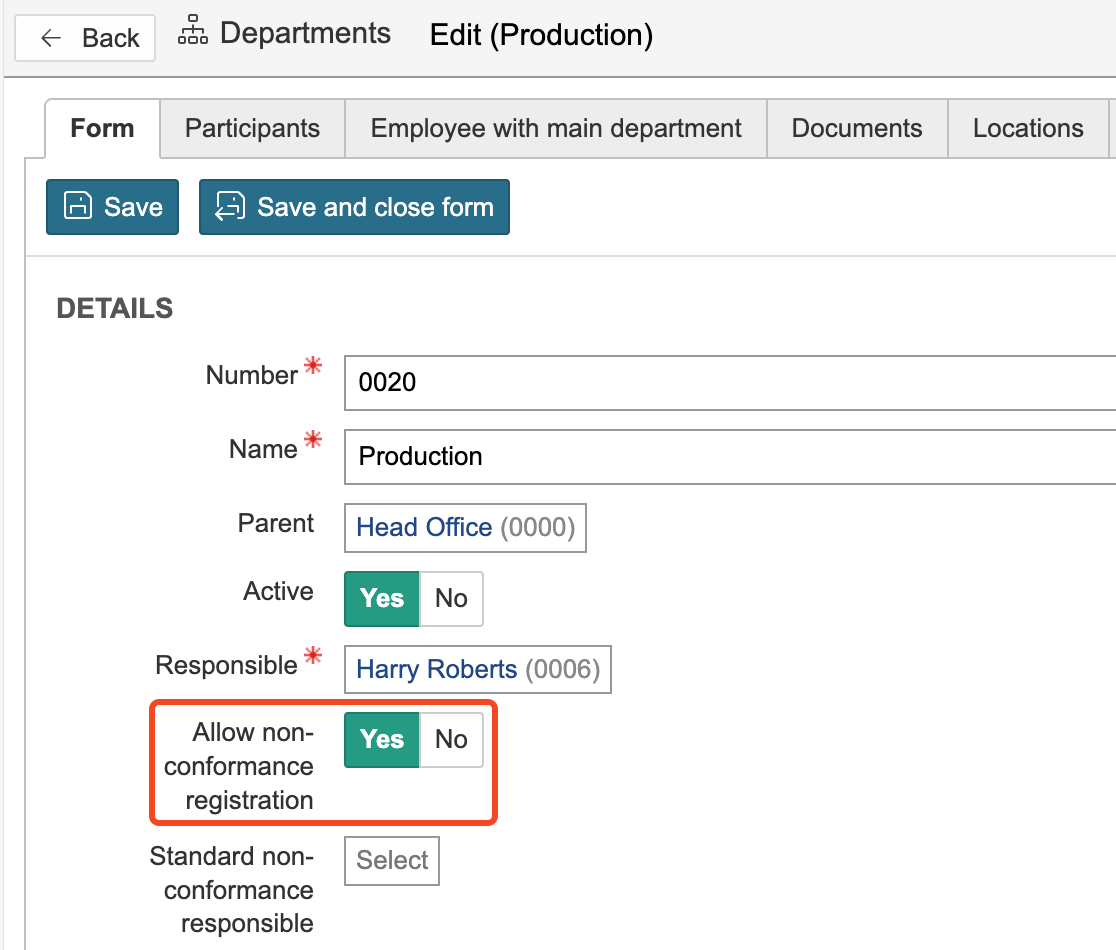
- Allow non-conformance registration on department: You can choose whether a department should be available for selection when registering a non-conformance. This option can be useful in cases where non-conformances should only be registered on sub-departments. In such cases, you can disable the option for higher-level departments.
- Import of risk events: It is possible to import risk events.
Create task in checklist response: You can allow tasks to be created directly from a checklist response. You can also select a default task type here.