
...
- External users: You can distinguish between internal users (employees) and external users (contracted personnel), and grant external users access to records within their own company. This applies to the following modules: non-conformances, documents, tasks, checklists, competence, suppliers, and the user overview (employees).
- Merge fields in Excel: You can now use merge fields in Excel in the same way as in Word files.
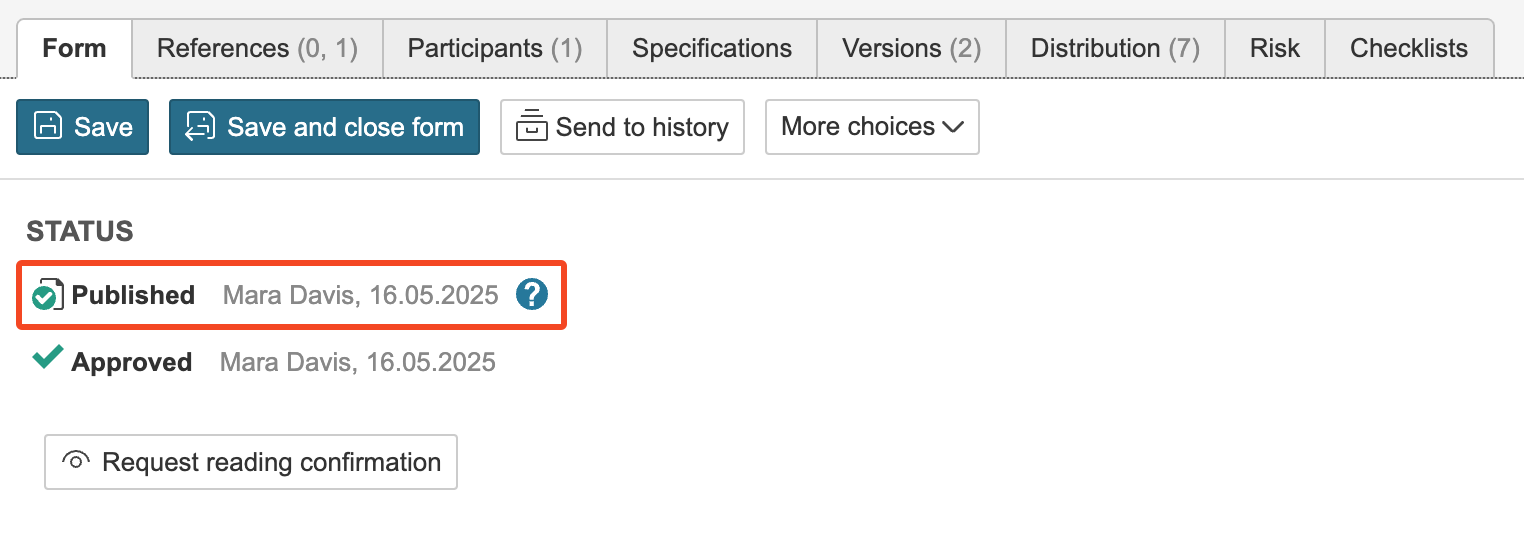
- "Published by" on documents: The name and date of when, and by whom, the document was published are displayed in the form and can be used as merge fields. The publishing date and name may differ from the approval date and name in cases where documents are not approved and published at the same time.
- Risk icon: If a box in a flowchart has linked risk analyses, you can choose to display only an icon. This makes it easier to indicate in the flowchart that the activities have associated risks.

- Diff. view: In several modules, you can now toggle the diff. view on or off in email notifications. The diff. view in emails highlights the changes made to the record being notified. Content marked in red indicates previous information, while content marked in green shows new or updated information.