
About
This page is about the Azure environments and how to navigate for finding the various resources.
Environments
The following environments are of importance to the Partner Portal.
- DEV
This is where development takes place.
All new development is first deployed to the DEV environment where the developers test the implementation. - TEST
After having testet the implementation, the code is pushed to teh TEST environment where the internal testers tests the implementation. - STAGING
After having testet throughoughly, the code is pushed to the staging environment, this is where the customer tests the implementation.
The environment is linked to the actual customer sonein test environment at the moment. - PROD
When all tests have been completed both internally and at the customer, the code is pushed to teh production.
The applications
Finding the applications can be done in more than one way, below is a description on one:
- Open http://portal.azure.com
- Log in with your credentials
- Click on Resource groups
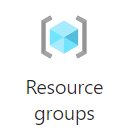
In the window that appear, you have the following options depending on what environment you want to access:
- rg-partner-portal-dev
- EGUPartnerPortalFacilityTaskExchangeApiDEV
- integrationserviceapi
- apiserviceDev
- EGUPartnerPortalWeb
- rg-partner-portal-test
- EGUPartnerPortalFacilityTaskExchangeApiTEST
- integrationserviceapi
- apiservice
- EGUPartnerPortalWeb
- rg-partner-portal-staging
- EGUPartnerPortalFacilityTaskExchangeApiSTAG
- integrationserviceapi
- apiserviceENV
- EGUPartnerPortalWeb
- rg-partnerportal-prod
- EGUPartnerPortalFacilityTaskExchangeApiPROD
- integrationserviceapi
- apiserviceENV
- EGUPartnerPortalWeb
Explanation:
- Starting with EGUPartnerPortalFacilityTaskExchangeApi is the WCF Service
The WCF Service - integrationserviceapi
The integration service - apiservice
The backend service to the database - EGUPartnerPortalWeb
The web page
xx