
...
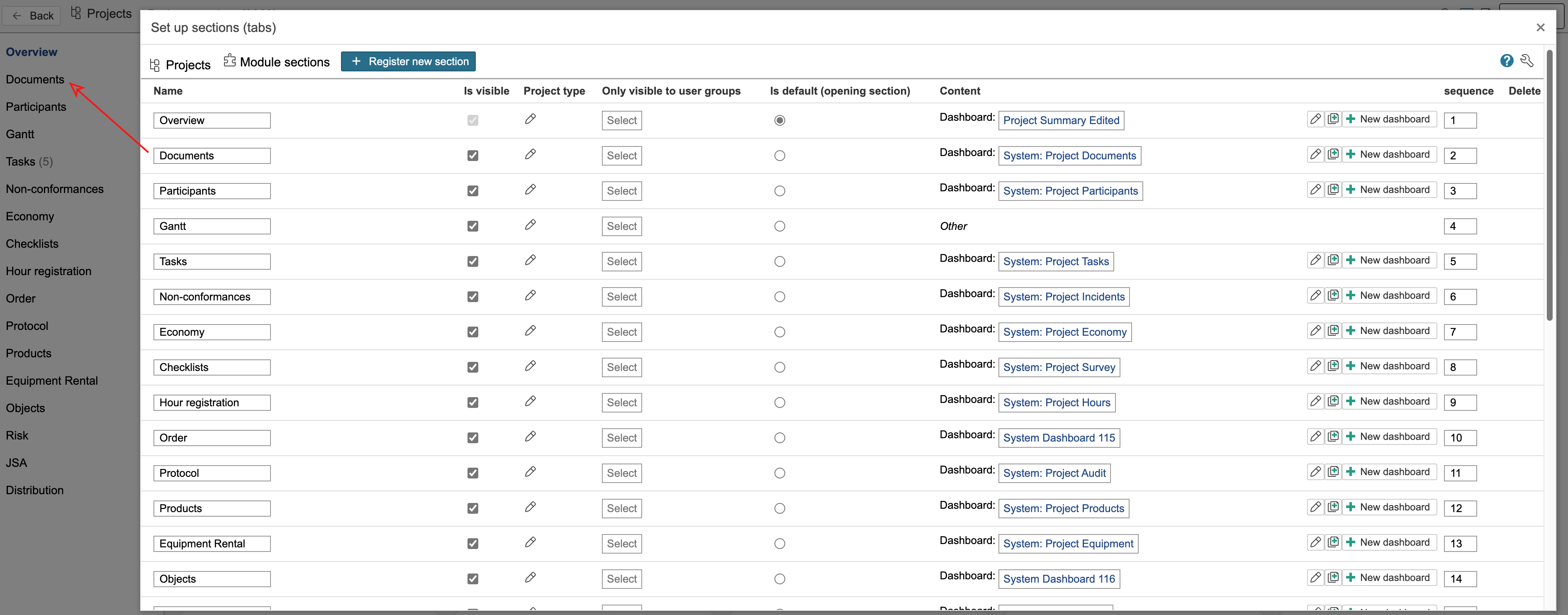
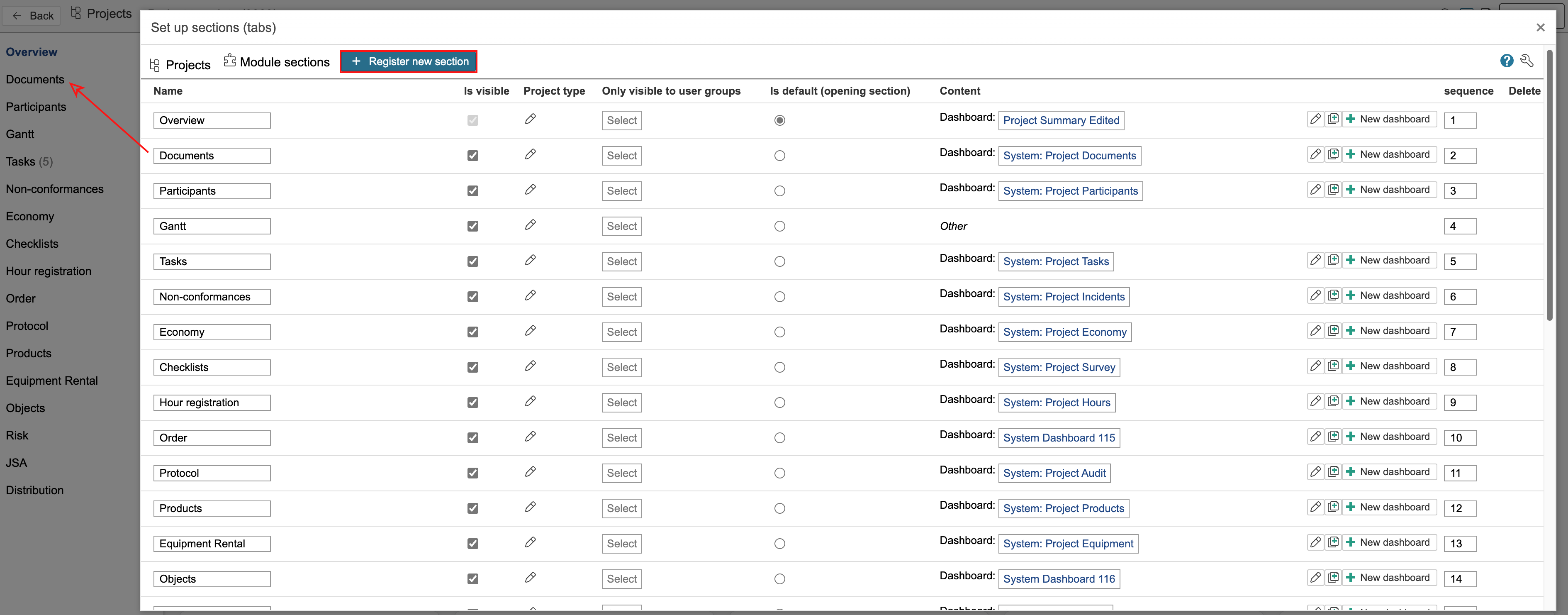
2. This is an overview of the project's sections. They are displayed on the left side in the project. Sections can be made visible or hidden for all users or for specific user groups. You can also control visibility based on project types. The content of a section can be either a URL or a dashboard. To create a new section, click Register new section.
| Note |
|---|
Note: In some platforms, the tabs may appear horizontally at the top of the project portal. If you prefer to display the tabs on the left side, go to the Control Panel, select Dashboards in the middle column, and activate the option Use the left menu in the portal. |
...