
In most modules, it is possible to edit metadata for multiple records simultaneously. This page explains how this is done in the nonNon-conformance module. The Conformance module, but the same approach is used across throughout the entire system.
| Note |
|---|
Note: When performing multi-editing, the system's default field names are displayed. If you have configured the non-conformance forms and renamed fields, those changes are not reflected during multi-editing. |
...
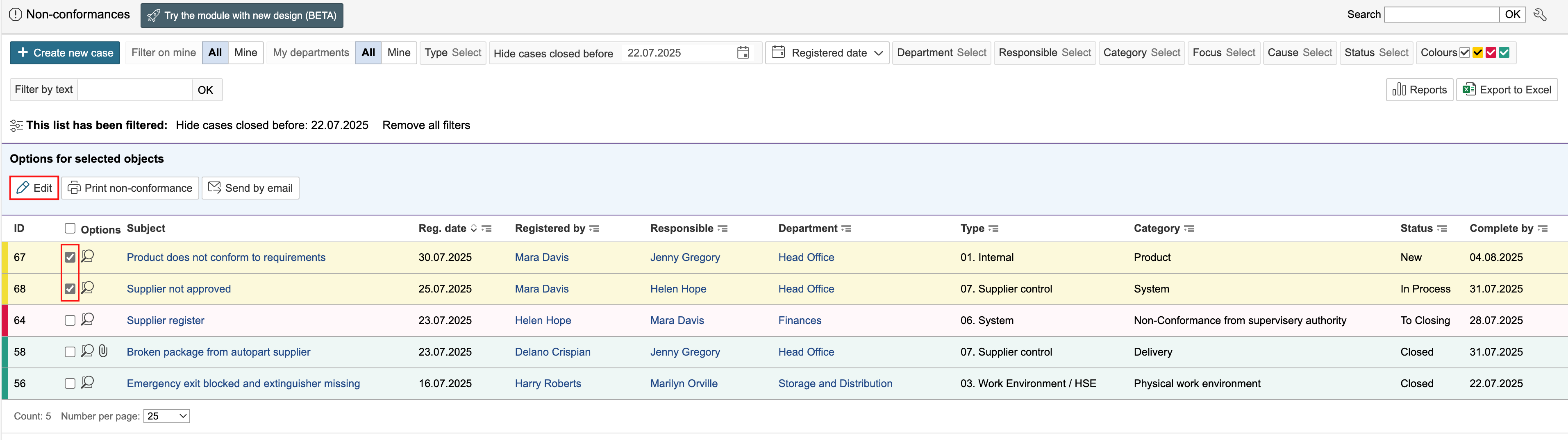
1. Select the records to be edited and click Edit.
2. To unlock a field for editing, check the box to the left of the field. Edit the information and click Save and close form.

...
Tick the checkboxes for the fields you want to edit in the 'Form' column to enable editing, and select the new data for those fields. Click Save and close form to save the changes.
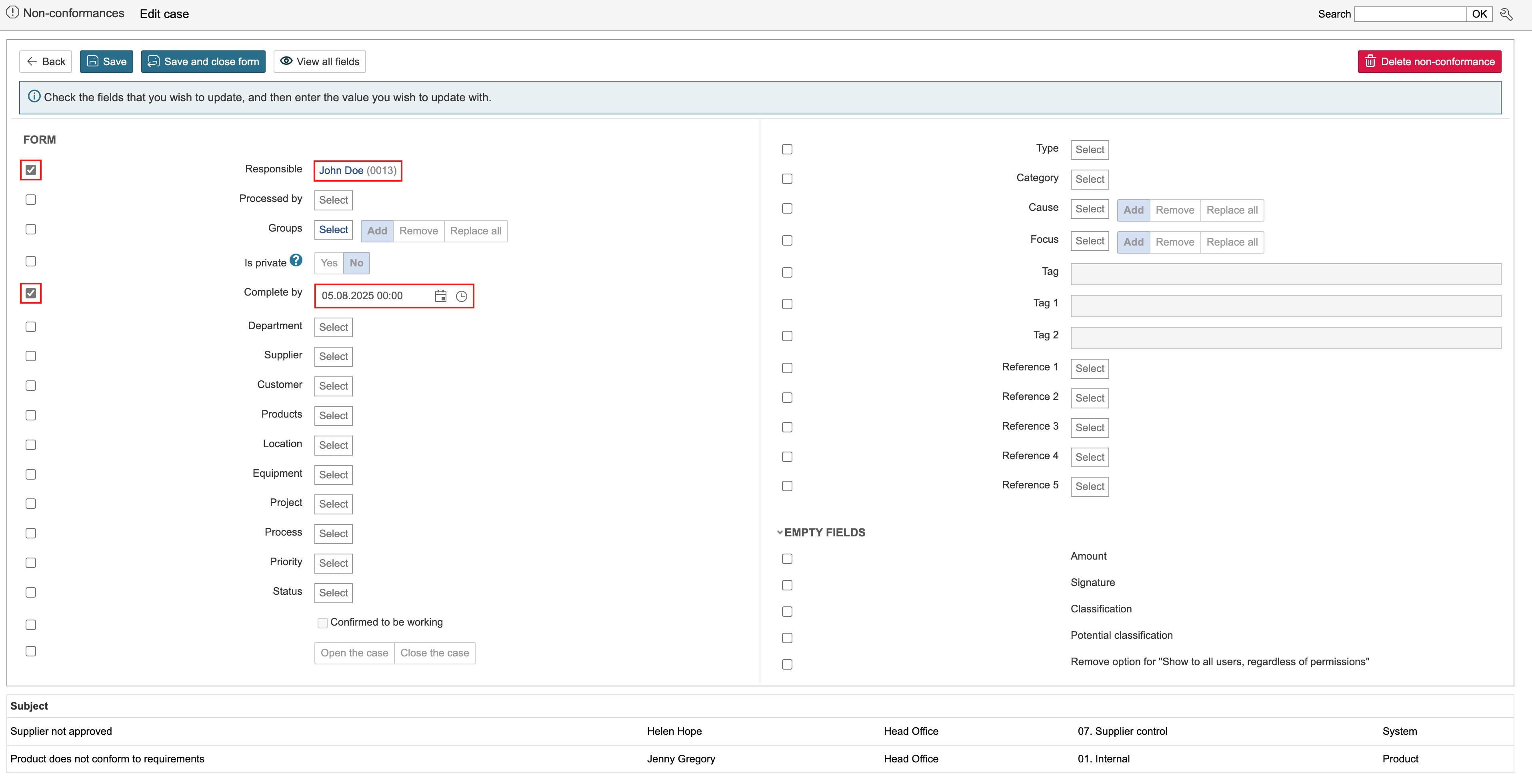
The records you are editing are displayed
...
at the bottom of the page.

