Summary
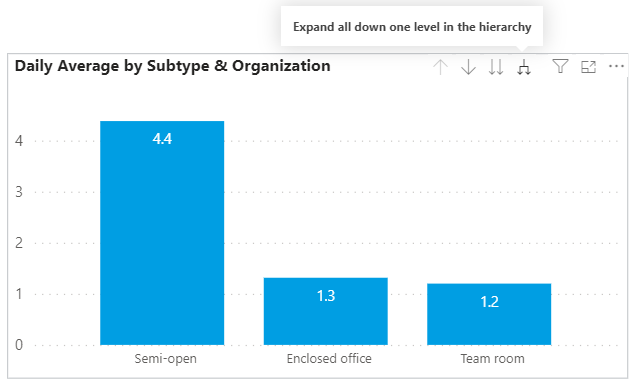
The Summary - page shows key and basic average workstation booking figures.
The Basic Info - box includes the total number of workstations and the number of usable and not usable workstations.
‘Help’ - button on each page will direct you to this report instructions page.

Number of
WorkstationBookings
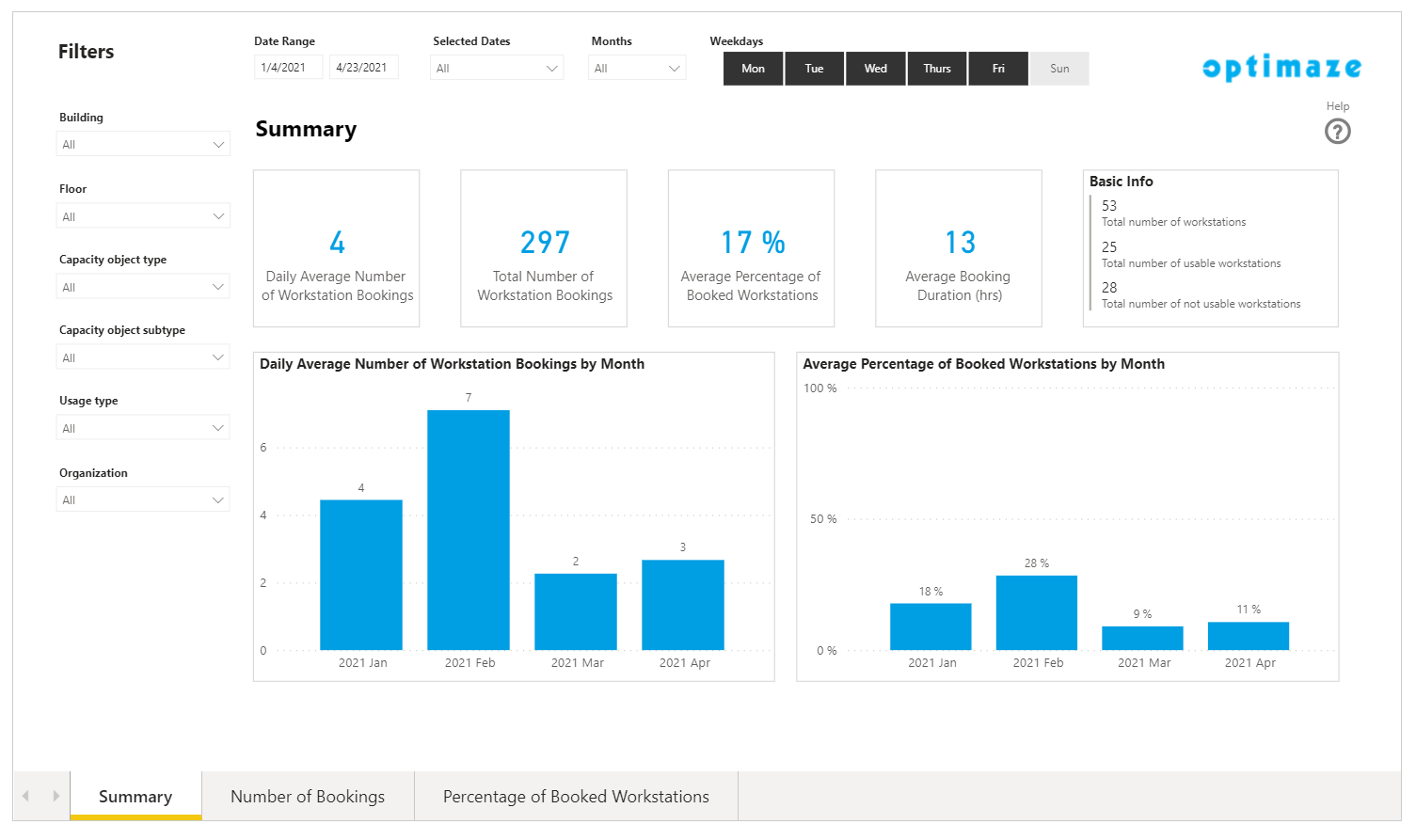
The Workstation Number of Bookings - page shows the number of bookings by seat subtype, organization, building, floor, weekday and date.
Daily avearage bookings means the number of bookings made per day on average.
Percentage of Booked Workstations
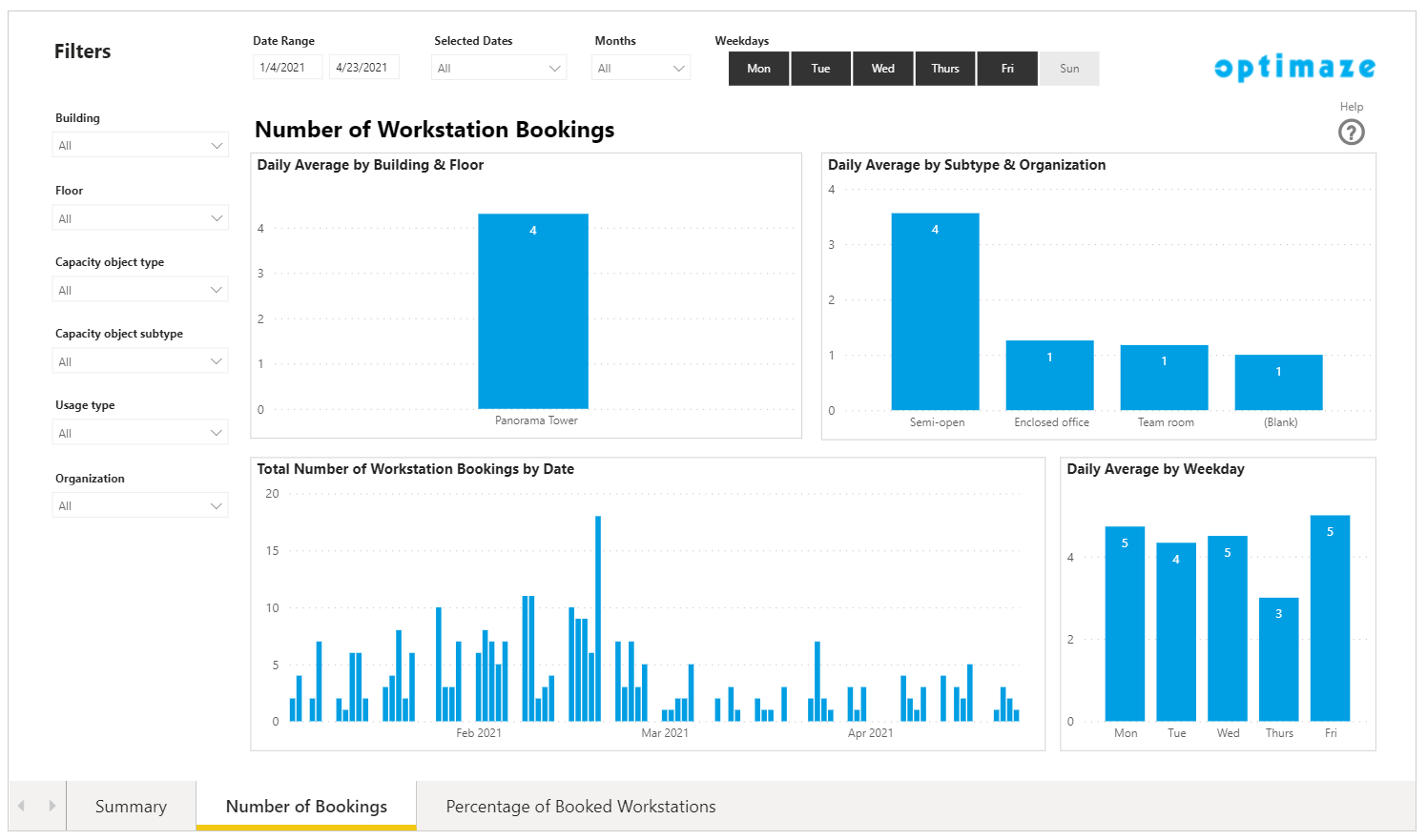
The Percentage of Booked Workstations - page shows the workstation bookings in percentages. The graphs depict how many rate workstations were booked by building, floor, subtype, organization, date and weekday.
The percentage of booked workstations is calculated by :number dividing number of bookings / with bookable workstations.
Drill Down Bar charts
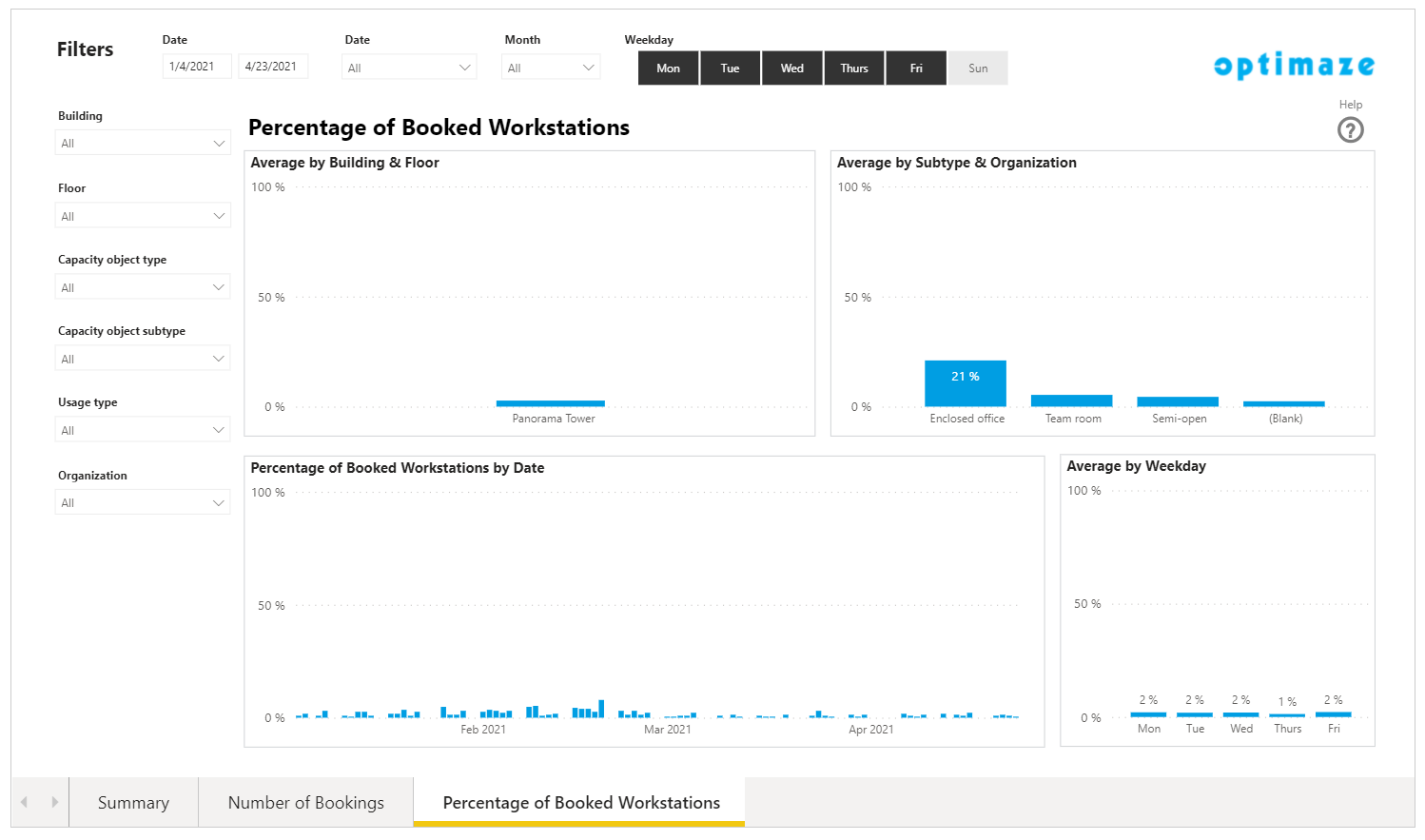
‘Building The Building & Floor' bar graph shows the data by Building building as a default. And 'The Subtype & Organization’ Organization graph shows the data by Subtype subtype as a default.
In order to view the Floor floor or Organization organization data, drill down the graph by clicking moving the mouse pointer over the graph and click the two downward arrows on the top right corner.
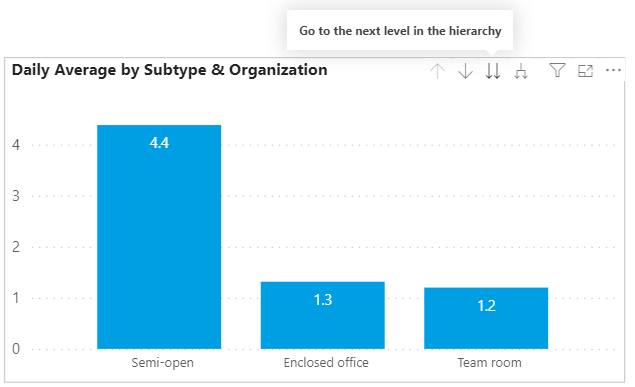
Or ‘Expand Expand all down one level in the hierarchy’ by hierarchy by clicking the joint downwards arrow.