
Register new rental
1. Go to the equipment module and open the equipment by clicking it.
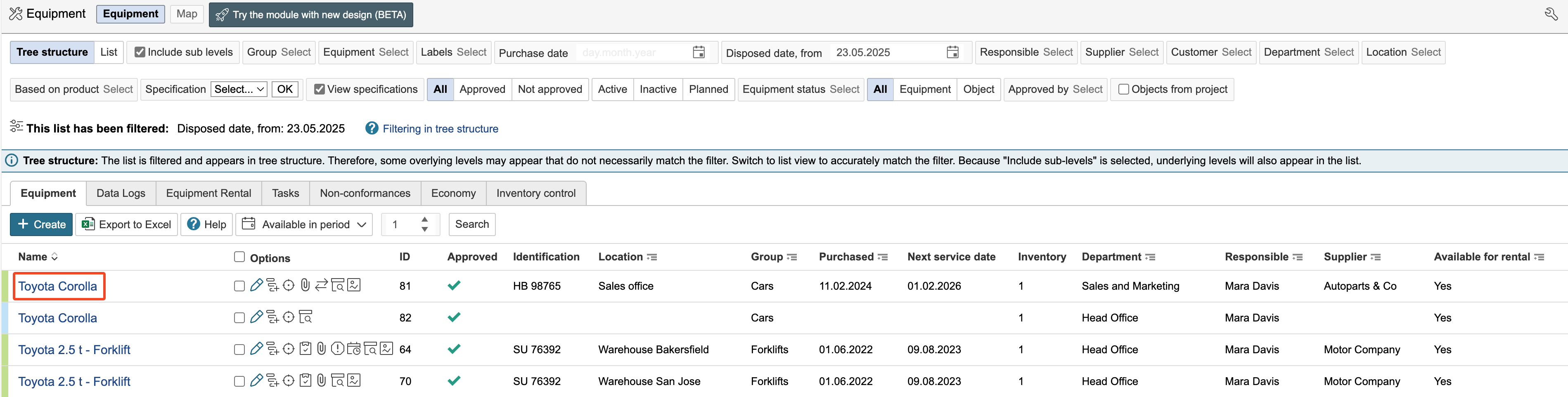
2. Go to the Rental tab and click Register a new rental.

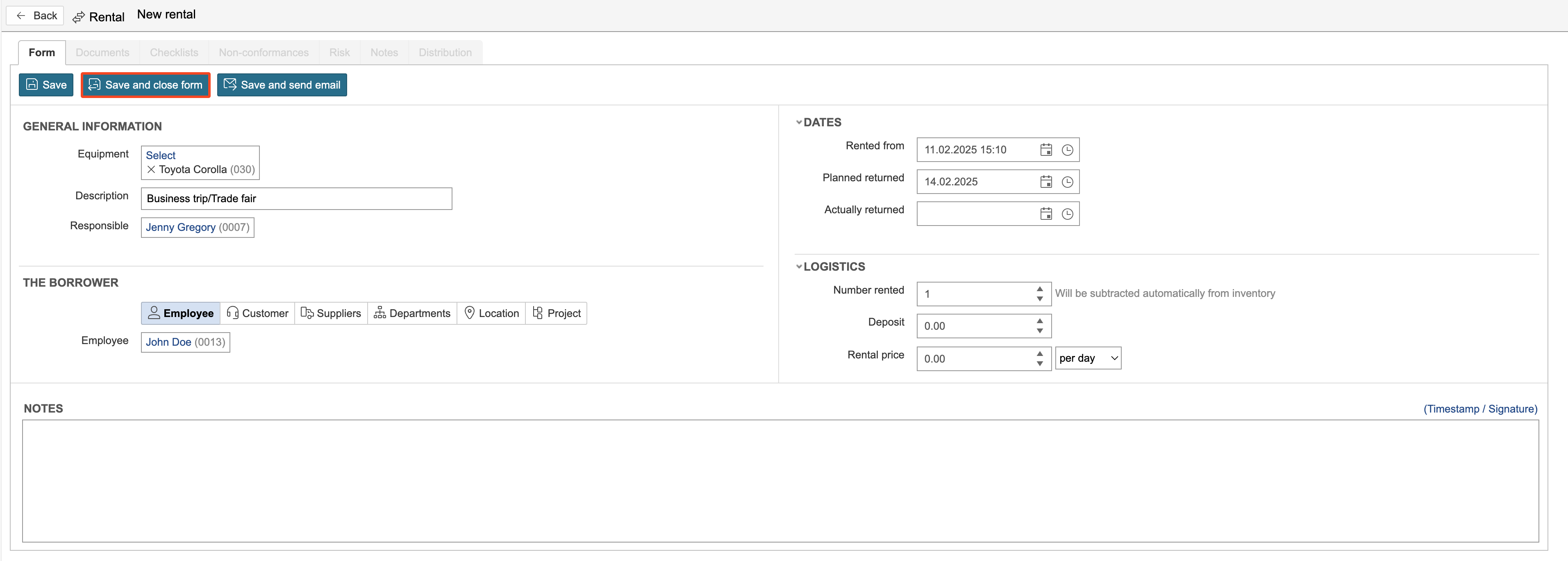
3. Fill in the rental details and click Save and close form.
Equipment can be rented out to employees, customers, suppliers, departments, locations, and projects. In the "Dates" section, you can enter the rental start date, planned return date, and actual return date. If you charge for equipment rentals, you can enter the deposit amount and rental fee under the Logistics section.
Rental overview
The Rental tab displays all rentals registered for the equipment.

The Equipment rental tab in the equipment overview is a calendar view where each piece of equipment is marked with the number 1 on the days it is rented out.

| Info |
|---|
Info: The Inventory Control tab displays rental records for all equipment |
1. Click Register new loan.

2. Enter information and click Save.

3. The Rolling and lending tab displays all loans and information.

| Info |
|---|
Info: All movements for lending of equipment can be viewed under the Inventory control tab. |