
Below we show you how to proceed if you want to change the default mode for meter readings / use / instantaneous values in Input.
On some meters, meter readings are read, on certain uses or instantaneous values. To simplify reading, you can change with a simple push of a button so that either meter readings, use or instantaneous values are what is set on the meter.
Follow below if you want to change your meter:
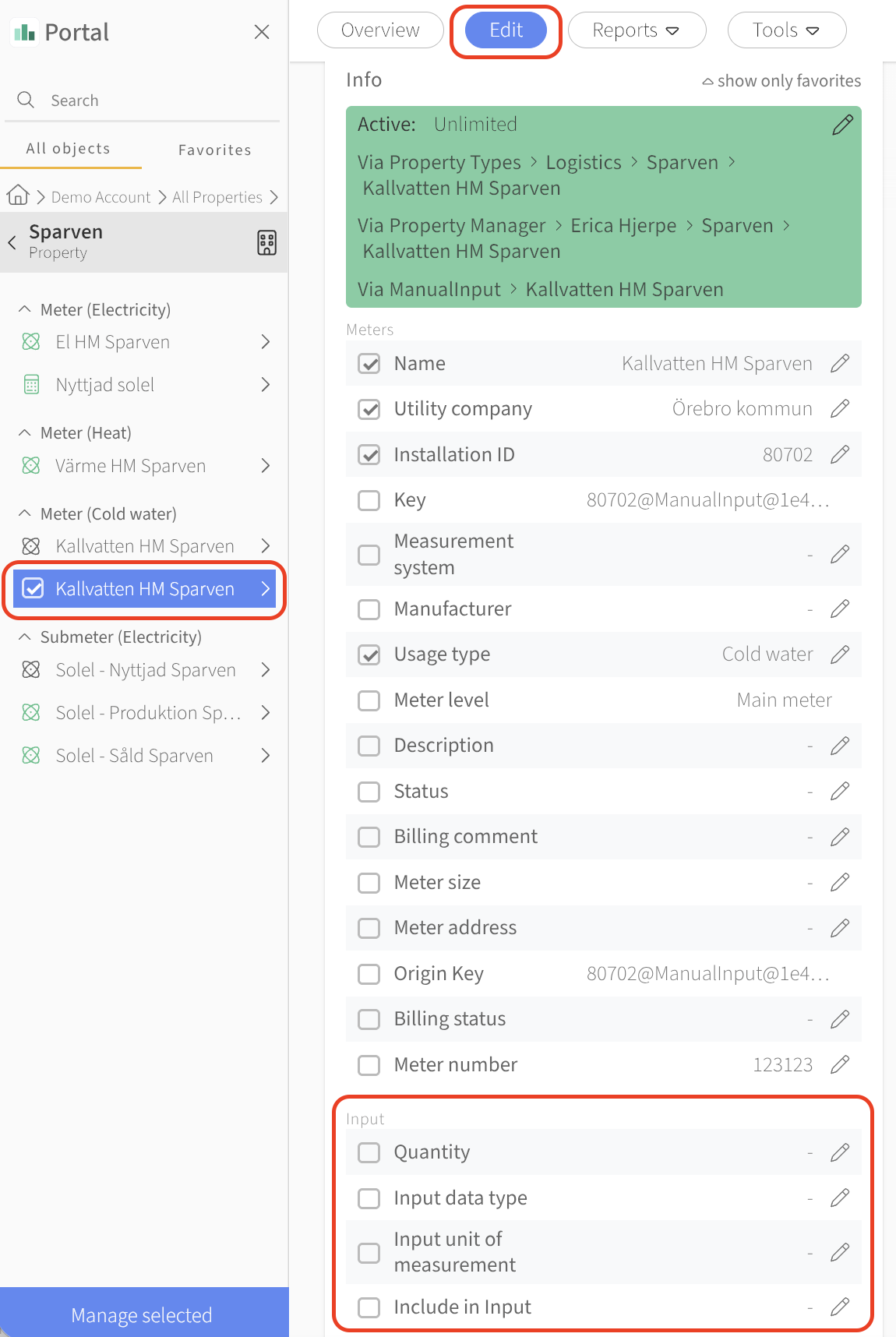
Log in to Mestro portal and navigate to the specific meter you want to change
Go to the edit tab
Scroll down to the section titled Input
Select data type in Input and select what you want and press save
...
Common questions
- How do I change the default type in Mestro Input?
- How do I switch from meter reading to usage in Input?
- How do I configure which value type I enter?
- How do I set the meter default in Input?