
...
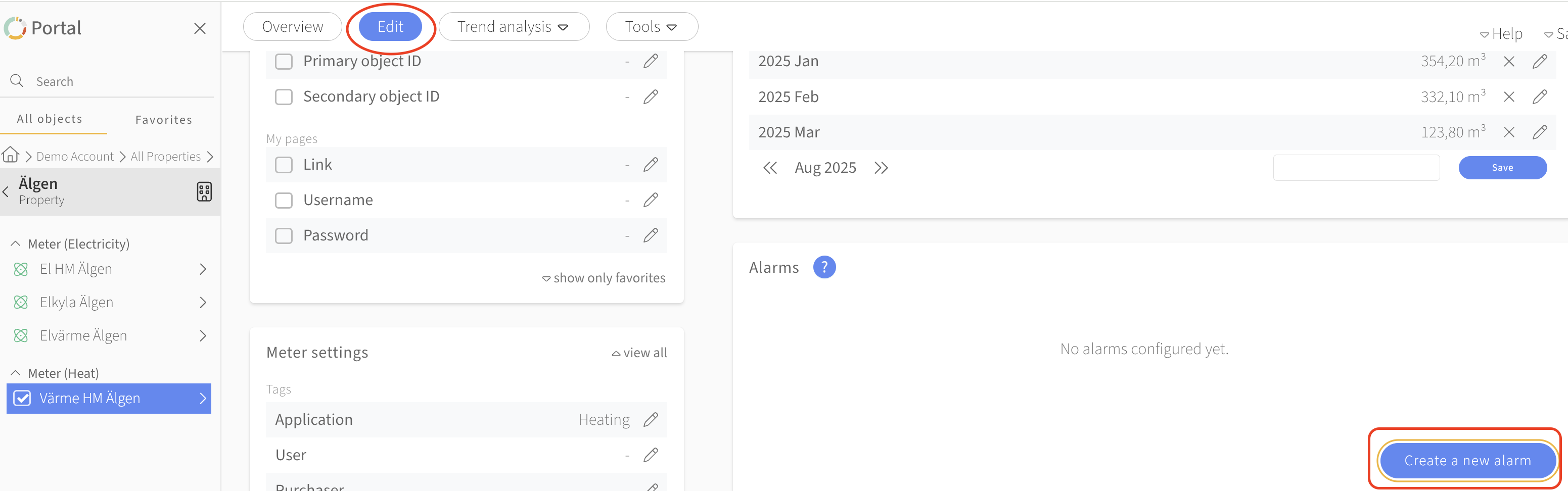
Navigate to the meter you want to set an alarm for. Click the red overview Edit-button
Scroll down to the widget called alarms to the right
Press the button create new alarm
Choose if you want to set an alarm for average power or energy usage
Choose the value and press save

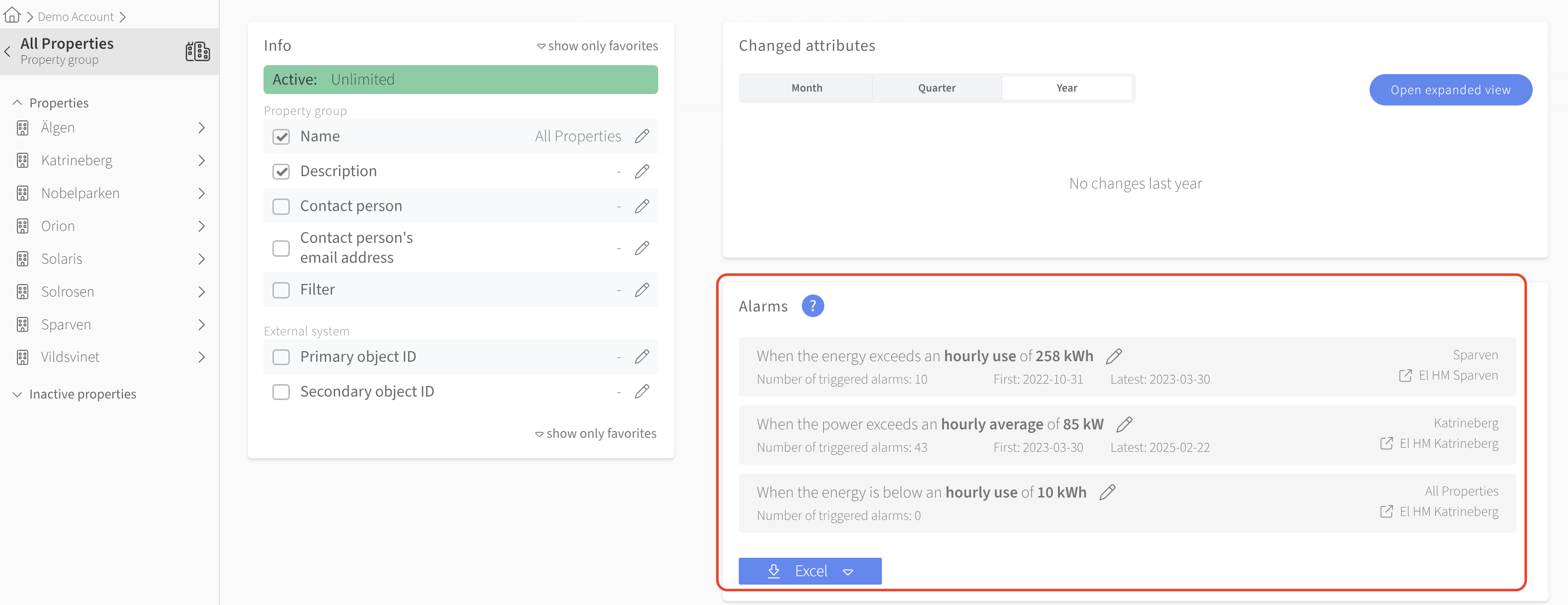
Notifications for alarms that has been triggered, can be seen as notifications in the overview for the portfolio/ the property/ the specific meter, see screenshot below
Was this article helpful?
...