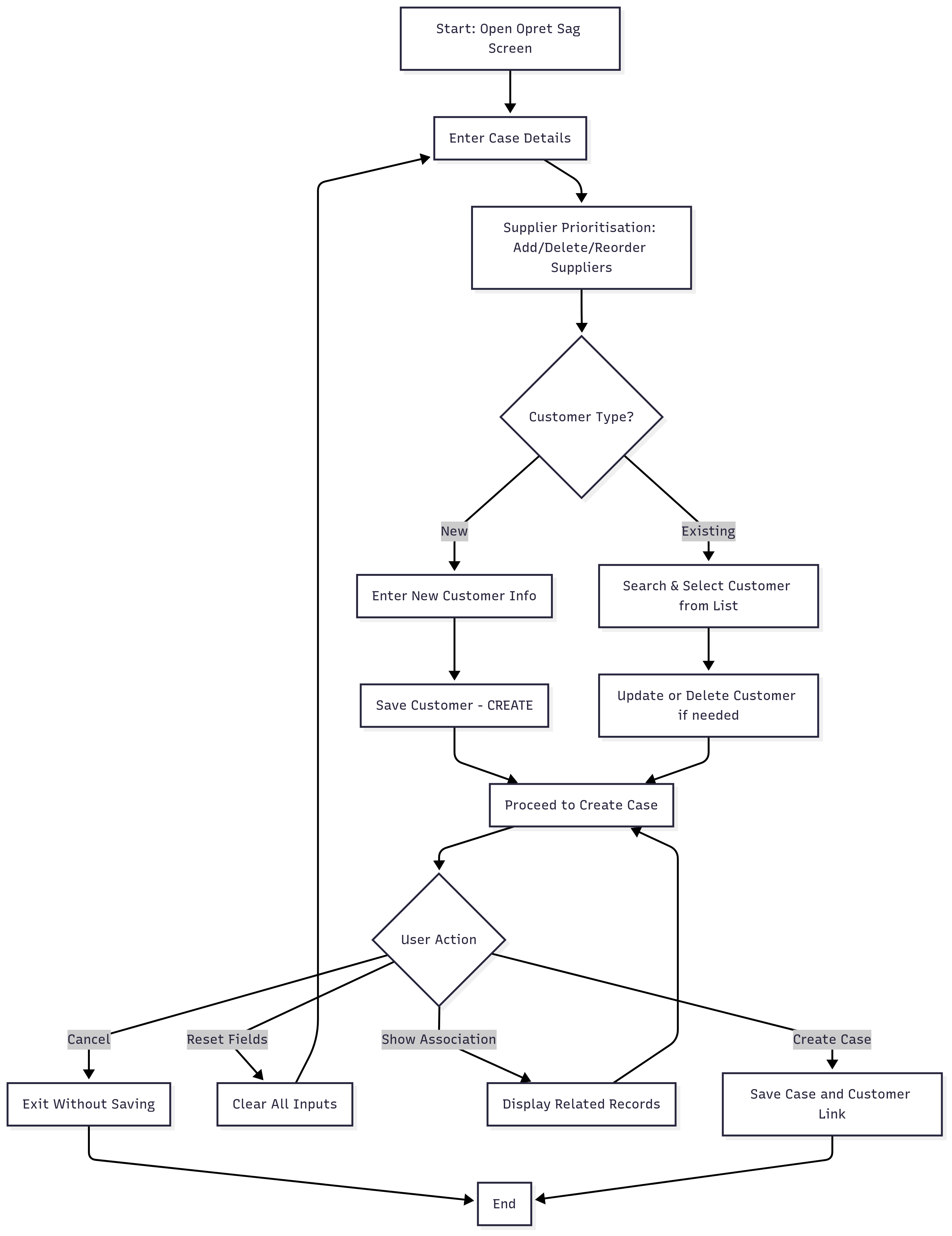
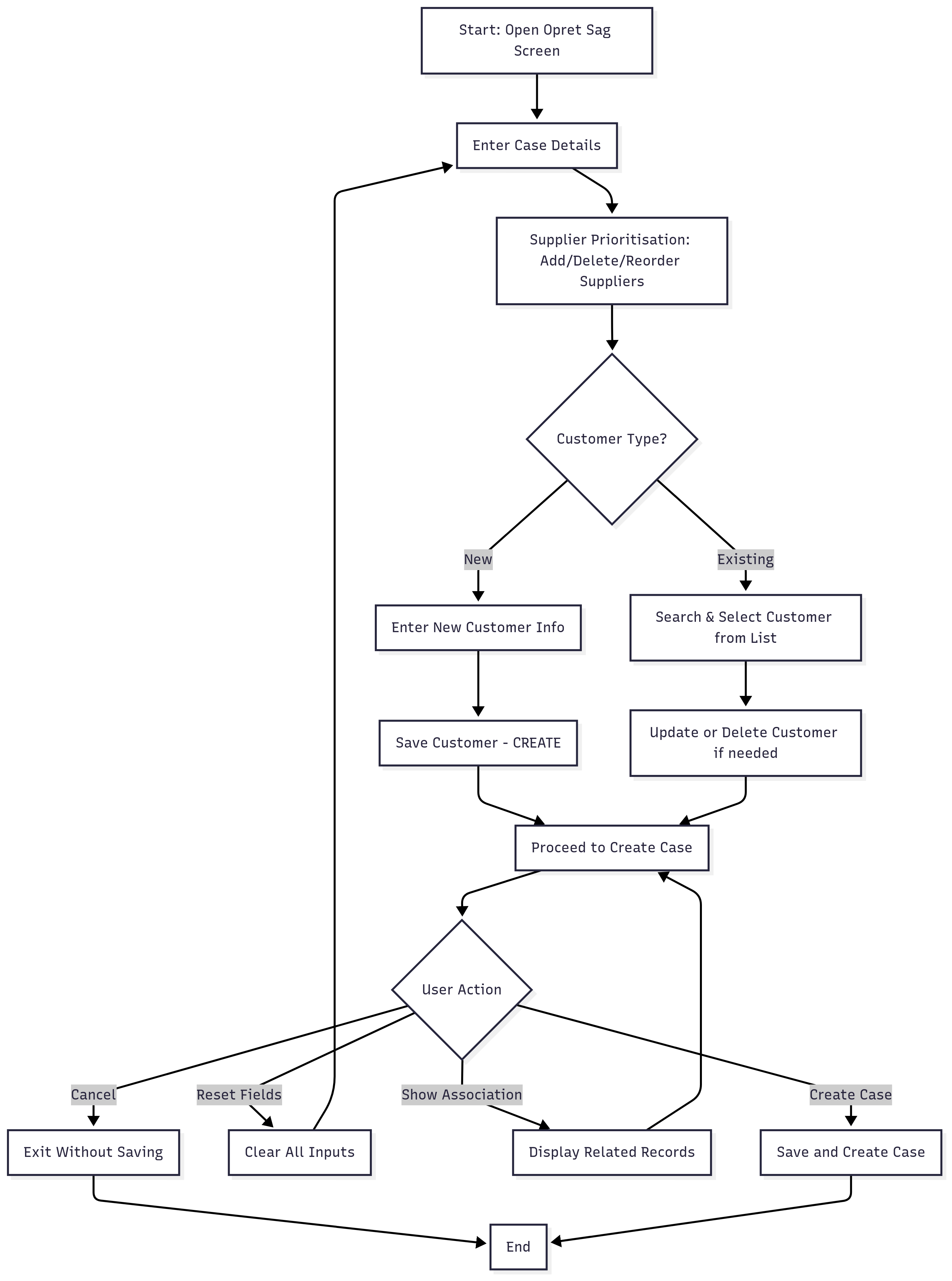
...
Key Improvement: Instead of two different tables, the workflow is streamlined into one page with configurable sorting options.
Below is the proposed UI wireframe of an alternative workflow for the above case
...
The Opret Sag screen opens.
The user enters case details (e.g., Sagsnr, Lic. dato, Undertitel, etc.).
The user prioritises suppliers in the Grossist/Leverandør Prioritering section (add, remove, reorder).
The customer information panel has:
Customer search / list (existing customers).
Options to create a new customer or update existing.
Once details are entered, the user can:
Click Opret Sag to create the case.
Use Annuller, Nulstil Felter, Vis Tilknytning as supporting actions.
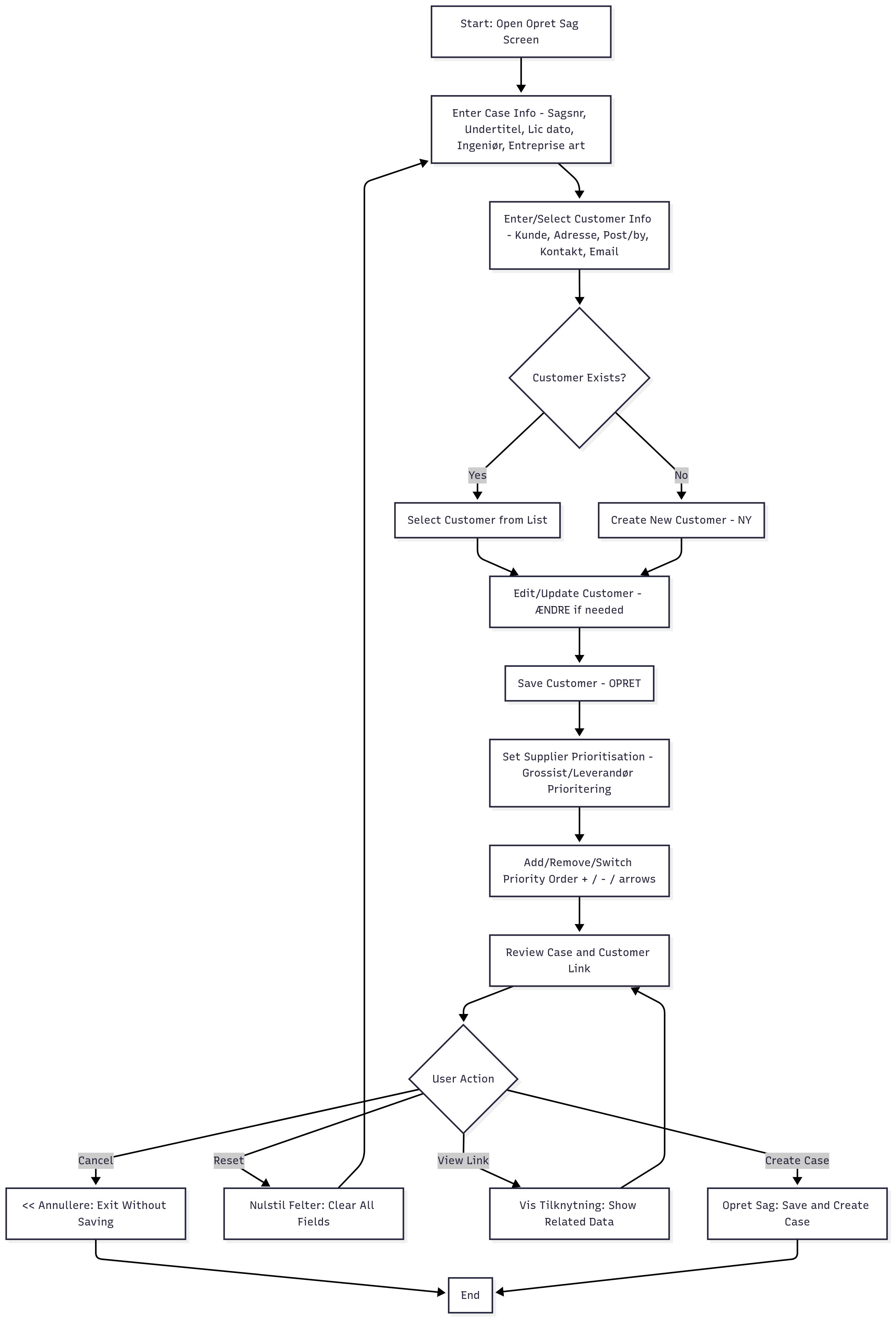
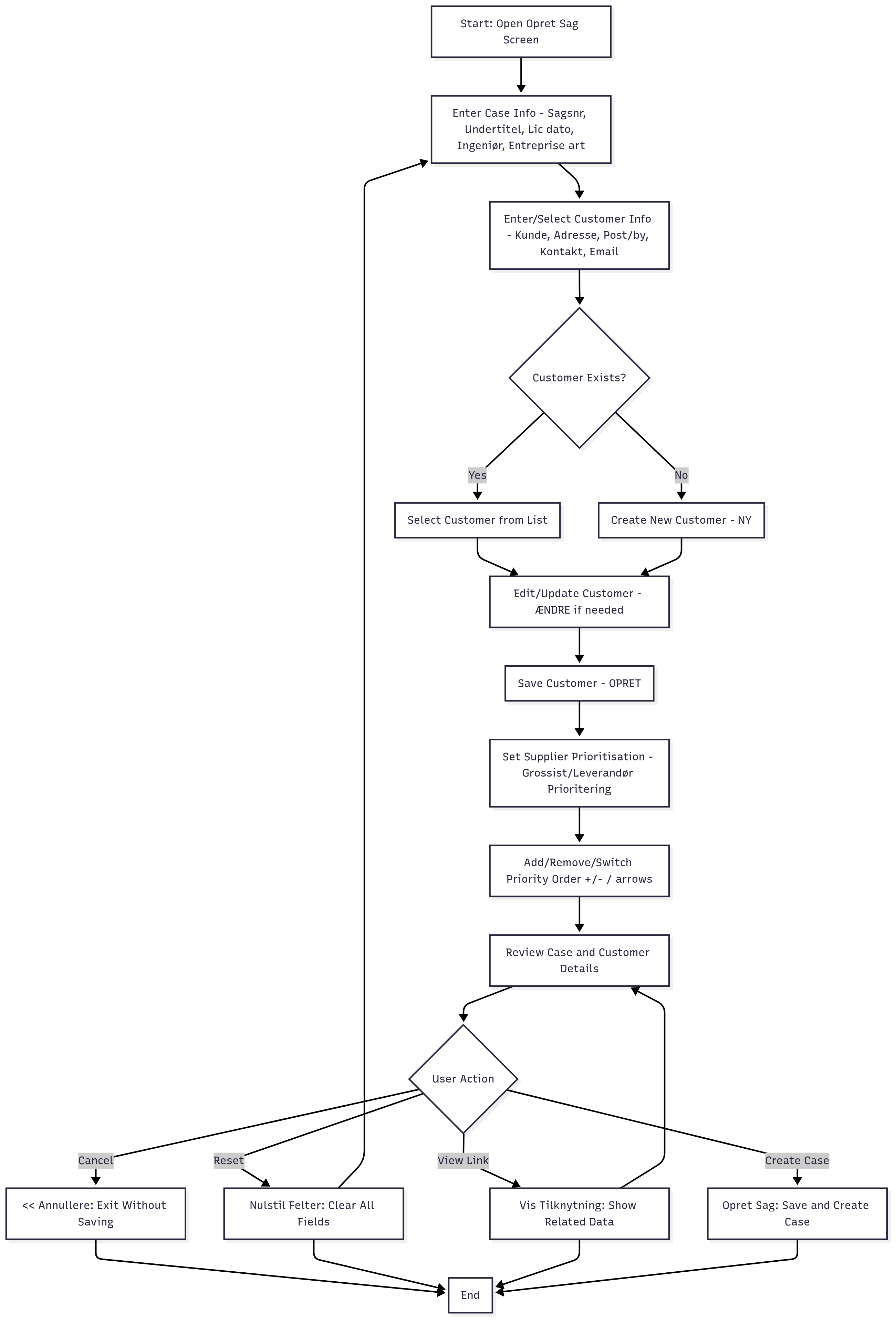
Current Workflow
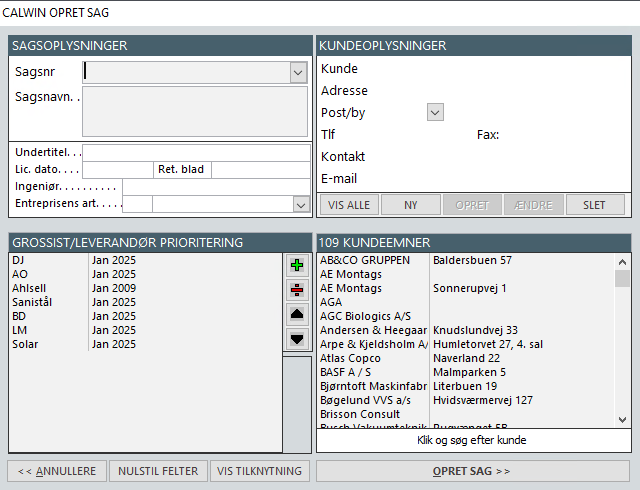
UI in CalWin Dynamic after clicking Opret Sag
Alternate Workflow (Proposed)
...
Key Improvement: The alternate workflow introduces a tab-based customer section (New vs Existing), making it more intuitive, and separates responsibilities more clearly.
Below is the UI proposed wireframe of an alternate alternative workflow for the above case
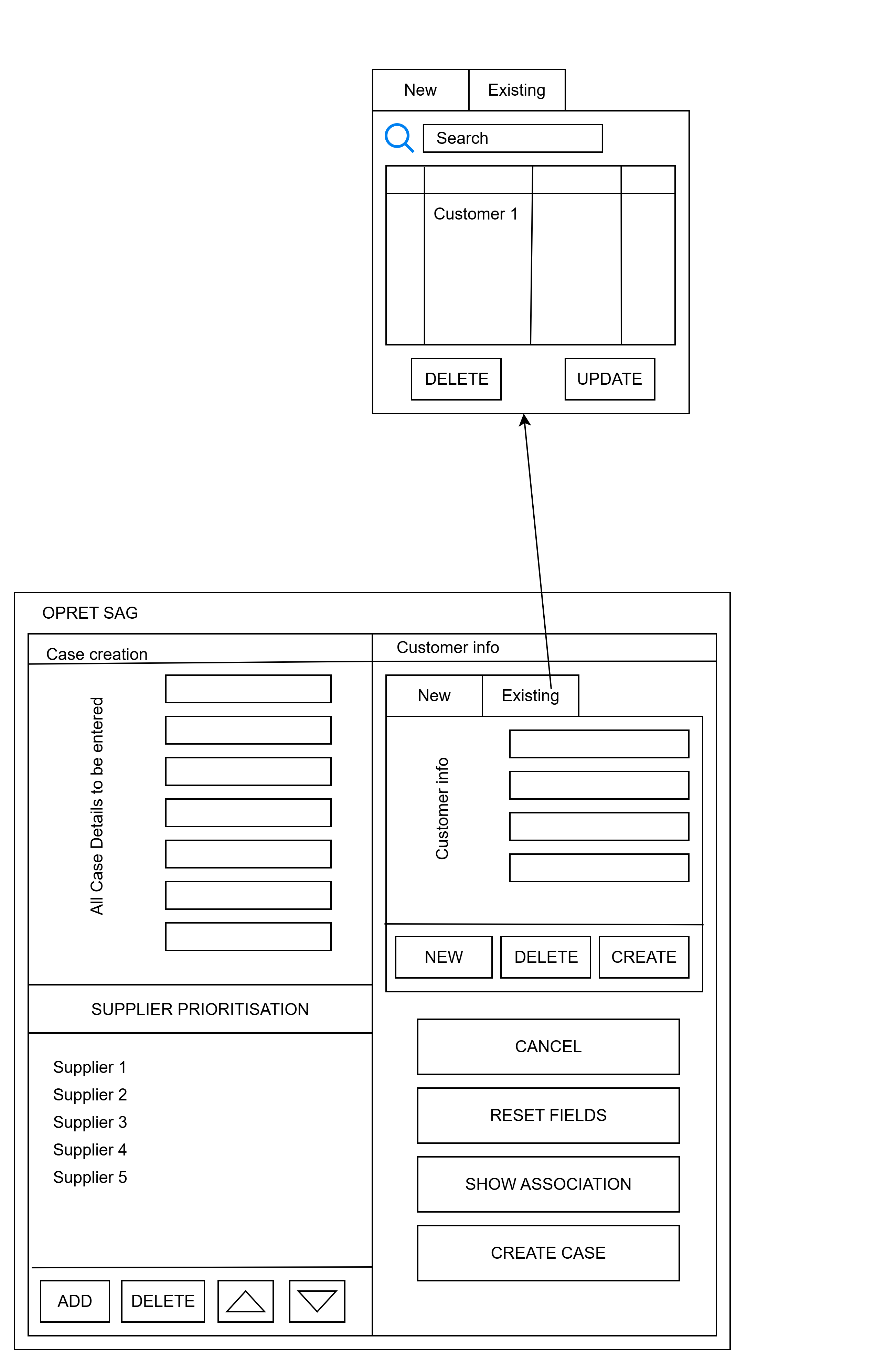
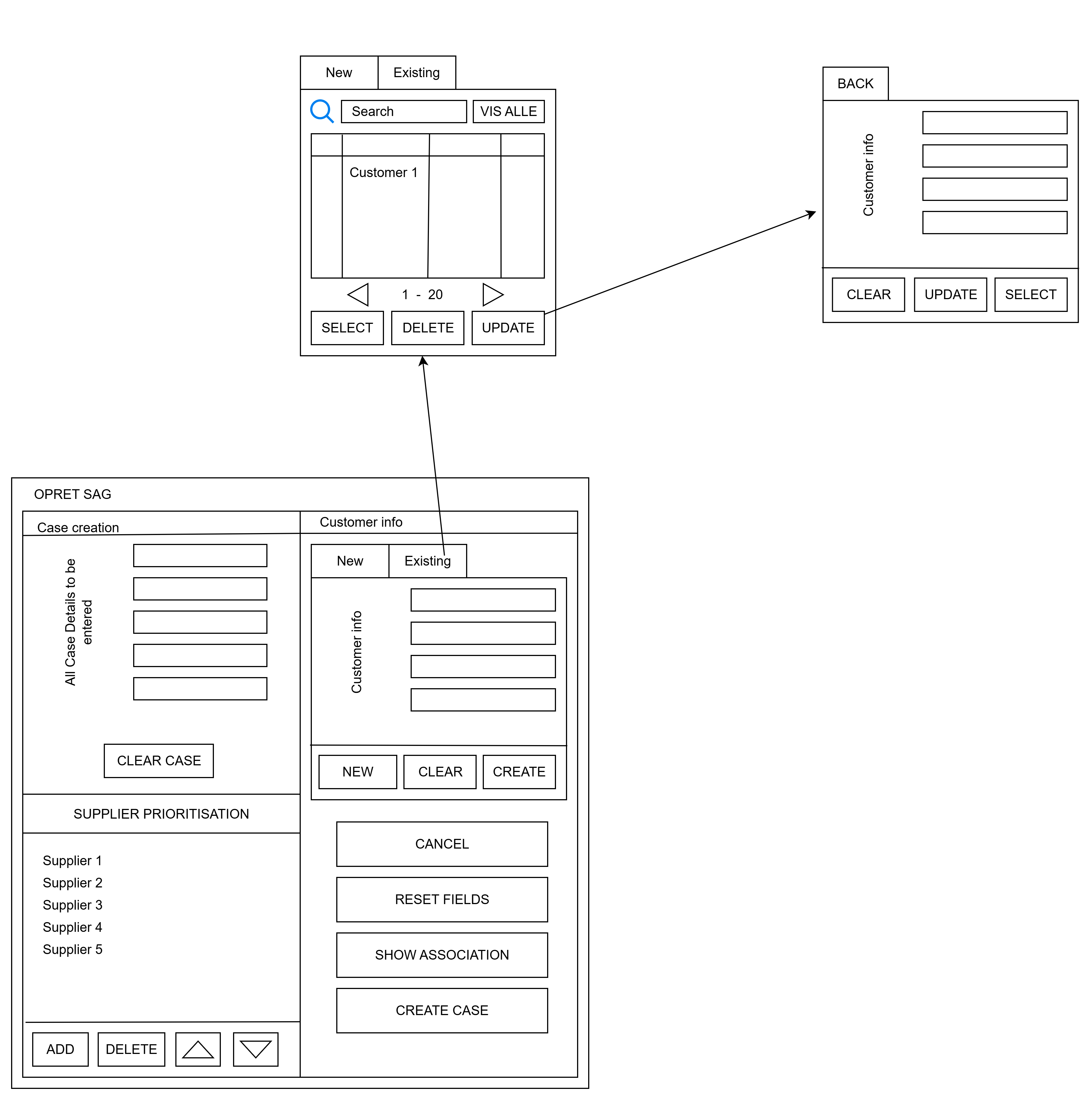
Opret Sag Proposed Functional Below is the alternate workflow