...
Step 1: Check the basics
- Step 1.1: Make sure the customer is trying to log in to Timma Pro.
- Step 1.2: Make sure the customer is using the correct email.
- Step 1.3: Ask if the customer has already used the “Forgot password?”-link.
Step 2: Advice the customer to use the “Forgot password?”-link.

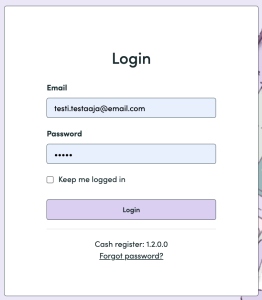
Step 3: Check if the email has been sent successfully from Postmark. (check related resources at the end of this article for advice)
Step 4: If customer still hasn’t received the new password-link to their email, use “Forgot password?”-link with their email address.

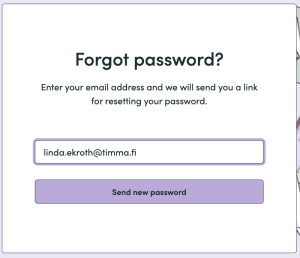
- Step 4.1: Send the new password-link manually using the customer’s email address.
- Step 4.2: Check if the email has been delivered successfully from Postmark.
- Step 4.3. a): If yes, and the customer still claims they haven’t received it, advice them to check spam-folder and possible other folders (Gmail has Social-folder and Promotions-folder).
- Steps 4.3 b): If yes, and the customer has received the new password link, yay! 🎉
Related resources
Finding out if e-mail has been sent/received
Improvement suggestions
...
Troubleshooting
Case 1: Customer doesn’t remember their login email address.
...