
In this release, we are introducing the new Data Source moduletool in the Usage Report, in its initial form, as well as an updated look for for comments, and and several powerful improvements to Mestro’s API. In additionAdditionaly, we’ve fixed issues with with virtual meters for solar panels, making making them easier to manage and edit. Enjoy!
Data tool in the Usage Report
In this release, we’re excited to introduce a brand-new feature in the Usage Report – the Data moduletool!
With the Data tool, you get:
- A clear overview of data coverage – including information on whether measurement data was collected manually or automatically.
- Automatic gap filling – we’re launching our new tool that fills in missing values to provide a more complete picture of your data.
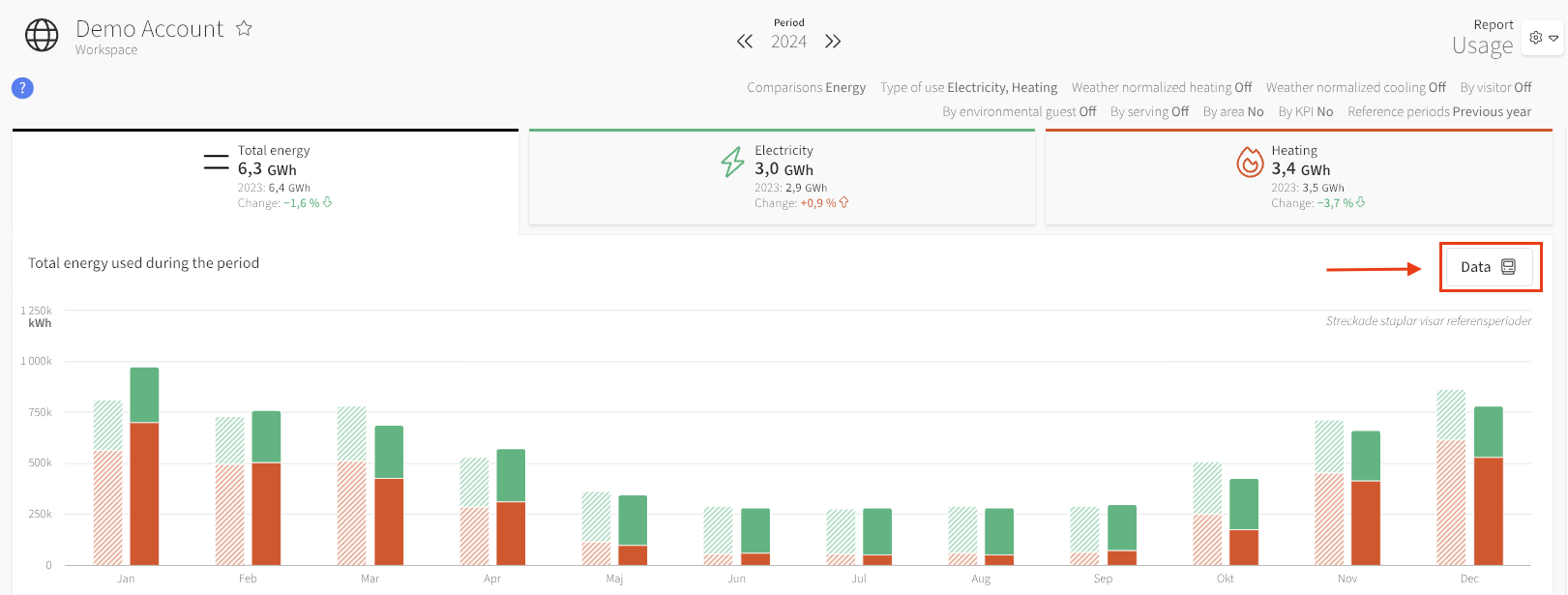
Read more about the Data tool module here!
Updated Look for Comments
...
- Move nodes (e.g., properties in groups, or a building from one property to another)
- Delete nodes
- Change Distributor on meters
- Change Kind on meters
- Change Level on meters
- Edit all tags on meters
Learn more in our API documentation! → The API documentation is updated continuously, so please check it regularly. → api.mestro.io
Fix for Virtual Meters Tagged as Solar Panels
Some customers have experienced issues when trying to edit Virtual Meters with the meter setting Production Source set to Solar Panels. This has now been fixed, and these virtual meters can now be inspected and edited. Also, the meter level for these virtual meters can no longer be edited, which is another change in this release.
Common questions
- What is new in December 2025?
- What is the Data tool in the usage report?
- What API improvements came in December 2025?