
...
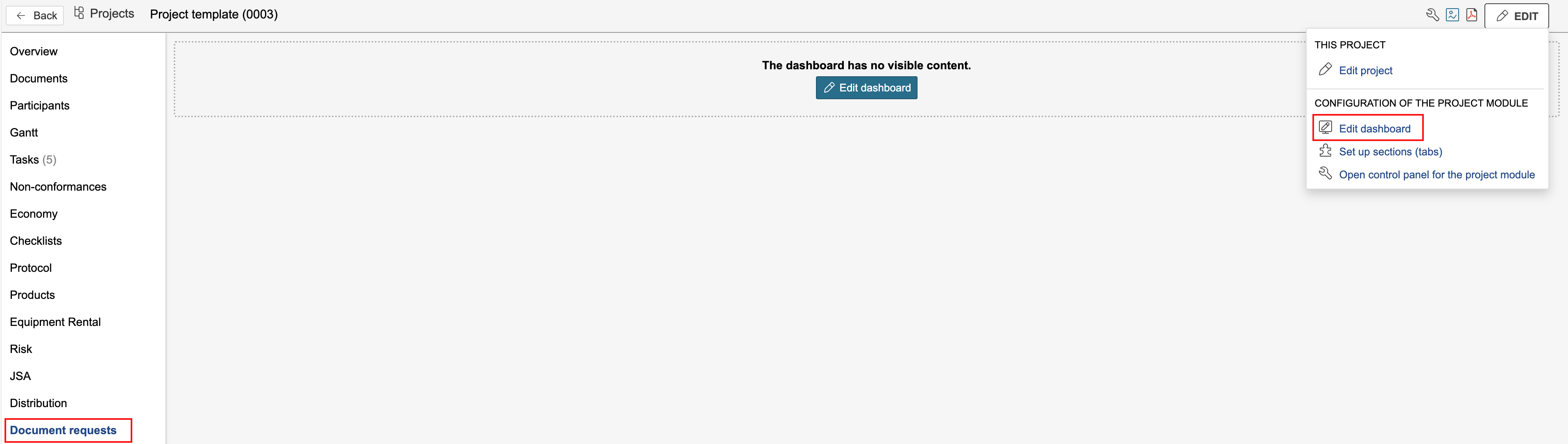
1. To edit the dashboard linked to the section, go to the section you created, hover the mouse pointer over Edit on the right side of the page, and click Edit dashboard.
| Tip |
|---|
Tip: If the dashboard doesn't have any visible content, you can click the blue Edit dashboard button to start editing. |
...
To sort document requests, you can use document types, categories, or labels. To select which document requests are displayed in each gadget, you can filter by basic data such as document types, categories, or labels. The placement of each request is defined in the the document request itself.
4. You can filter by selecting a document type, category, or label to be displayed in the gadget. Use the title field to indicate the filter criteria applied to the gadget. Click Save when finished.
...