
| Info |
|---|
Release notes as of EG POS v. 4.151 have been moved to EG POS release documentation on egretail.cloud |
| Status | ||||
|---|---|---|---|---|
|
| Expand | ||||||||
|---|---|---|---|---|---|---|---|---|
| ||||||||
|
Handling of GS1 barcodes with best before and expiration date
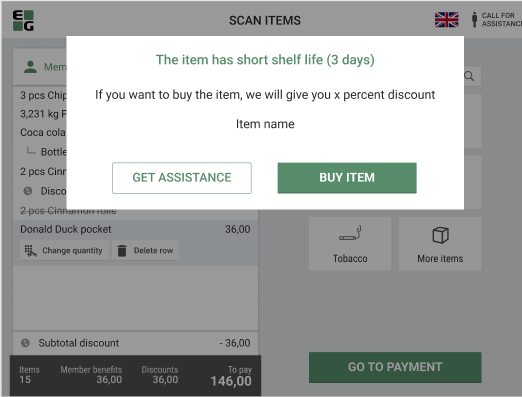
When a GS1 barcode with an item close to the best before or expiration date is scanned in EG POS, information about this is shown to the cashier in the sales view:

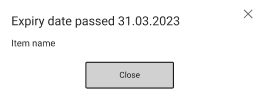
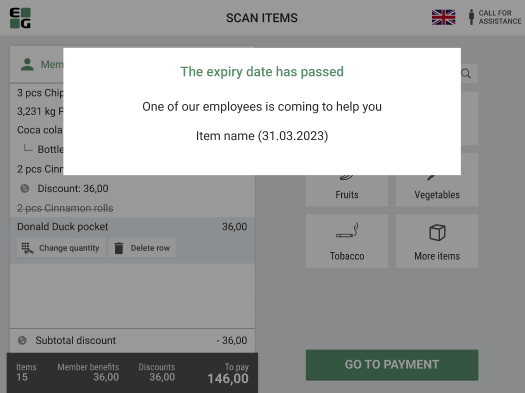
If the expiry date has passed, the item will not be added to the receipt and a warning will be shown:
The same logic will apply to Self-service mode:
...
| title | Configuration |
|---|
...
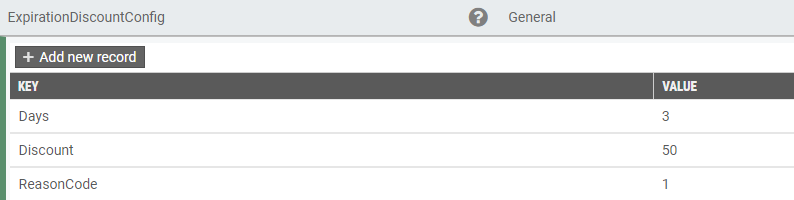
ExpirationDiscountConfig
Configuration of:
- Number of days until best before and expiration dates where POS will show information and optionally trigger automatic discount.
- The discount in percent
- The reason code for the automatic line discount
Example configuration:
 GS1 barcode syntax for best before and expiration date:
010739415015403817250101
01 => Identifier for GS1 code
07394150154038 => Identifier-code 14 digits. If it starts with 0 its EAN else DUN
17 => Field Id: 15=Best before, 17=Exp.date,
250101 => Date in format YYMMDD
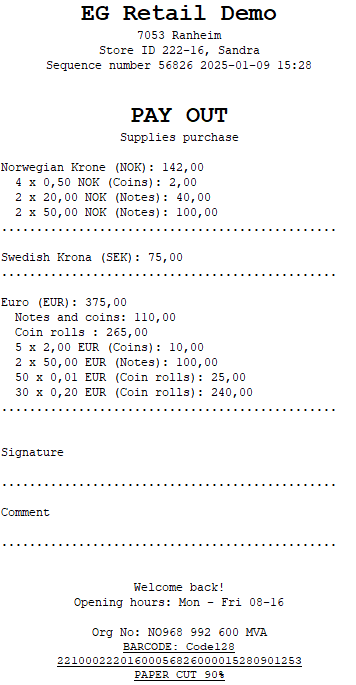
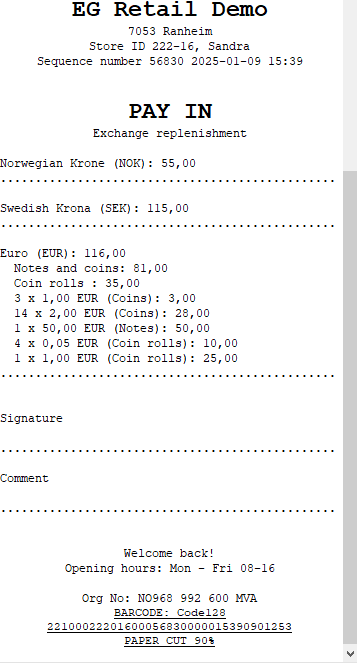
Cash Management - Improved receipt print
The receipt print after performing PayIn, PayOut or SafeDrop has been improved.
Examples below:
Pay Out:
Pay In:
Safe Drop:
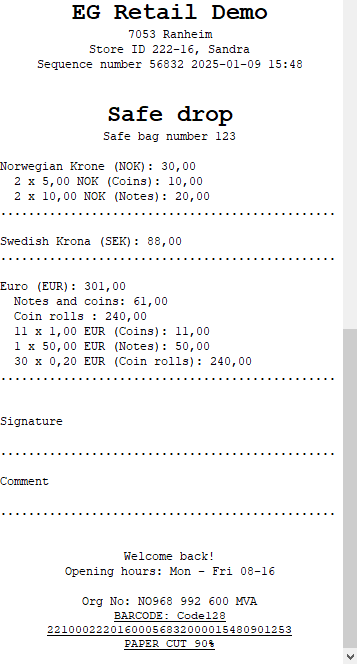
If the amounts are entered as a total amount per currency, the denominations are not shown on the receipts.
Improvements POS
...
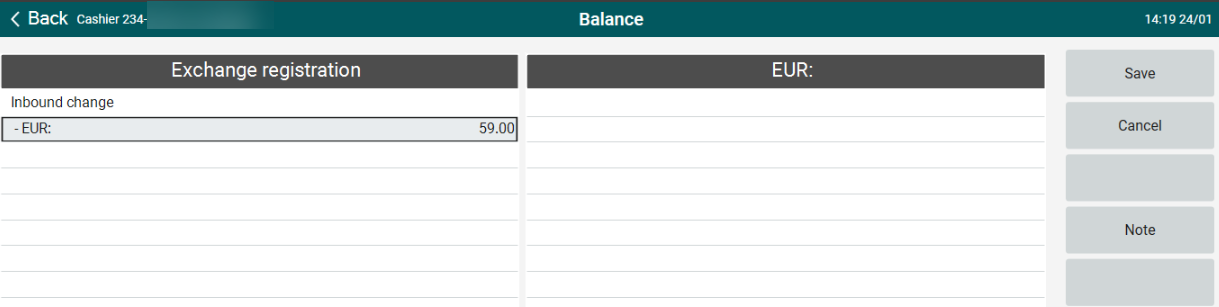
Registering inbound change in POS (RTP-34833)
When no denominations have been configured, the total amount for inbound change can be registered. Previously, it was not possible to enter any amounts in this case.
...
Import of cashiers (RTP-37229)
An improvement has been made to the import of cashiers to POS Master database to allow updating existing cashiers without "AD User Name" when the update contains an "AD User Name". This issue could occur when migrating from Chain Web/Classic to User Management.
...
Error handling in POS for general and single-use coupons (RTP-33152)
When coupon is not valid or doesn't exist, error handling dialog informs cashier about it:
...
When coupon is not valid or doesn't exist, error handling dialog informs customer about it:
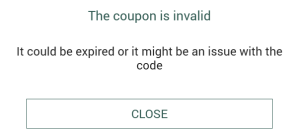
...
Limits for items with active substances removed for item transactions (RTP-35379)
In POS, item transactions can be done on items with with active substances and it is not restricted with the maximum limit. Sales transactions are still limited to the set maximum limit.
...
Stock Control Service - save offline stock updates in local database (RTP-34659)
When the integration to the central Stock Control Service is offline, stock changes are saved in the database in table [pos].[UnsentStockUpdates].
When the connection is re-established, the stock updated will be synchronized to the Stock Control Service and removed from the local database.
Improvement POS Server
...
Card name in TenderName field (RTP-34374)
Values configured in CardNameMapping POS Configuration parameter appears in POSLog with card payment in the TenderName field.
| Info | ||
|---|---|---|
| ||
POS Master v. 3.0.0.194 |
...
Import customers from EG Cloud Customer Service to POS Master (RTP-20291)
Support for importing customers from EG Cloud Customer Service has been added to POS Import.
...
| title | Required |
|---|
...