
...
- LOGSTATE
- TRUE
The logger will create a log entry - FALSE
The logger will not create any logs at all
- TRUE
- APP_INSIGHT_KEY
- Containing the insight key that can be found on the appinsight app hosting page on Azure.
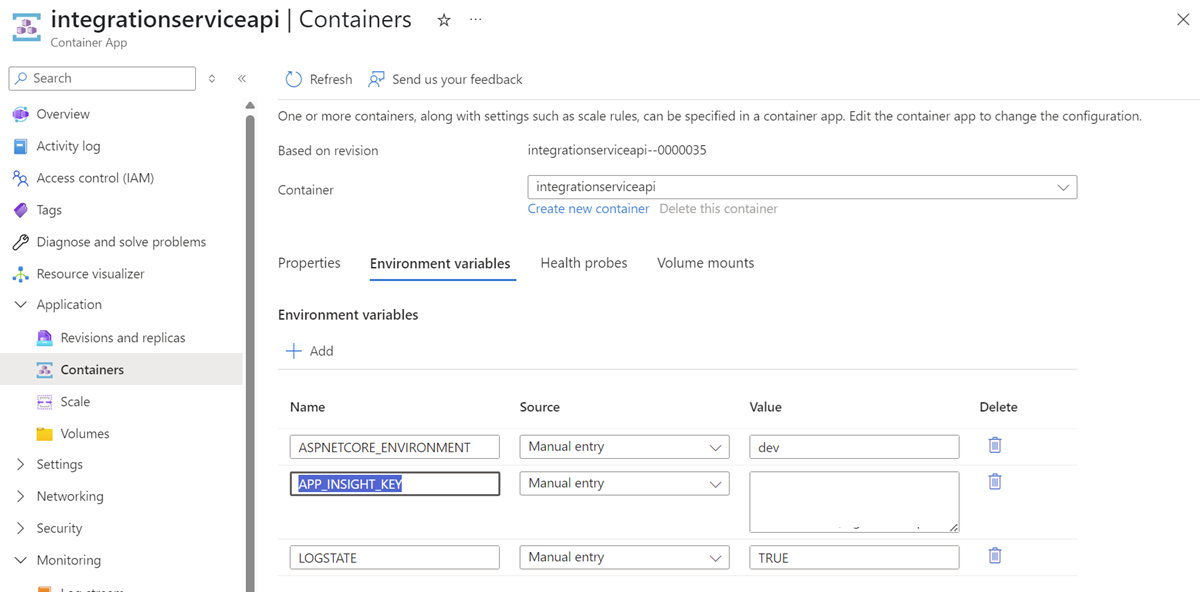
To set the variables one should do the following:
...
The application will restart and is now ready for use.
Code
The Logging functionality can be accessed from the static class simply called Log.cs.
...
| Code Block | ||||||
|---|---|---|---|---|---|---|
| ||||||
string invoker = "IntegrationApi"; /*The name of the application using the log*/ Log.Initialize(invoker); /*Initializing the logger, making it ready for use*/ Log.LogInfo("Integration api started."); /*Initial message showing that teh logging and application have started*/ Log.LogInfo("Logger running"); |
When wanting to create a logentry do the following in the code:
...