
...
Each object listed in the node tree on the left carries a unique node ID that our developers assigned the object with. By hovering over e.g. a meter you will reveal its ID in the form of a numeric code.
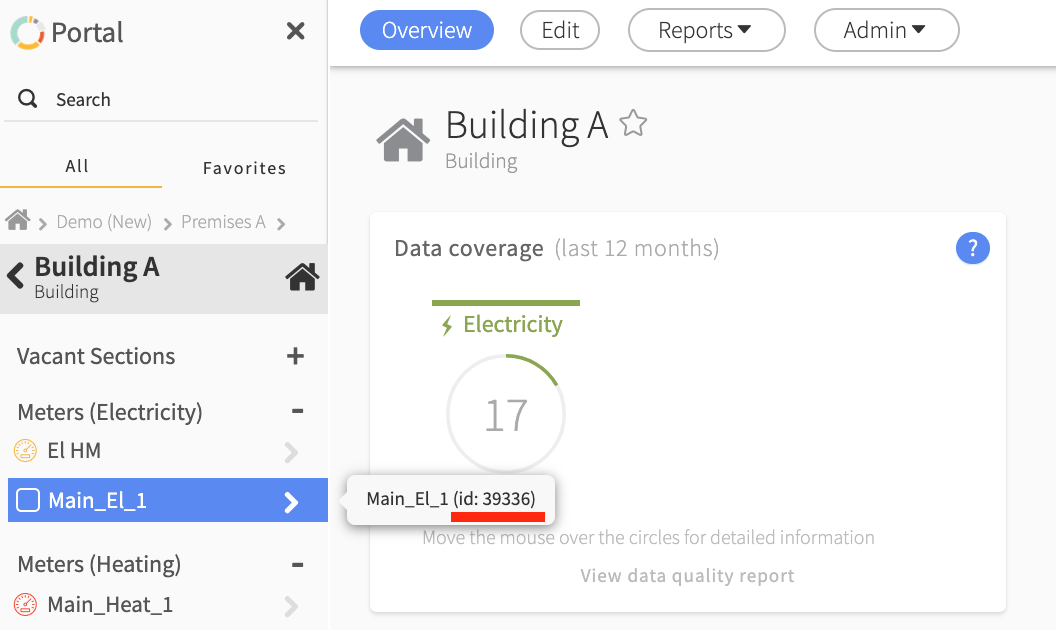
You can also copy this code by right-clicking/secondary clicking on the desired object. The copying is done automatically and you will see this in the box at the bottom left of the page. You can then easily paste the node ID into e.g. documents or email conversations.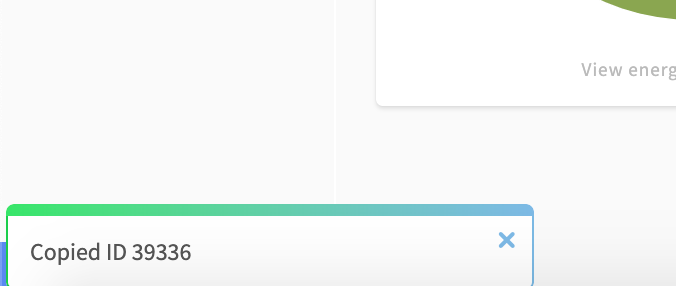
If you instead have a node ID at hand and want to find the object it is connected to, you can easily search for this in the portal by typing a # followed by the number in the search box. As seen below: #138429
...
If you have any questions, don't hesitate to contact us at support@mestro.com.
Common questions
- What is a Node ID in Mestro?
- How do I find the ID of a meter?
- How do I copy a meter's ID?
- How do I send the right ID to support?