
Need to remove a meter, sell a property, or move objects in the portal? This article explains how to handle changes to your property portfolio correctly.
Time relation, archiving and relocation of meters/properties. With the help of time relation and archiving, you make sure that it's right!
...
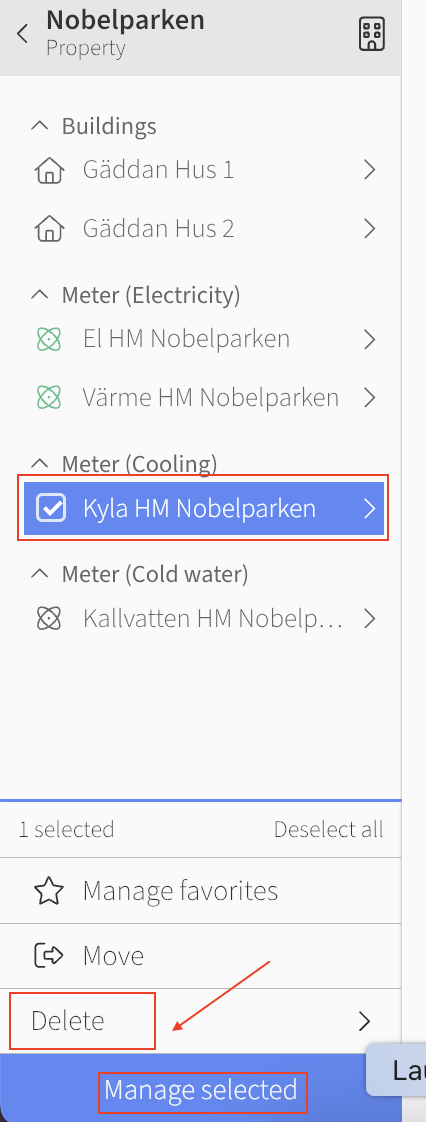
If you want to delete a meter, you can choose to archive it. You then proceed in the same way as moving the meter, but instead choose to archive on the blue button at the bottom. If you have accidentally archived the meter, you can choose to unarchive it. The meters remain inactive when they have been archived, to completely delete them contact us at support@mestro.com and we will help.
Moving a meter to another property
There are two types of moves in Mestro Portal — what you can do yourself and what requires support:
- Moving objects within a property (e.g. moving a meter between buildings within the same property) – you can do this yourself in the portal.
- Moving properties between property groups – you can also do this yourself if you have Admin access.
- Moving a meter to a different property – this requires help from Mestro support. Contact us with the meter's Node ID and the name of the property you want to move it to.
Common questions
- How do I remove a meter from Mestro?
- How do I handle selling a property?
- What is relation time?
- How do I archive a property?
- How do I move a meter to another property?