...
Main project
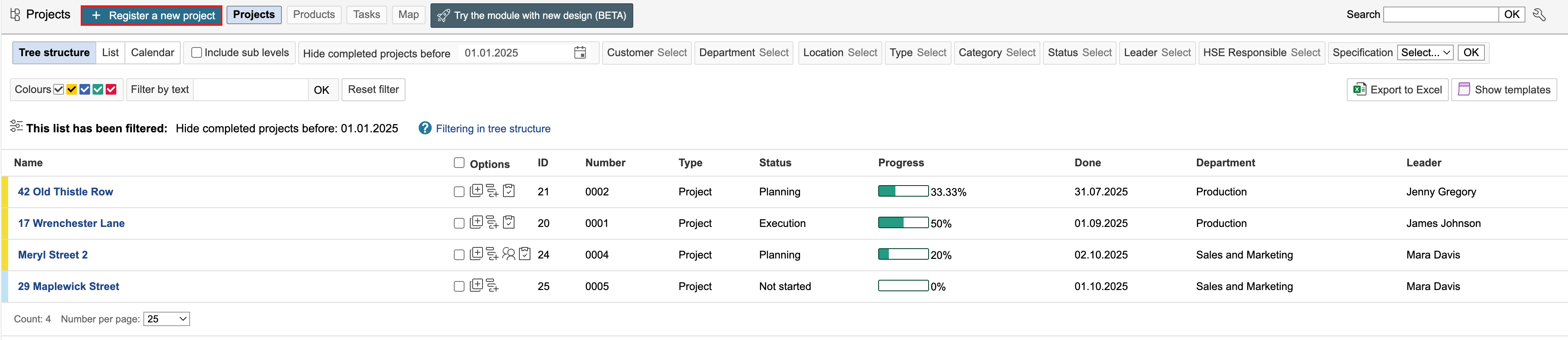
1. Go to the project module and click Register a new project.
2. Select the a project type by clicking on it. The type defines the dashboard used for the project.
...
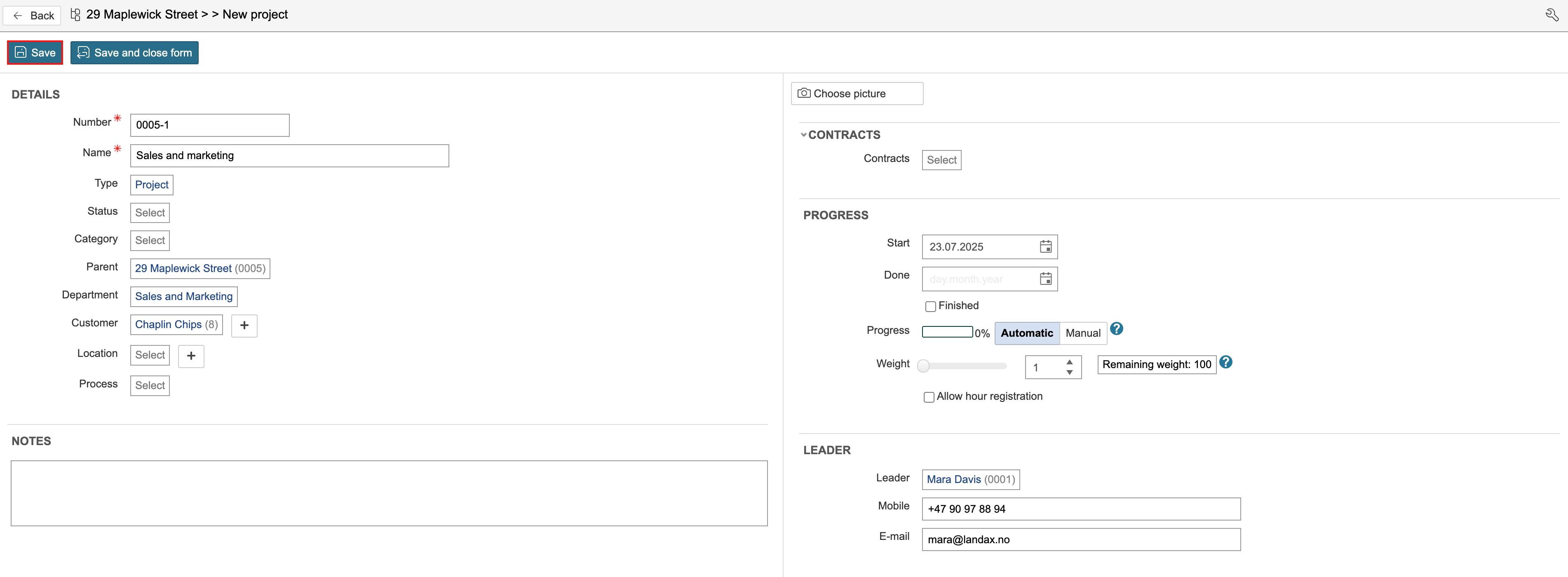
3. Enter the project details and click Save. You You can enter details such as project name, status, department, and the customer associated with the project. You can also specify the project’s start and end dates, and assign a project manager and an HSE coordinator to the project. Agreements from the contract module can also be linked to the project.
...
4. After saving, you can open the project by clicking Go to project portal for this project.

5. The project start page may vary depending on the project type. The project type determines which start page is displayed. The dashboard on the start page can be edited. Once the project has been created, you can add data such as tasks, notes, non-conformances (cases), checklists, documents, participants, and risk assessments.
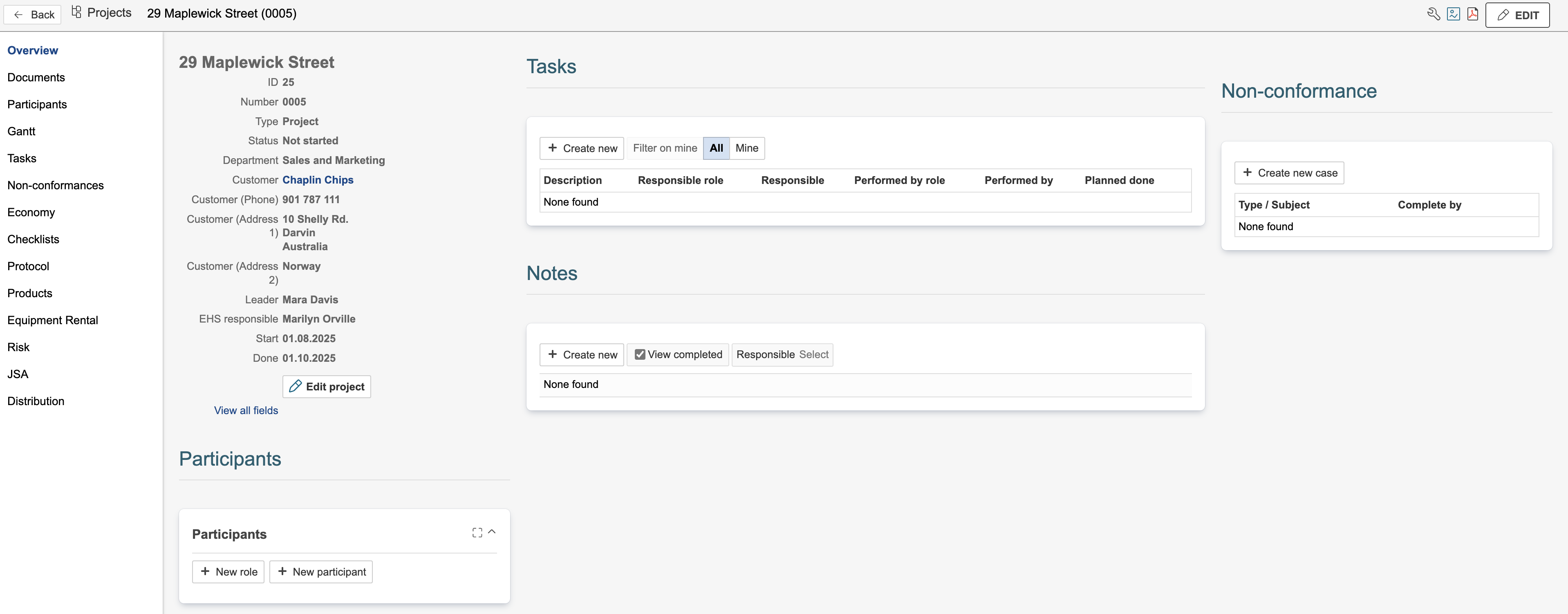
The tasks task module is often used to define who is responsible for specific activities in the project, as well as the planned start and end dates for these activities.
The non-conformance module can be used to register nonconformities, improvementsimprovement suggestions, variation orderorders, and claims related to the project.
Participants can be used to define roles and grant permissions within the project.
Checklists may include safety inspections or Safe Job Analyses Safety Analysis (SJAsJSA), but can also be used for verifying completion of tasks. Checklists When responsibility and execution dates need to be defined, checklists can be linked to tasks within the project if there is a need to assign responsibility and deadlines for the checklist execution.a task instead of the project.
The risk module Project risk can be used to carry out local risk assessments specific to the project.
- Notes can be used to log communication with customers or suppliers, or to record other relevant information in the project.
Other modules that can be used in combination with the Project project module include financial records, protocols, products, equipment rental, and SJAs JSA (Safe Job Analyses).
...
Safety Analysis).
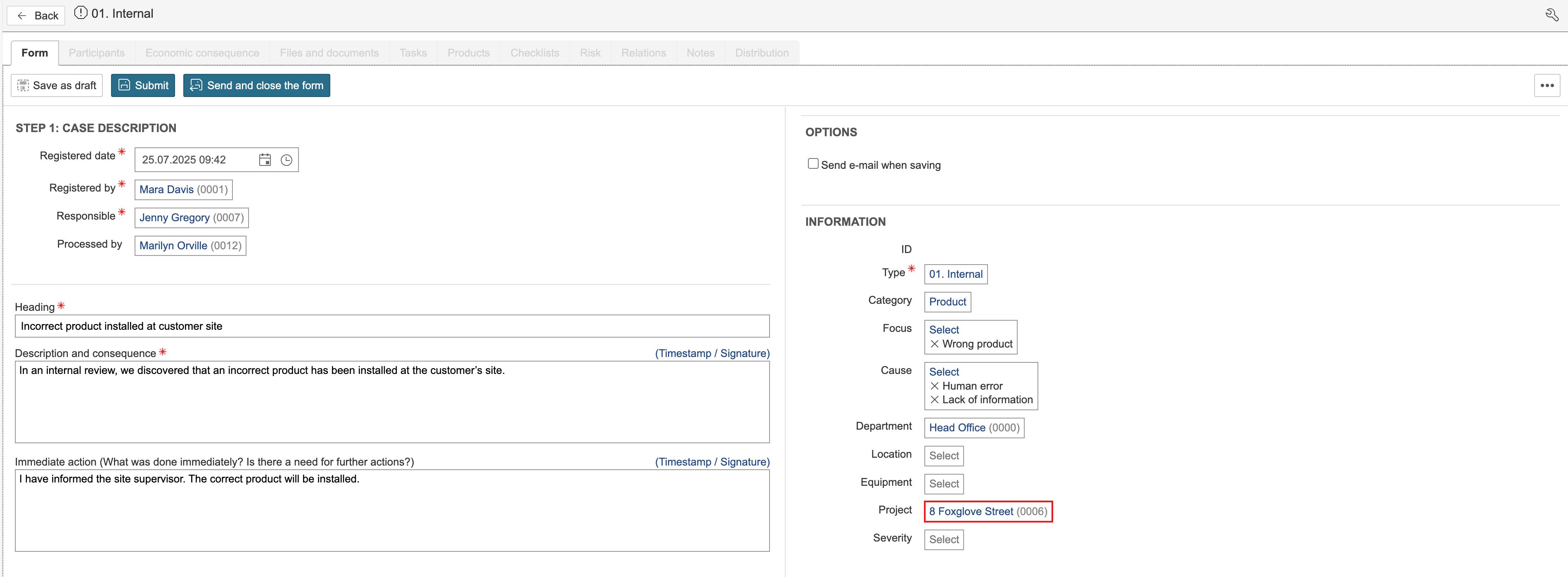
Registrations can be linked to a project either by opening the project and creating a new record from there, or by going directly to the module and selecting the project within the form. In the non-conformance module, it looks like this:
Sub-project
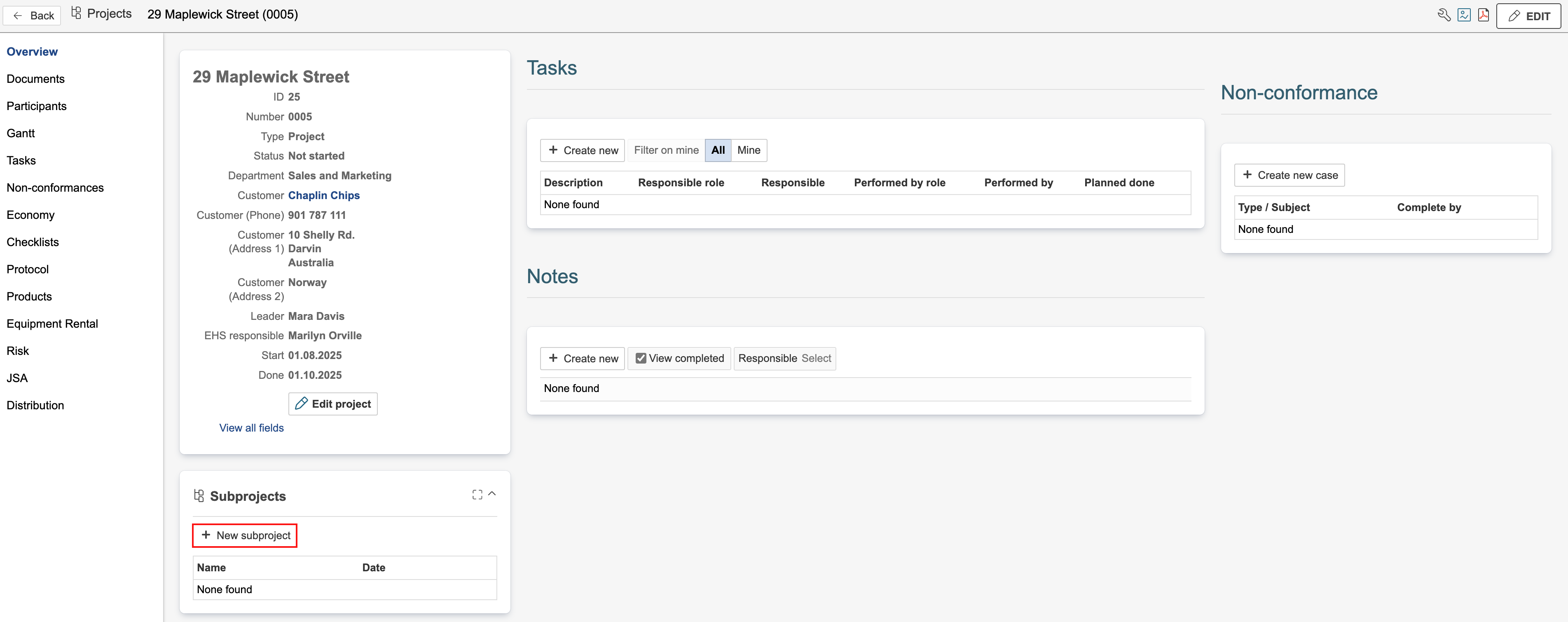
Projects can include sub-projects. These may represent different phases of a project, such as sales and marketing, planning, execution, and completion, or they may represent different areas within a project. Sub-projects are similar to main projects, except that they have a parent level, and data linked to a sub-project is also displayed in the main project.
1. To create a sub-project, open the project in which the sub-project should be created, and click New subproject.
| Note |
|---|
Note: In the example on this page, the gadget named Subprojects is used. This gadget must be placed on a project dashboard in order to create sub-projects from the gadget. |
2. Select the project type by clicking on it.

3. Enter the project details and click Save. You can enter details such as project name, status, department, and the customer associated with the project. You can also specify the project’s start and end dates, and assign a project manager and an HSE coordinator to the project.