
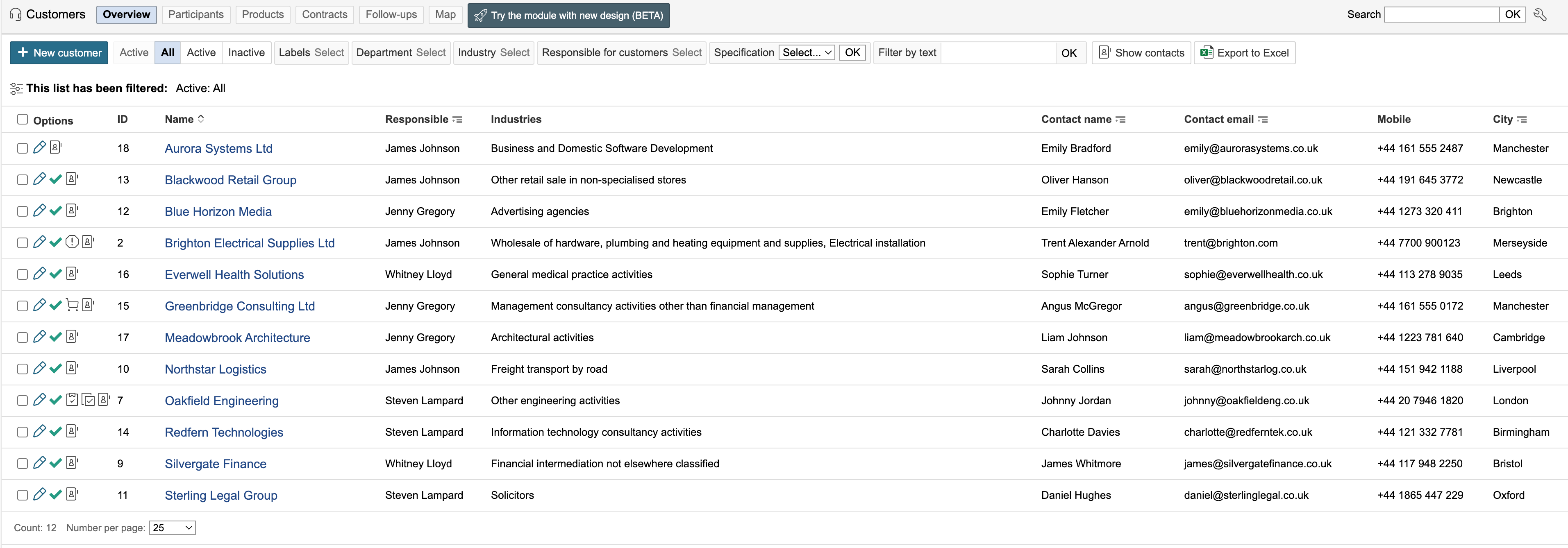
The customer module displays an overview of registered customers in the system. It also provides also provides access to information about the customers and their connected data.
Customer list

| Info |
|---|
Info: The Options column displays icons for records in other modules linked to a customer. Hover the mouse pointer over an icon to view information about its meaning. |
...
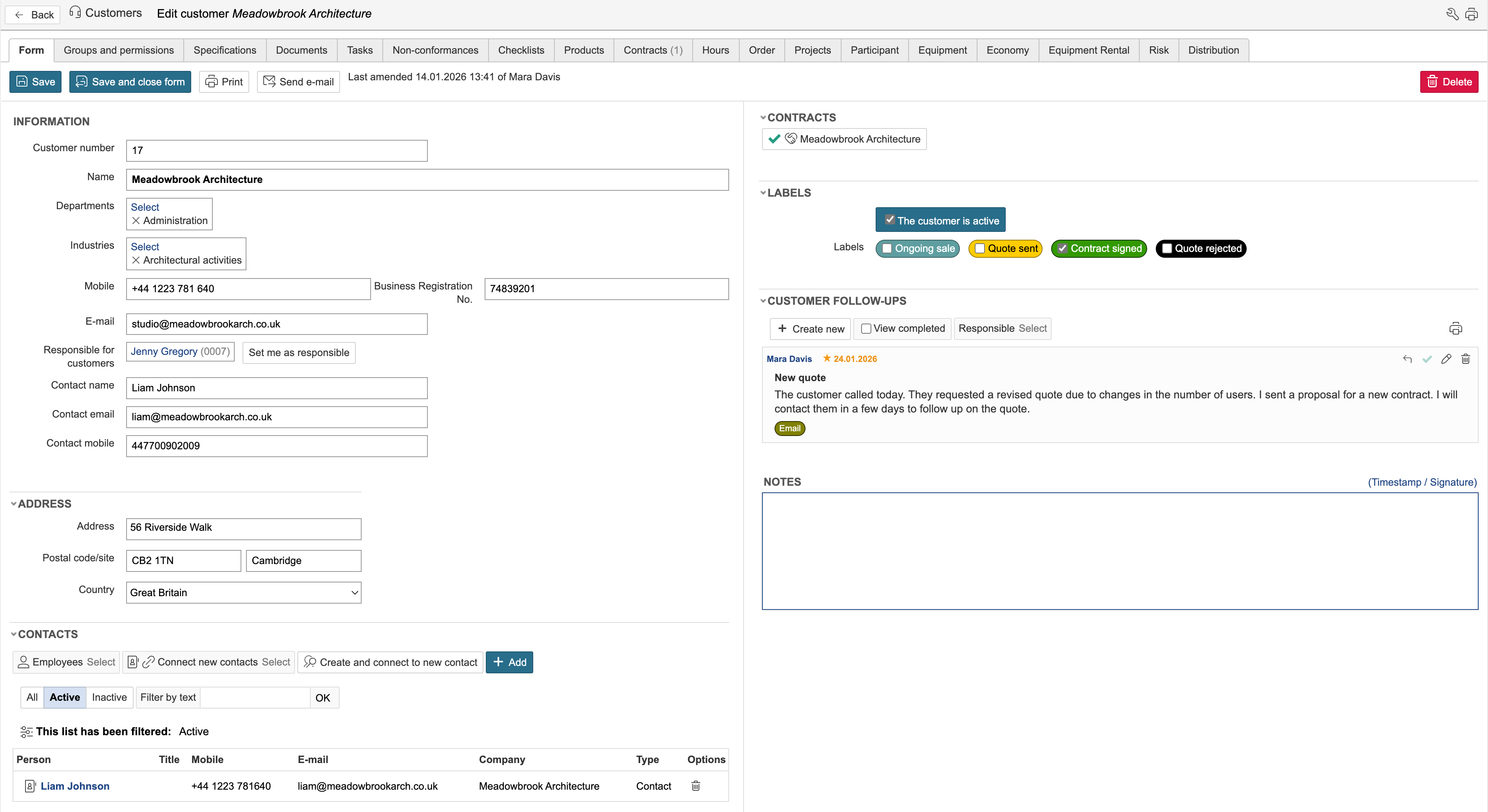
The customer form displays information about the customer, as well as connections from selected modules in the system. Related data is also available under the tabs at the top of the customer view.

| Info |
|---|
Info: Which fields are displayed in the list and the customer form can be changed using configuration mode. |
...