
...
In the project portal, document requests can be filtered and sorted using gadgets. In the screenshot example below, the requests are organised in a separate sub-dashboard.
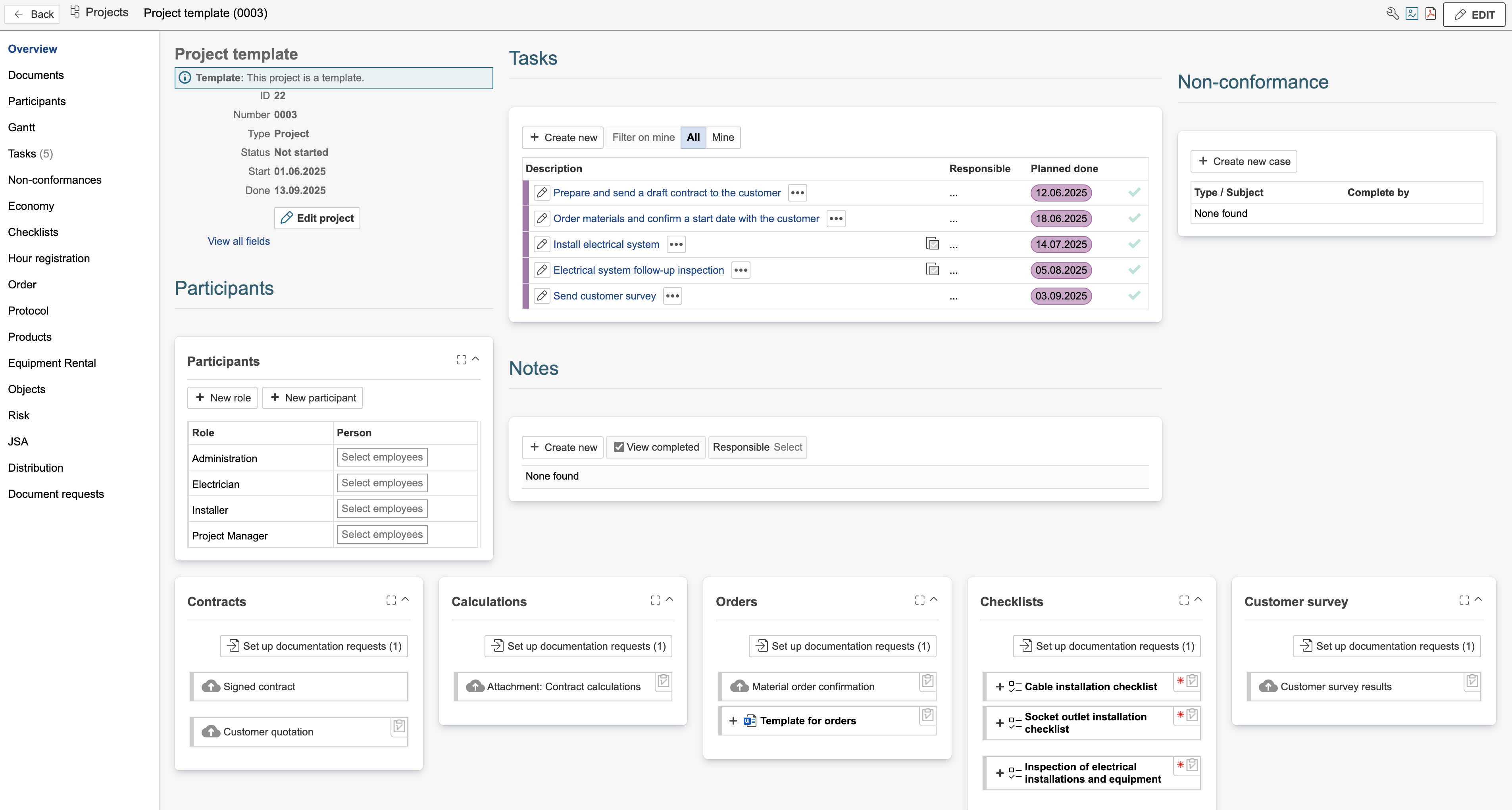
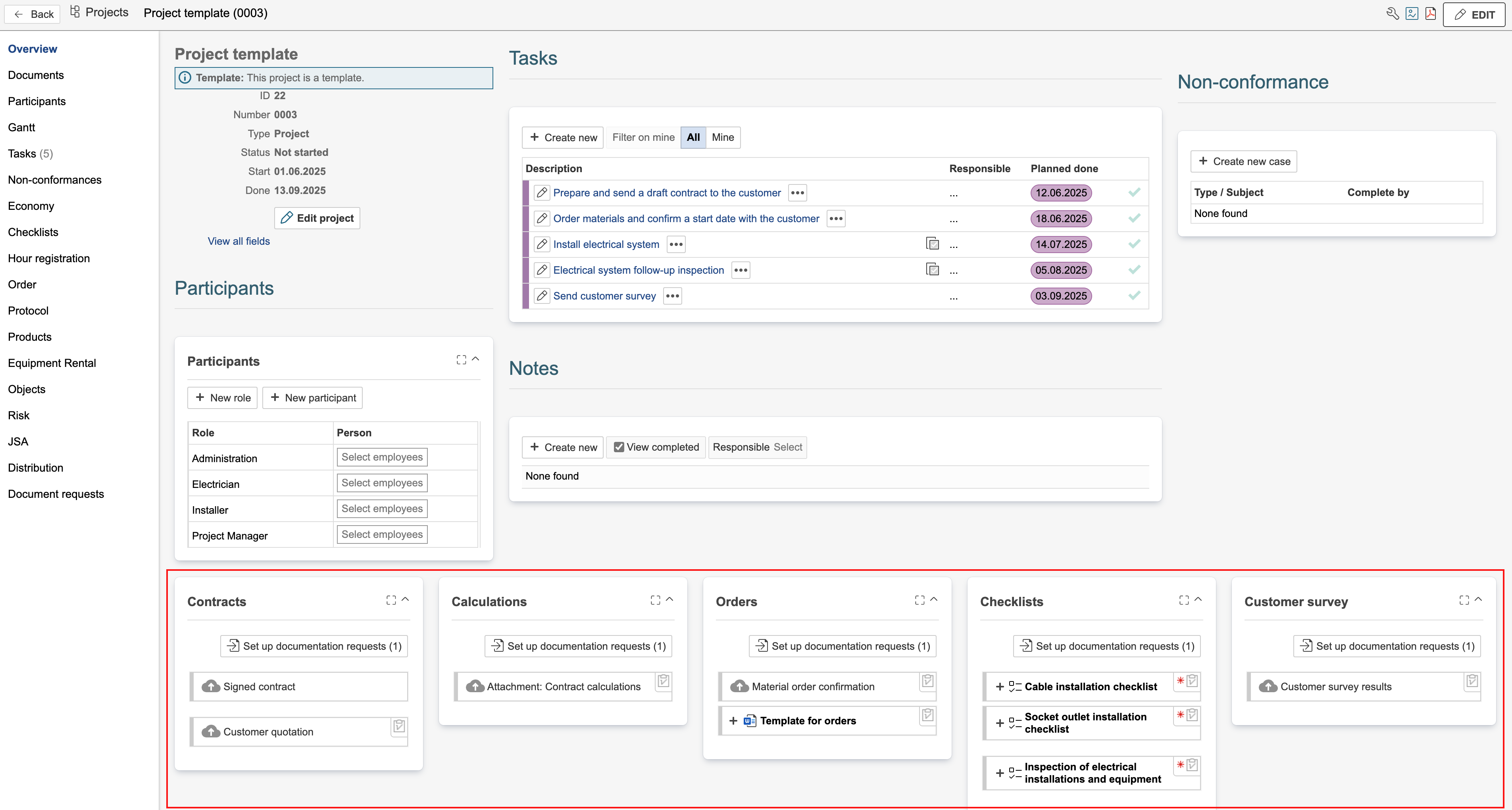
Hover the mouse pointer over the icons in the top-right corner of a document request to see its placement. Requests without an icon are linked to the record you currently have open — in this case, the project template. The number (1) next to 'Set up document requests' indicates that one document request is linked to the project template. The remaining requests are linked to the task templates within the project.
...