
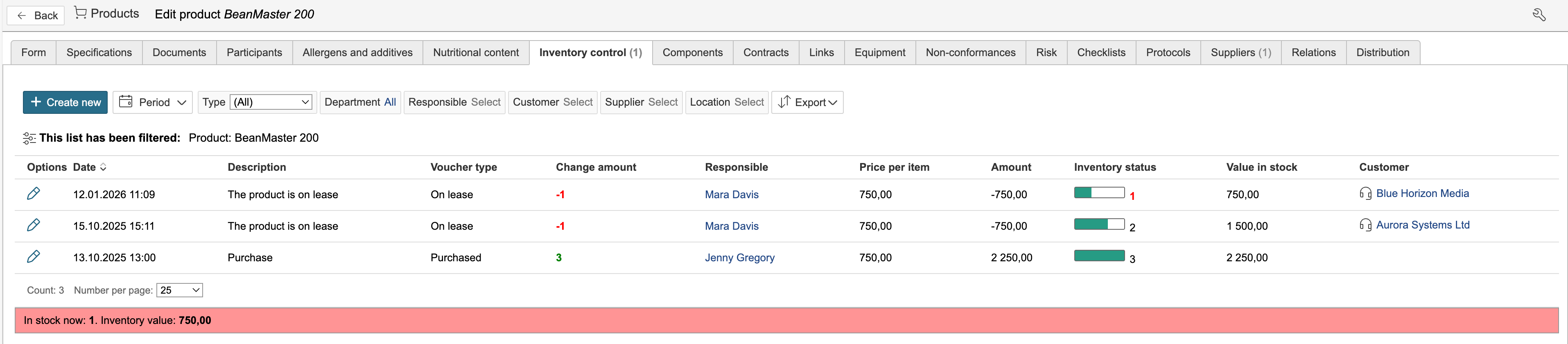
You can edit and display the stock level for the product under the Inventory control tab. Inventory control is not updated automatically when a product is created. Click on the “Inventory control” tab to view, create, and edit inventory records.

1. To create a new inventory record, click Create new. To edit an existing record, click the pencil icon in the "Options" column.
...
The various voucher types affect inventory status the stock level in different ways:
- Voucher types that increase the inventory status are Purchased and Returned.
- Voucher types that reduce the inventory status are Discarded, Disposed, On lease, Other, Planned withdrawal and Wastage.
- The Status voucher type sets a new inventory status and value, regardless of the current inventory status.
- "Purchased" and "Returned" increase the stock level.
- "Discarded", "Disposed", "On lease", "Other", "Planned withdrawal" and "Wastage" reduce the stock level.
- "Status" overrides the current inventory status with a new stock level.
3. The inventory record affects the stock level The inventory event affects the inventory status and reduces the available quantity and inventory value.

Stock alarm
If a stock alarm status is set, the inventory status stock level is displayed in red when the stock quantity is equal to or below the alarm threshold.

Inventory control and other modules
Inventory records can also be created from other modules. For example, when spare parts are used in equipment maintenance or products are delivered under an agreement, the recorded withdrawal from stock reduces the inventory balance.the stock level.
1. To register a product withdrawal in another module, go to the product tab on a record and click New product line.

2. Enter the details and click Save and close form.
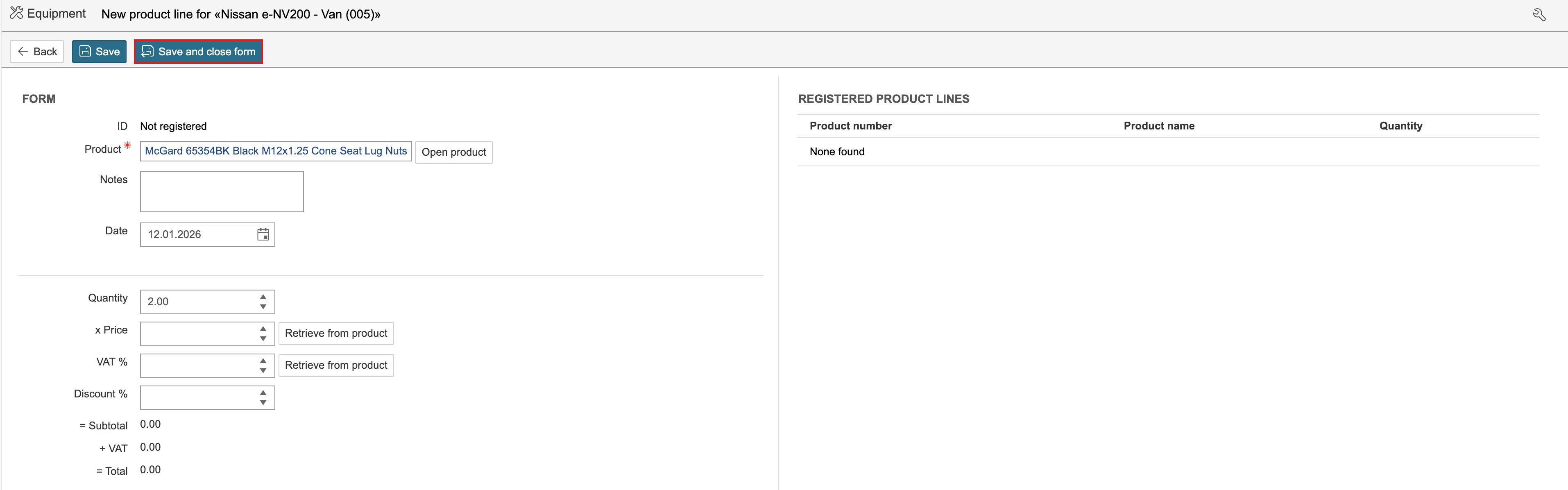
A withdrawal resulting in a reduction in the stock level is registered for the product.
