Nonconformities
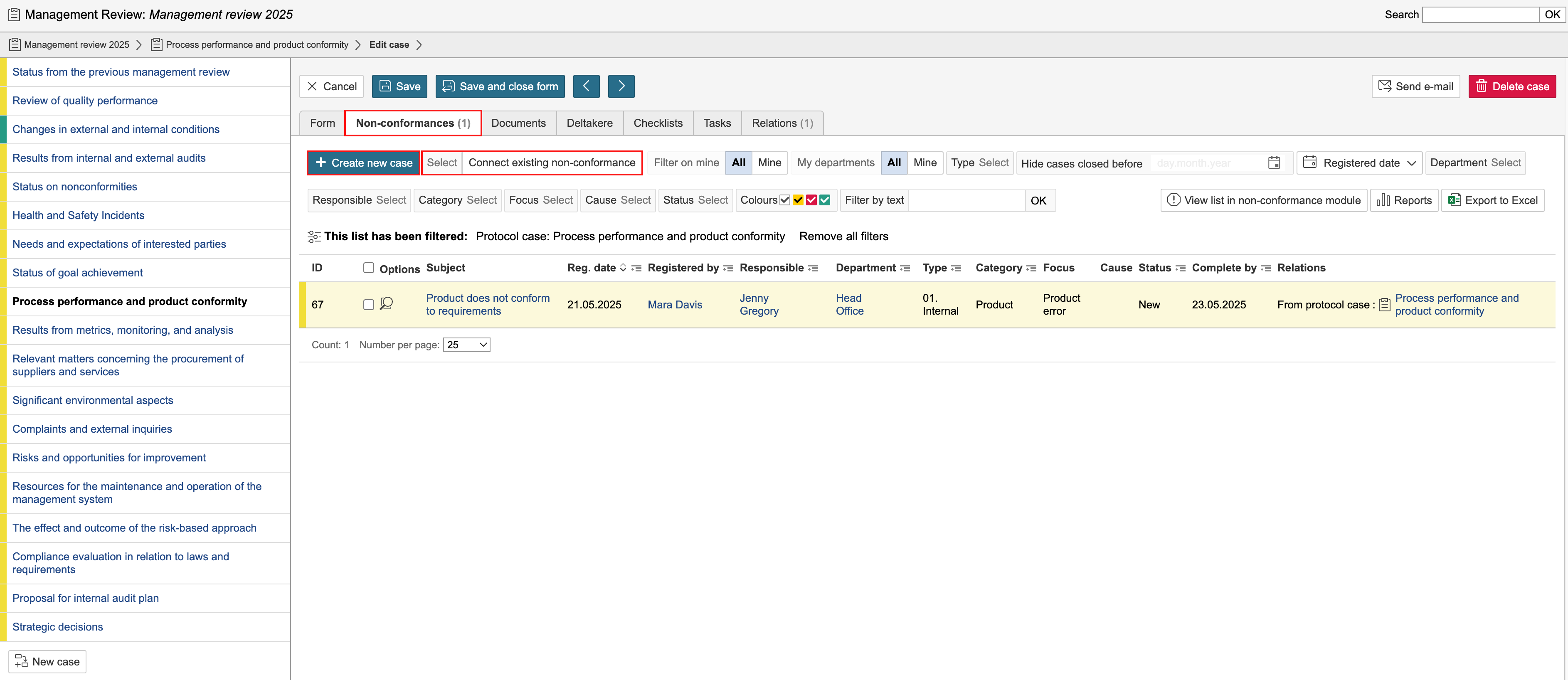
Non-conformances and improvement suggestions linked to a protocol case are displayed under the Non-Conformances tab in the protocol case. From this tab, you can also create new cases in the non-conformance module or link existing casese to the protocol case. Click Create new case to create a new non-conformance or improvement suggestion. To link an existing non-conformance or improvement suggestion, click Select and Connect existing non-conformance.
Documents
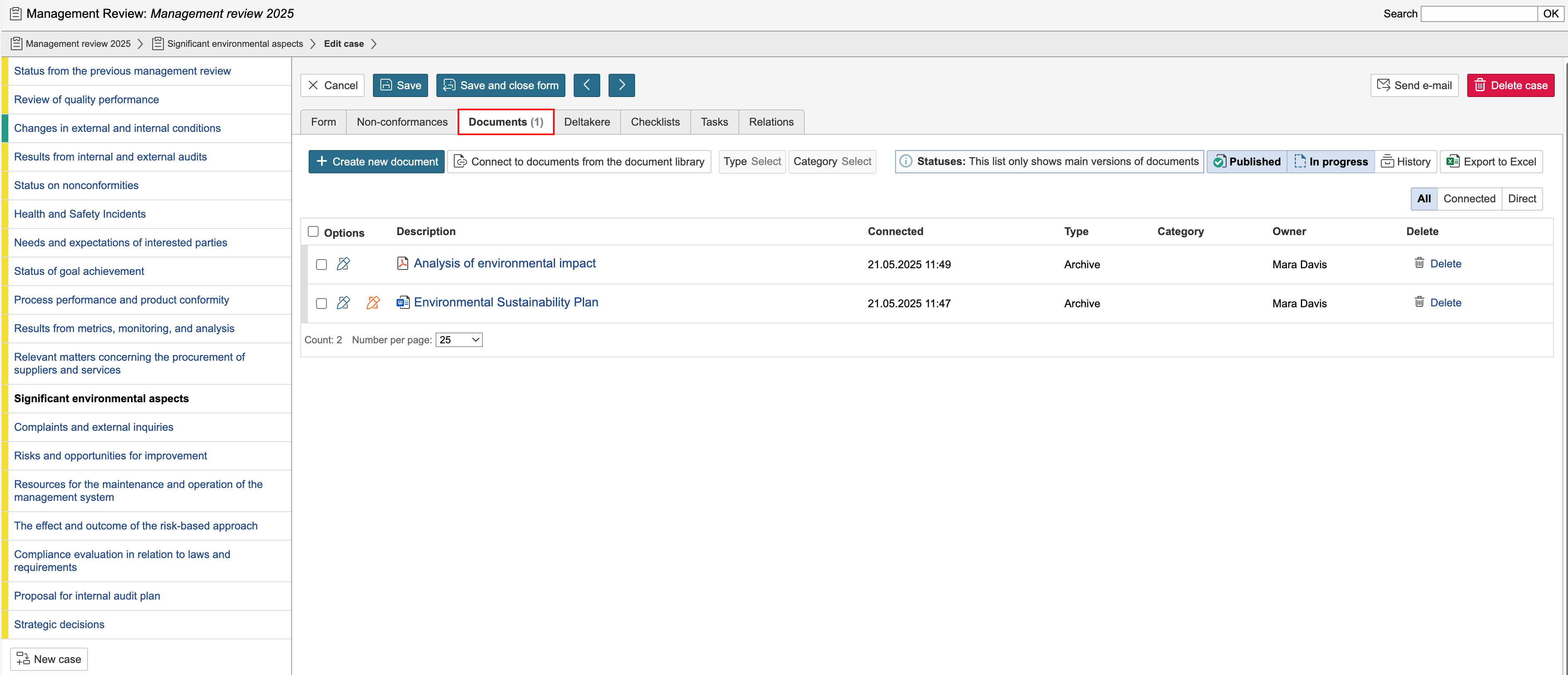
In the Documents tab, you can create new documents for the protocol case, link existing documents from the document library to the case, and view documents that have previously been created or linked.
Tasks
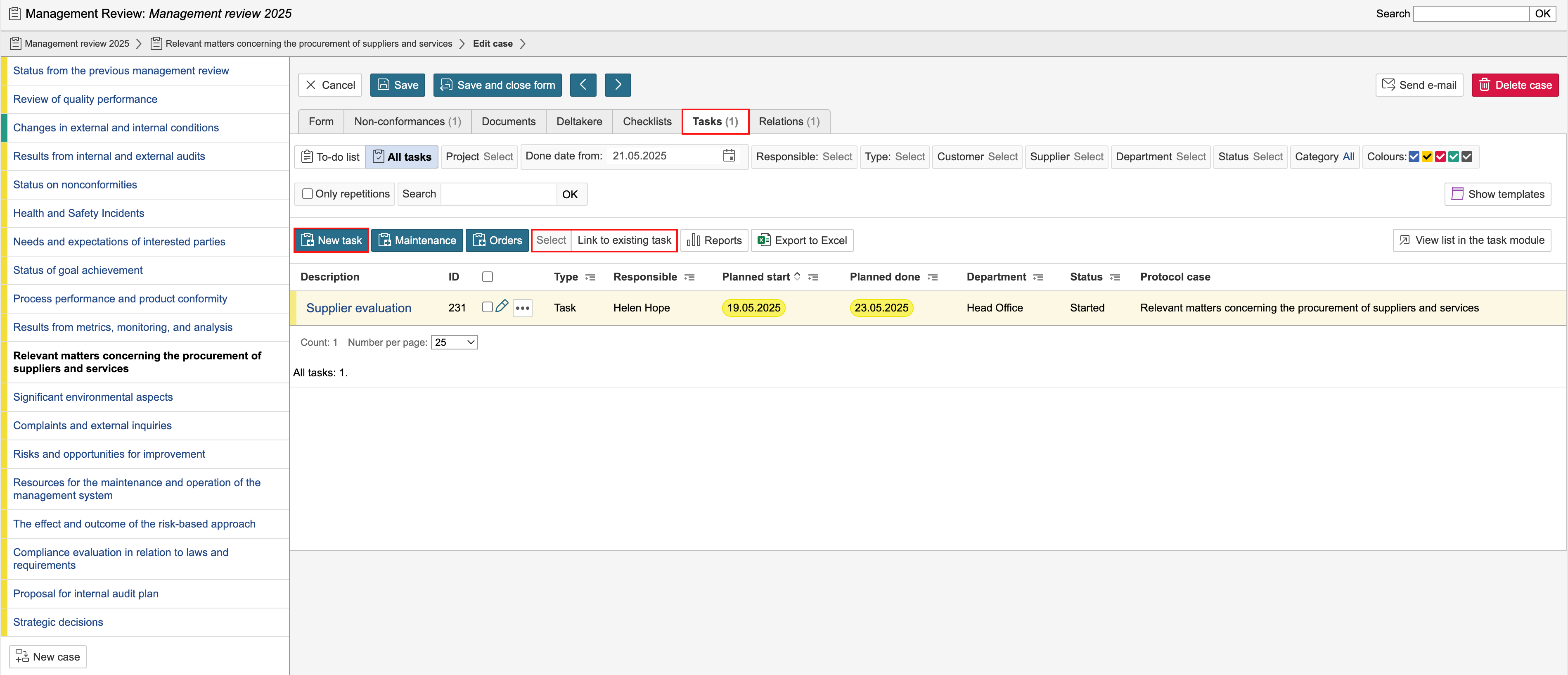
Tasks linked to a protocol case are displayed under the Tasks tab. From this tab, you can also create new tasks or link existing tasks to the protocol case. Click New task to create a new task. To link an existing task, click Select and Link to existing task.
Checklists
The Checklists tab displays checklists linked to the protocol case, as well as any linked checklist responses. You can also create new responses or link checklists from this tab. To create a response for a linked checklist, click the checklist name under Fill out checklist. To link a checklist or create a new response for an unlinked checklist, select the checklist under Connect or fill out checklist and choose whether to link the checklist to the protocol case or create a new response.

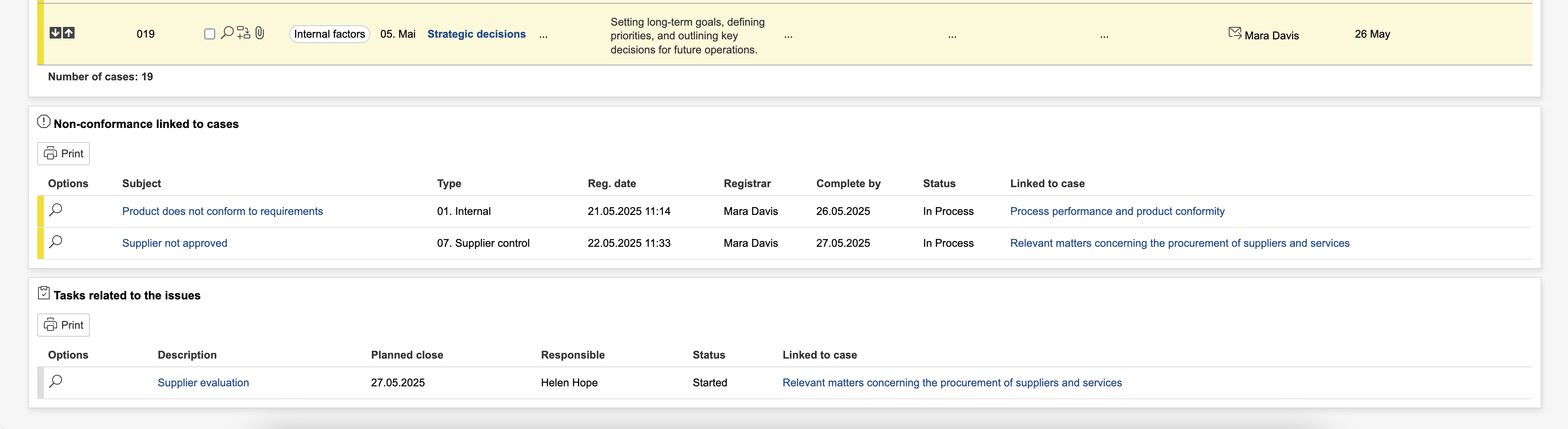
Non-conformances that are linked to or created from protocol cases, as well as all tasks created from protocol cases, are displayed in the overview of the protocol.