
In this release, we are introducing the new Data Source module in the Usage Report, an updated look for comments, and several powerful improvements to Mestro’s API. In addition, we’ve fixed issues with virtual meters for solar panels, making them easier to manage and edit.
Data tool in the Usage Report
In this release, we’re excited to introduce a brand-new feature in the Usage Report – the Data module!
With the Data tool, you get:
- A clear overview of data coverage – including information on whether measurement data was collected manually or automatically.
- Automatic gap filling – we’re launching our new tool that fills in missing values to provide a more complete picture of your data.
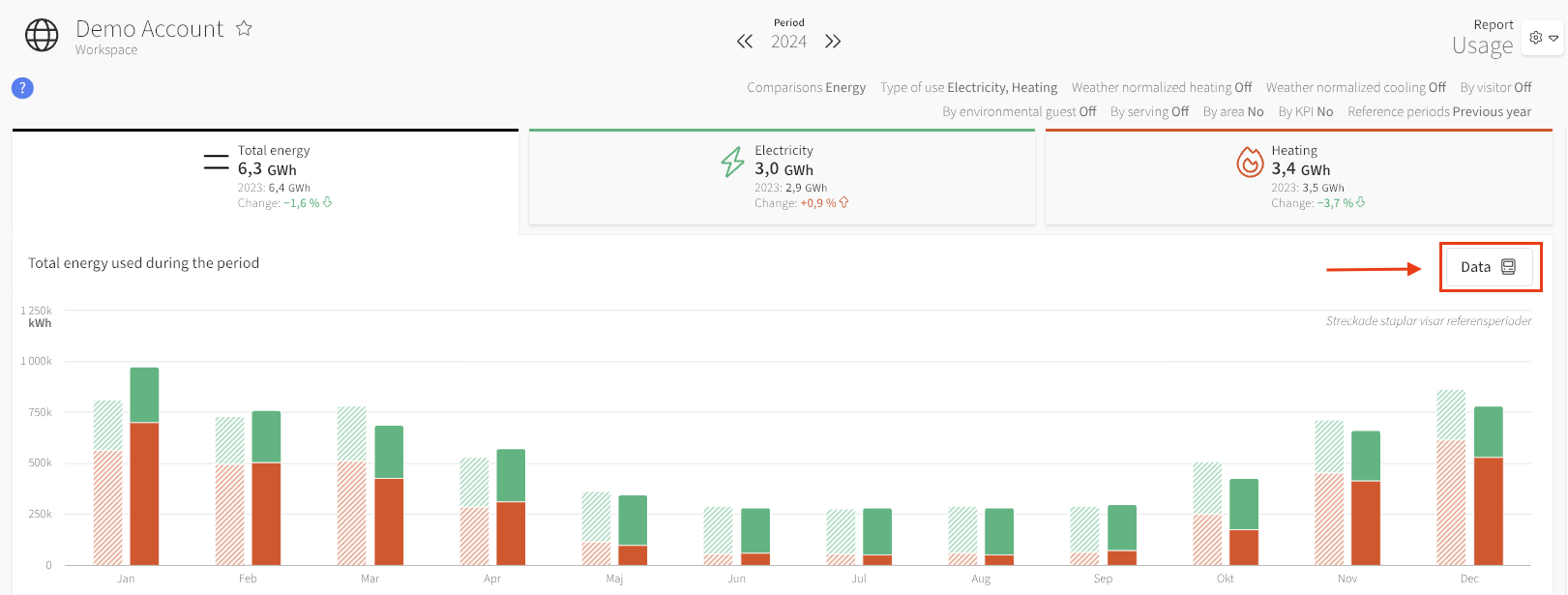
Read more about the Data tool module here!
Updated Look for Comments
In this release, we’ve updated the appearance of comments. Check out a meter or property with comments under Edit to see the changes!
Updates in Mestro API
Mestro’s API is continuously updated with maintenance and new functionality. Several major changes and updates have been made during the fall, making it possible to now:
- Move nodes (e.g., properties in groups, or a building from one property to another)
- Delete nodes
- Change Distributor on meters
- Change Kind on meters
- Change Level on meters
- Edit all tags on meters
Learn more in our API documentation! → api.mestro.io
Fix for Virtual Meters Tagged as Solar Panels
Some customers have experienced issues when trying to edit Virtual Meters with the meter setting Production Source set to Solar Panels. This has now been fixed, and these virtual meters can now be inspected and edited. Also, the meter level for these virtual meters can no longer be edited, which is another change in this release.