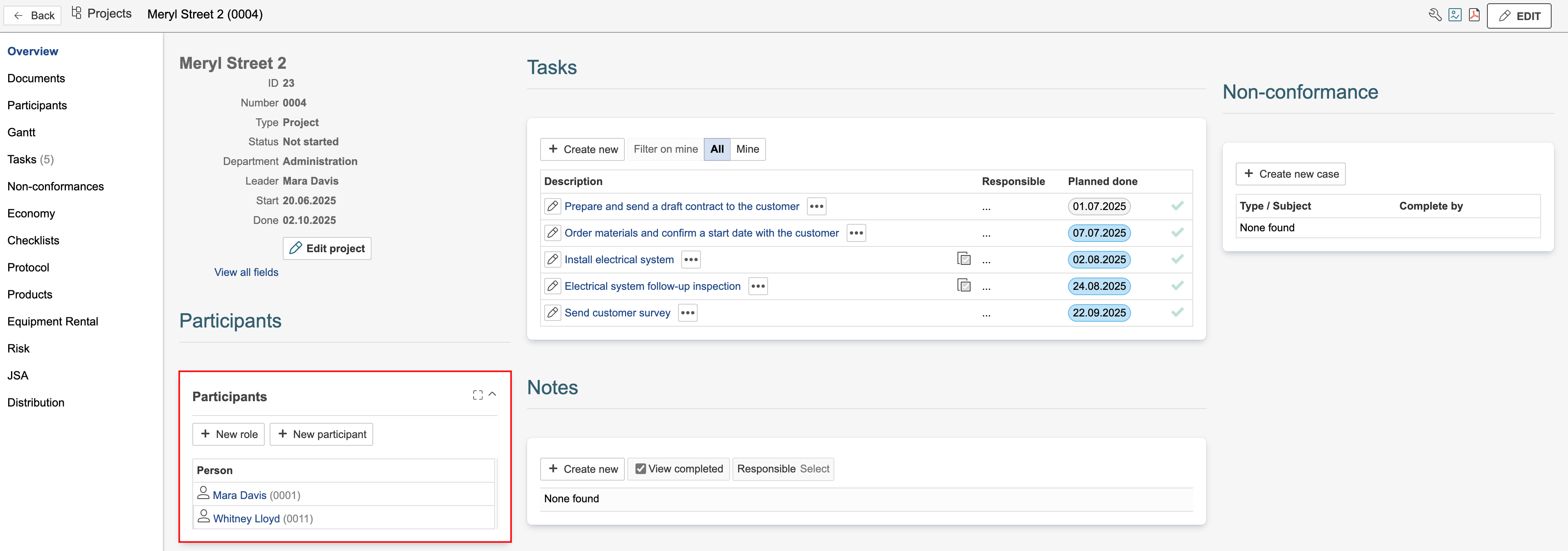
Participants in a project can include employees, customers, suppliers, and contacts. The participant list provides an overview of the people and parties involved in the project. Project participants can also be used to assign access and manage permissions in the project. Note that this only applies to participants added from the coworker module, and they must have login access to the system. Coworkers include both internal employees and external contractors.
Participants can be added using the participant gadget on the dashboard or in the Participants tab in the project.
If there are any participant requests in the project, participants cannot be added in the Participants tab without linking them to a request. However, you can add participants without linking them to a request using the participant gadget.
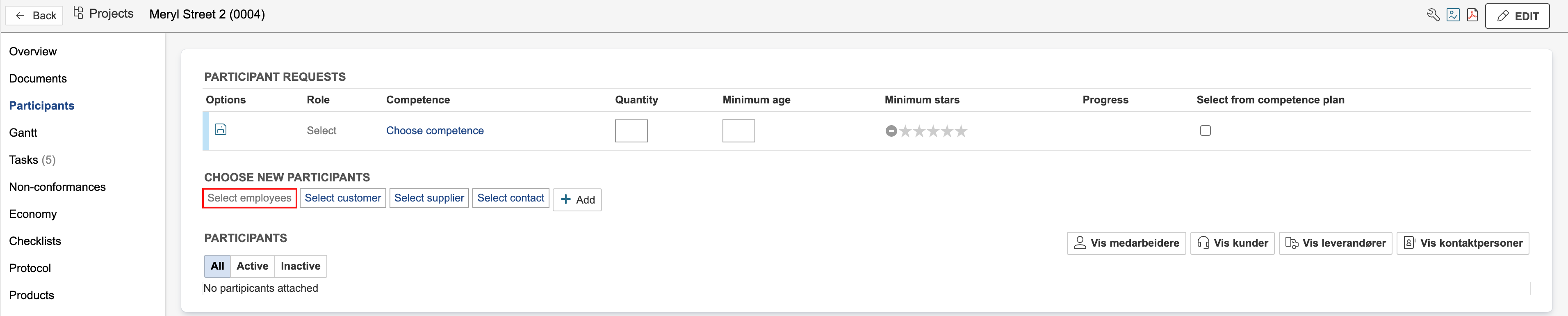
1. Go to the Participants tab and click Select [module].
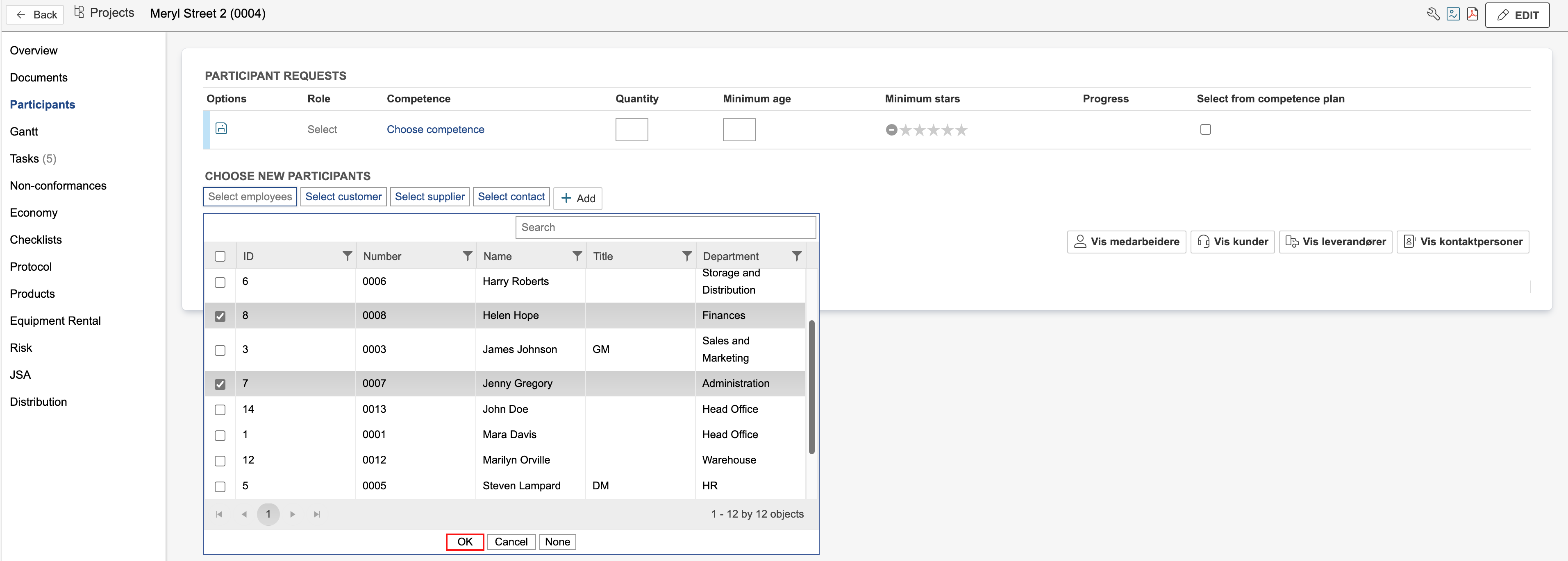
2. Select participants by ticking them in the list and click OK.
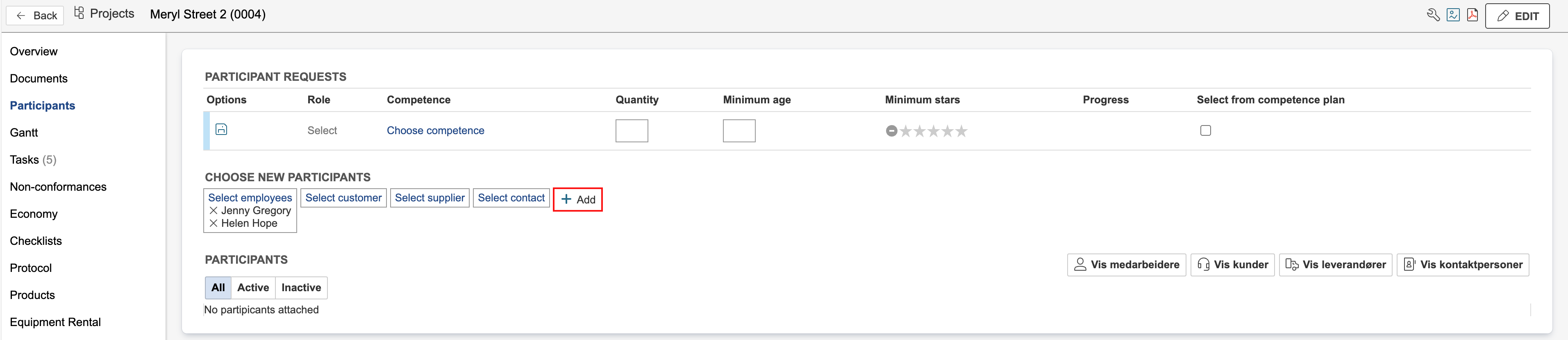
3. Click Add to add participants to the project.
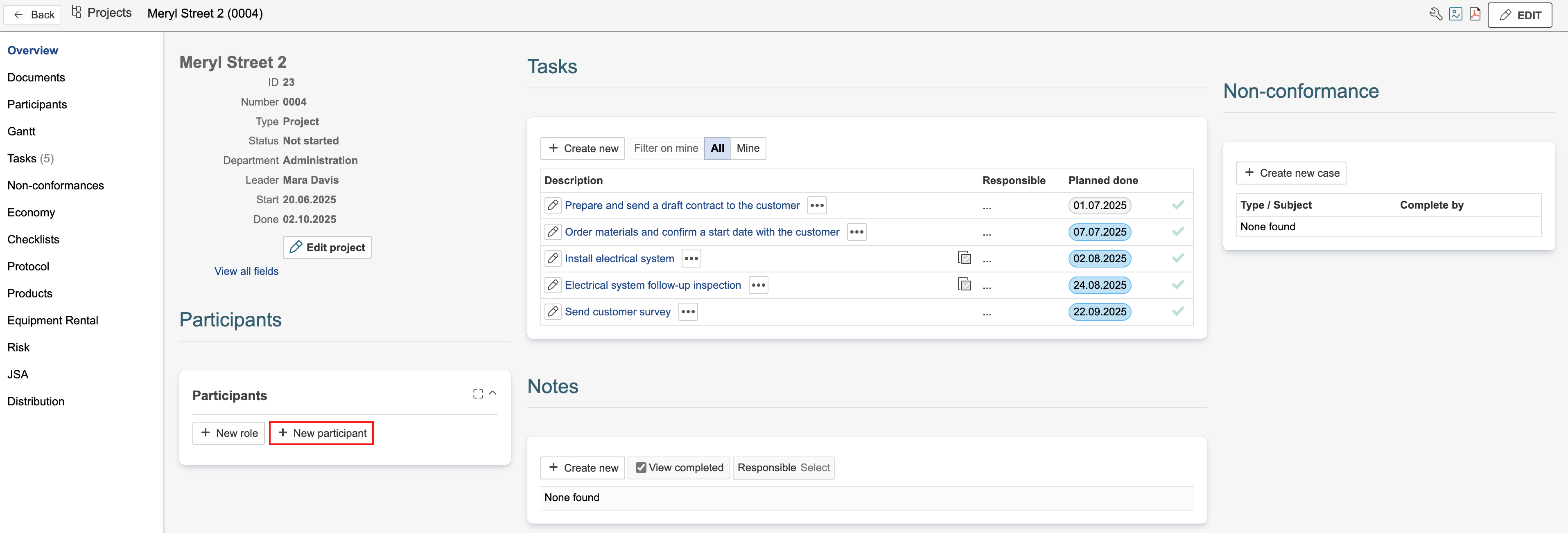
1. Go to a dashboard where the participant gadget is available. If it is not available on any dashboard, add the gadget. Click New participant in the gadget.
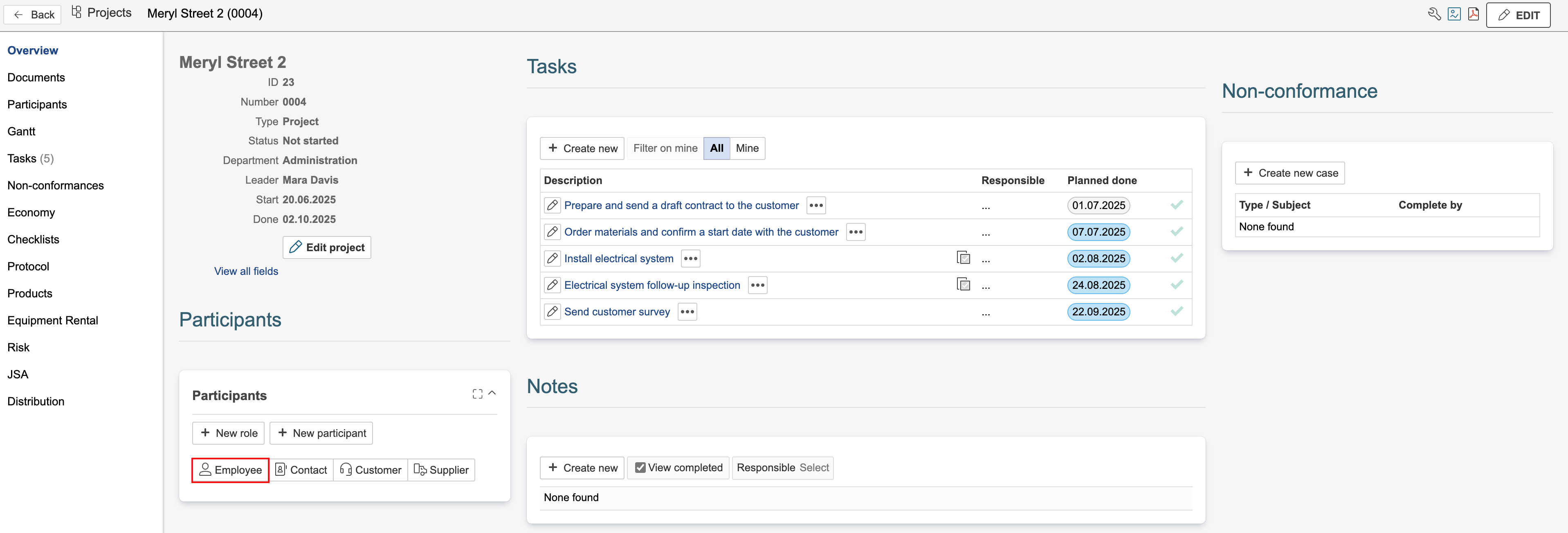
2. Select the module you want to add a participant from by clicking it.
3. Select participants by ticking them in the list and click OK.
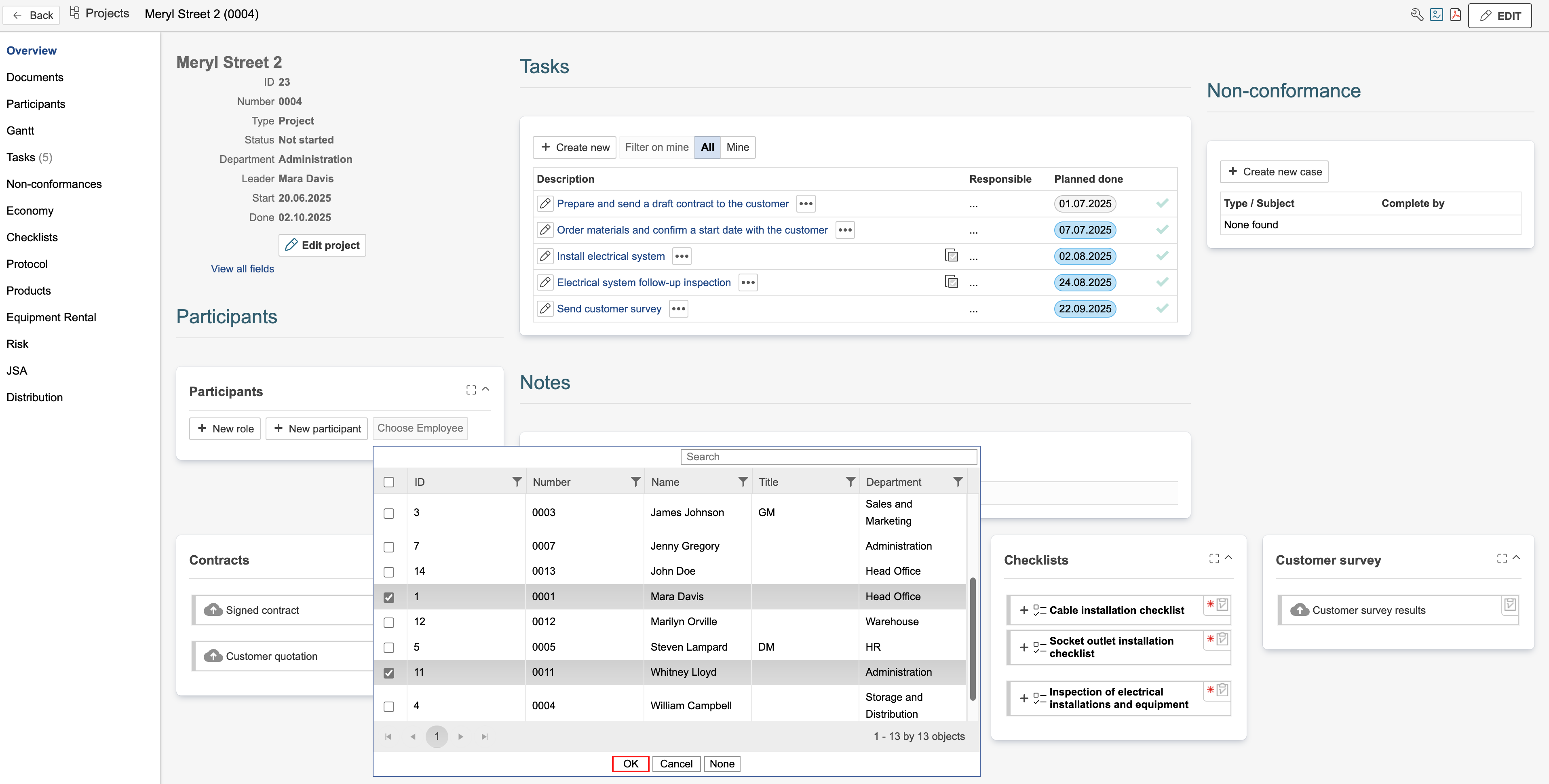
4. Participants will be added upon clicking OK.