
1. Go to the protocol module and click Create new.
2. Select the type for the protocol template by clicking on it.
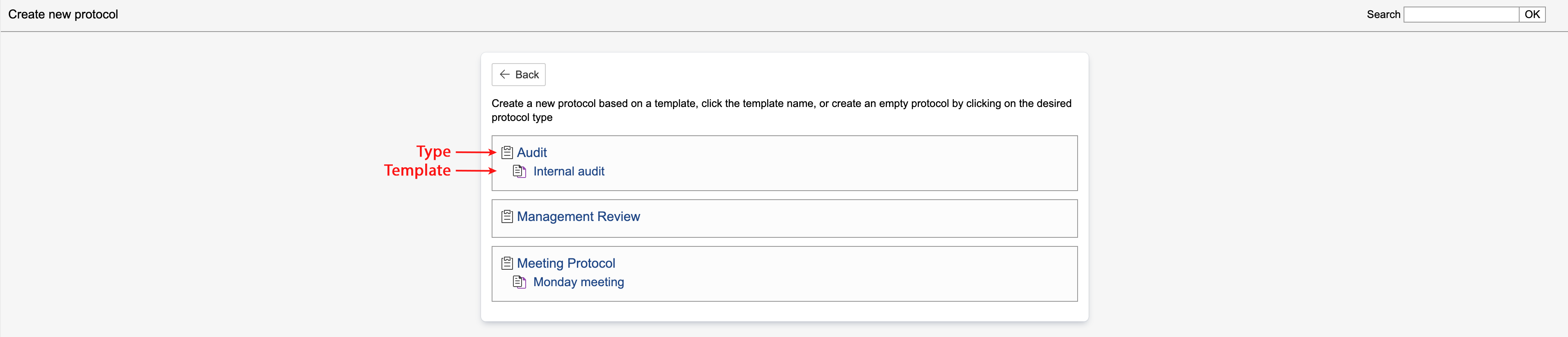
Info: Protocol types are indicated by |
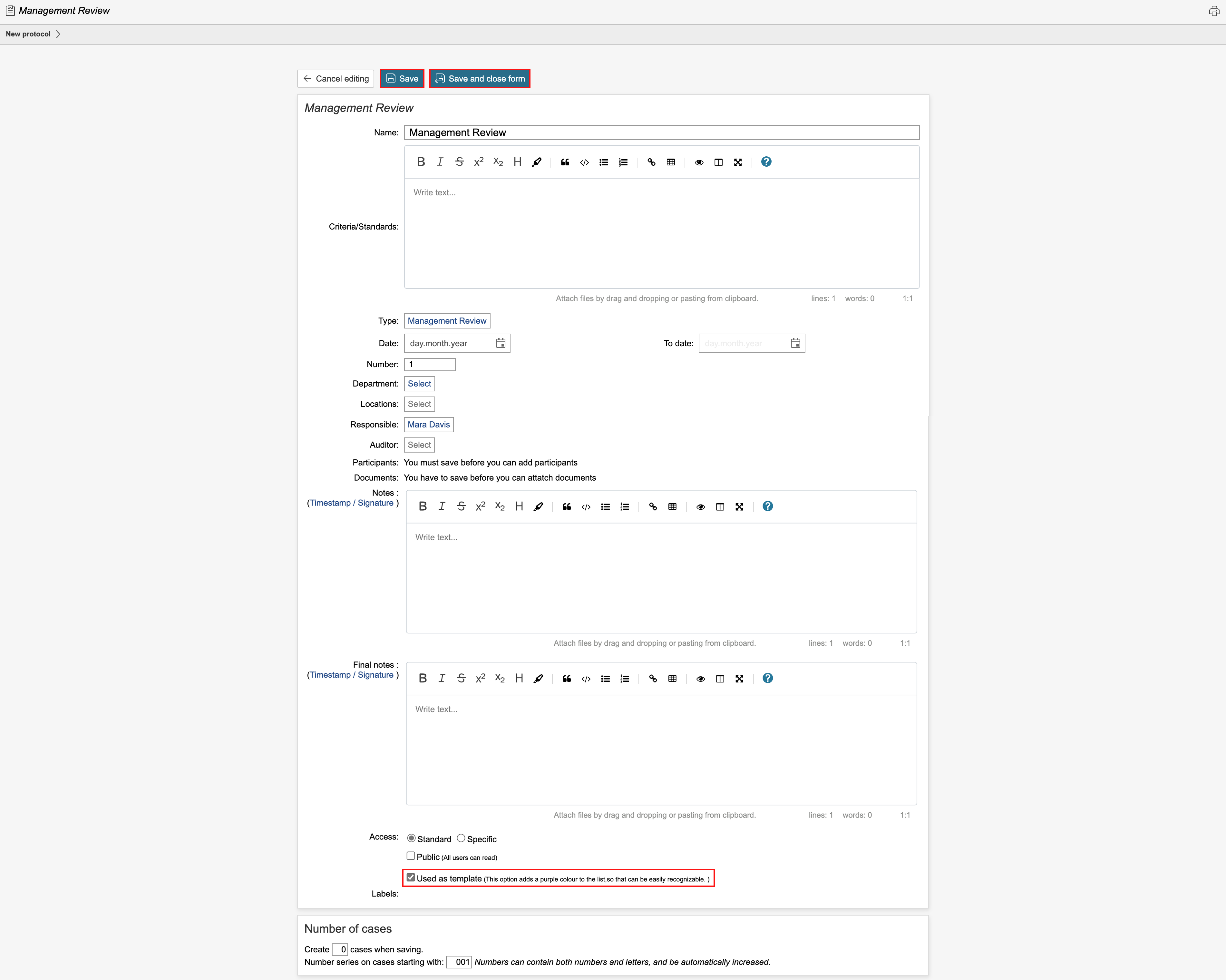
3. Enter a name and fill in any other fields if applicable. Select the Use as template check box and click Save. To view the protocol overview or create a case, click Save and close form.
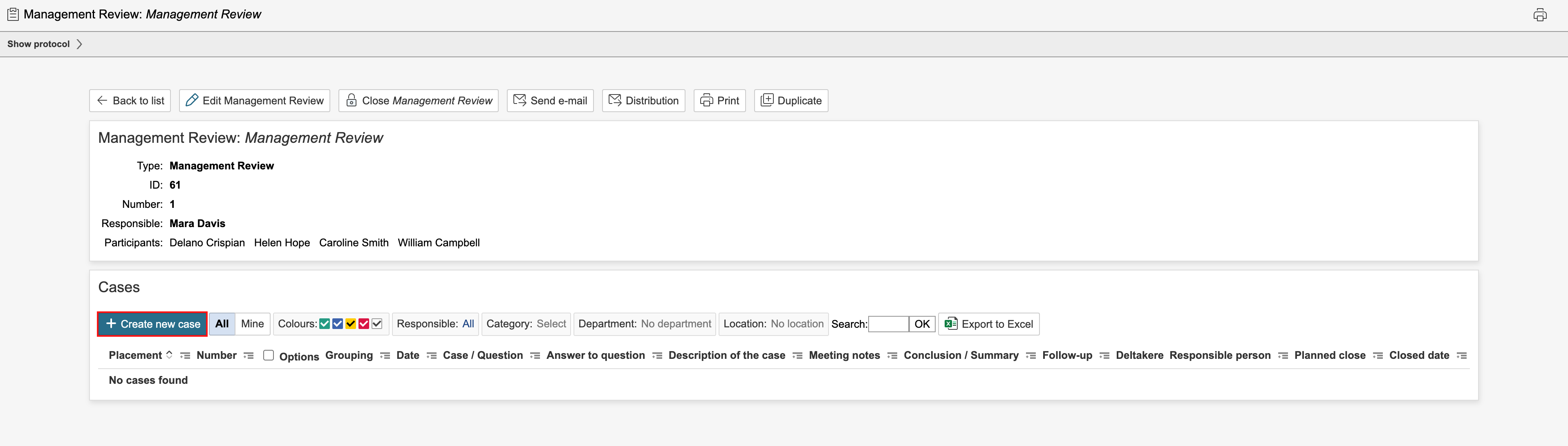
4. To create a new case in the protocol template, click Create new case.
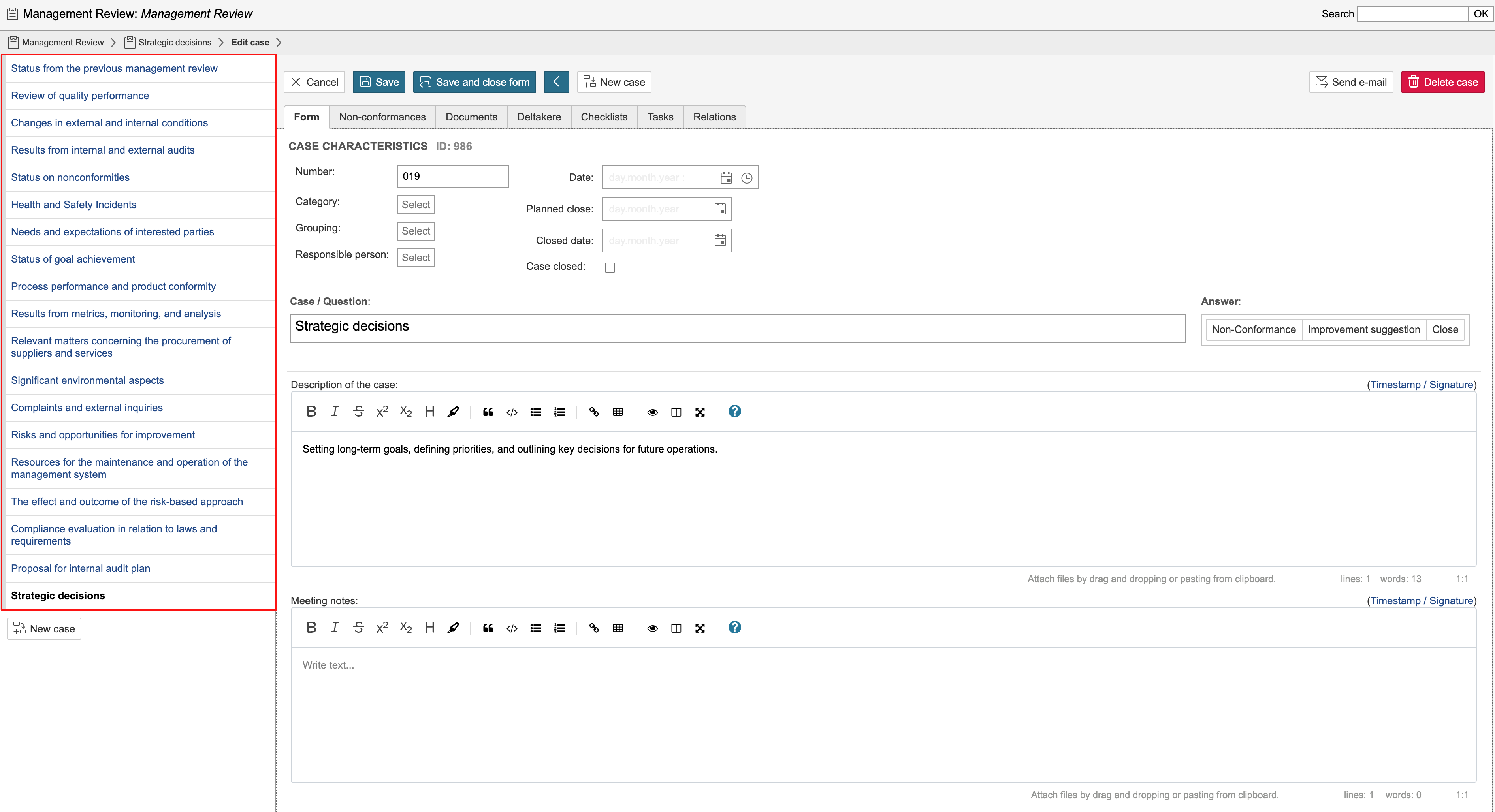
5. Complete the fields for the case and click Save. To save and create a new case, click New case.
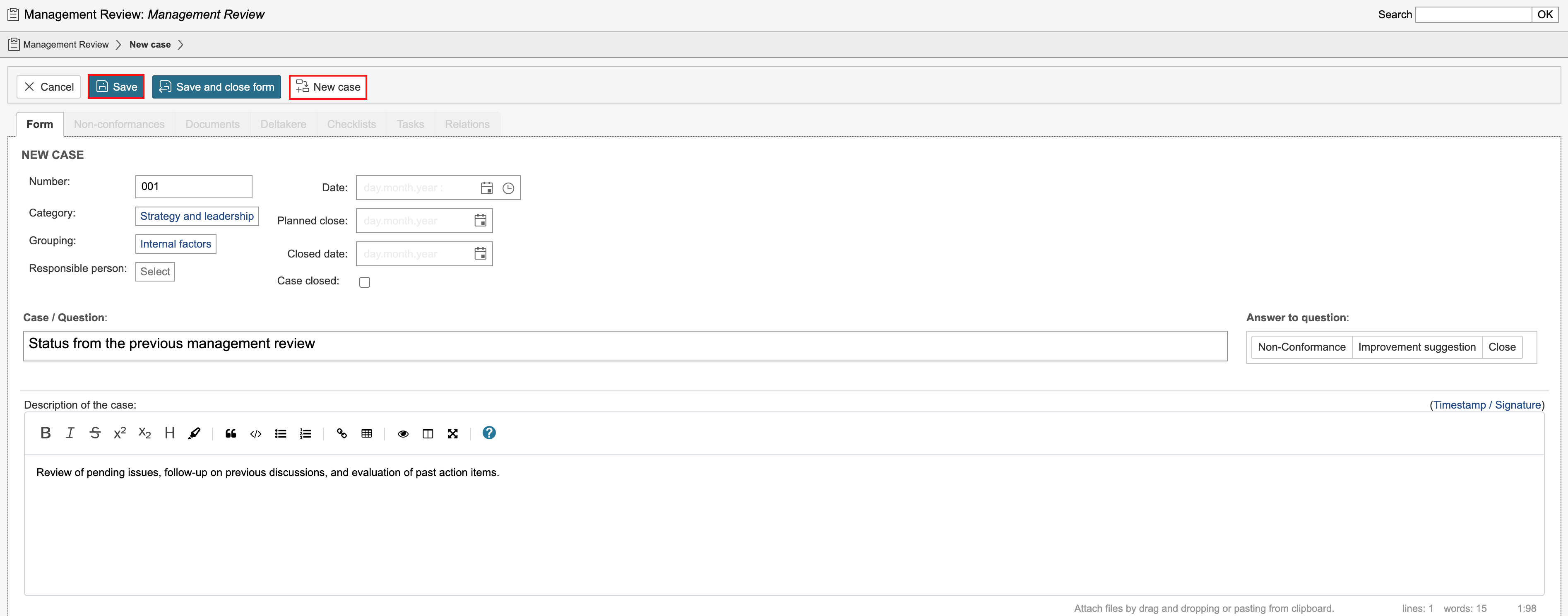
Note: The form for protocol cases may vary depending on the protocol type. Go to control panel or enable configuration mode to change the field settings. Categories and groups are set up in the control panel for each type. |
When the protocol has more than one case, the cases will appear on the left side of the page. Click a case to view or edit it.
 , while templates are represented by
  .
.