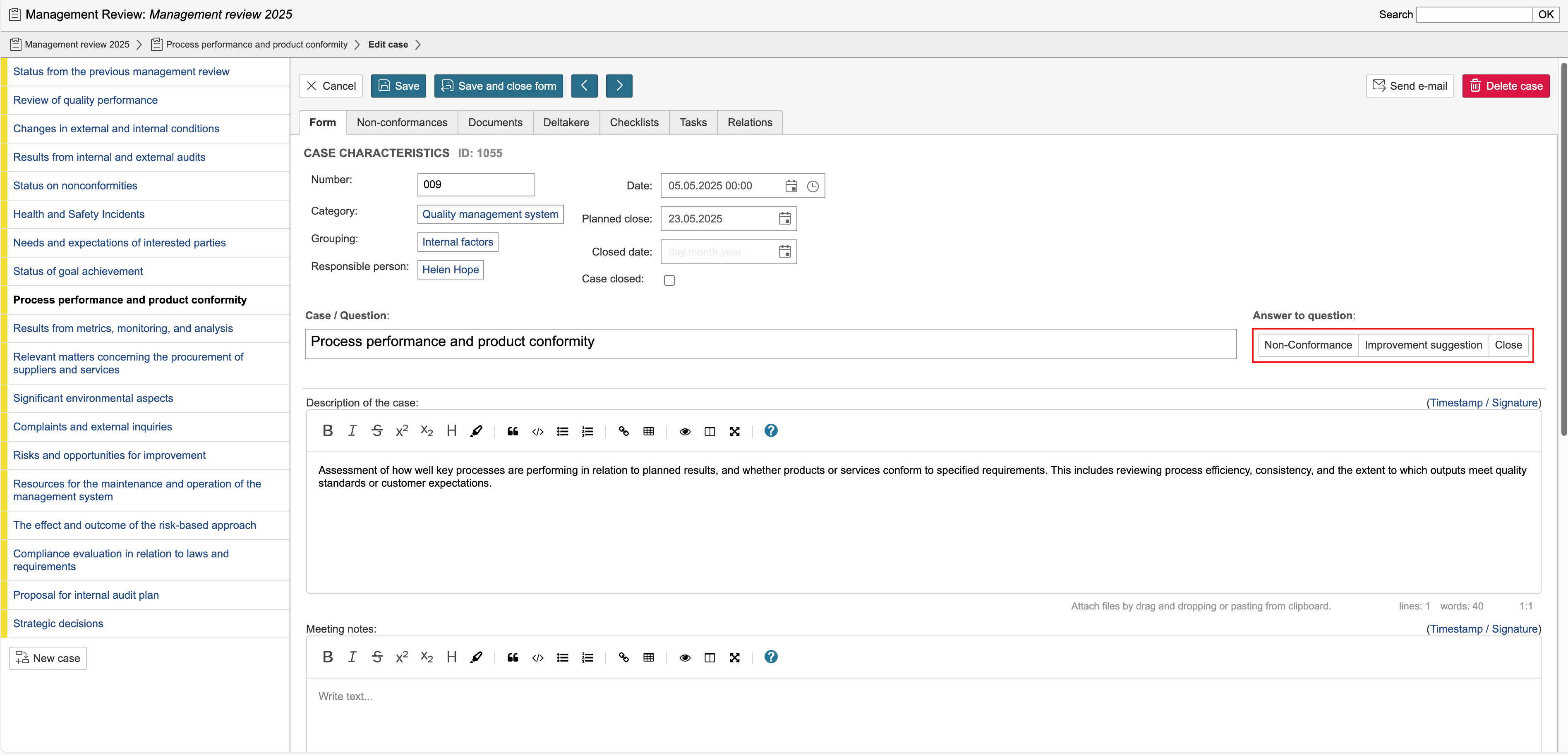
You can configure answers to be used in protocol cases. These answers can have no action, an action that closes the case, or an action that creates a case in the non-conformance module. The answers are configured in the control panel. In the example on this page, three alternatives are used: Non-Conformance, Improvement Suggestion, and Close.
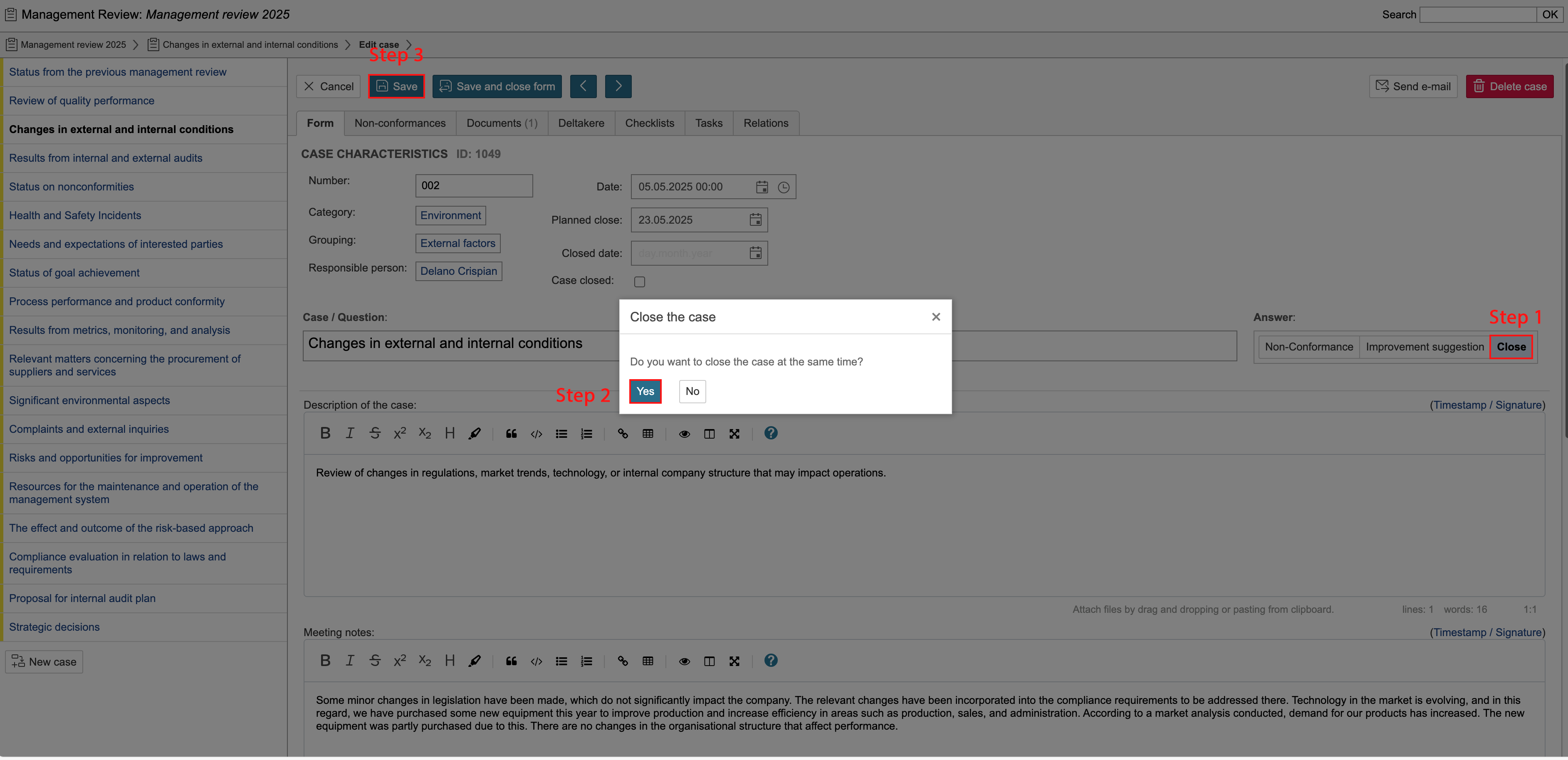
If the case has been completed and should be closed, click Close. A confirmation prompt will appear. To close the case, click Yes and then Save. Follow steps 1–3 as illustrated in the screenshot.
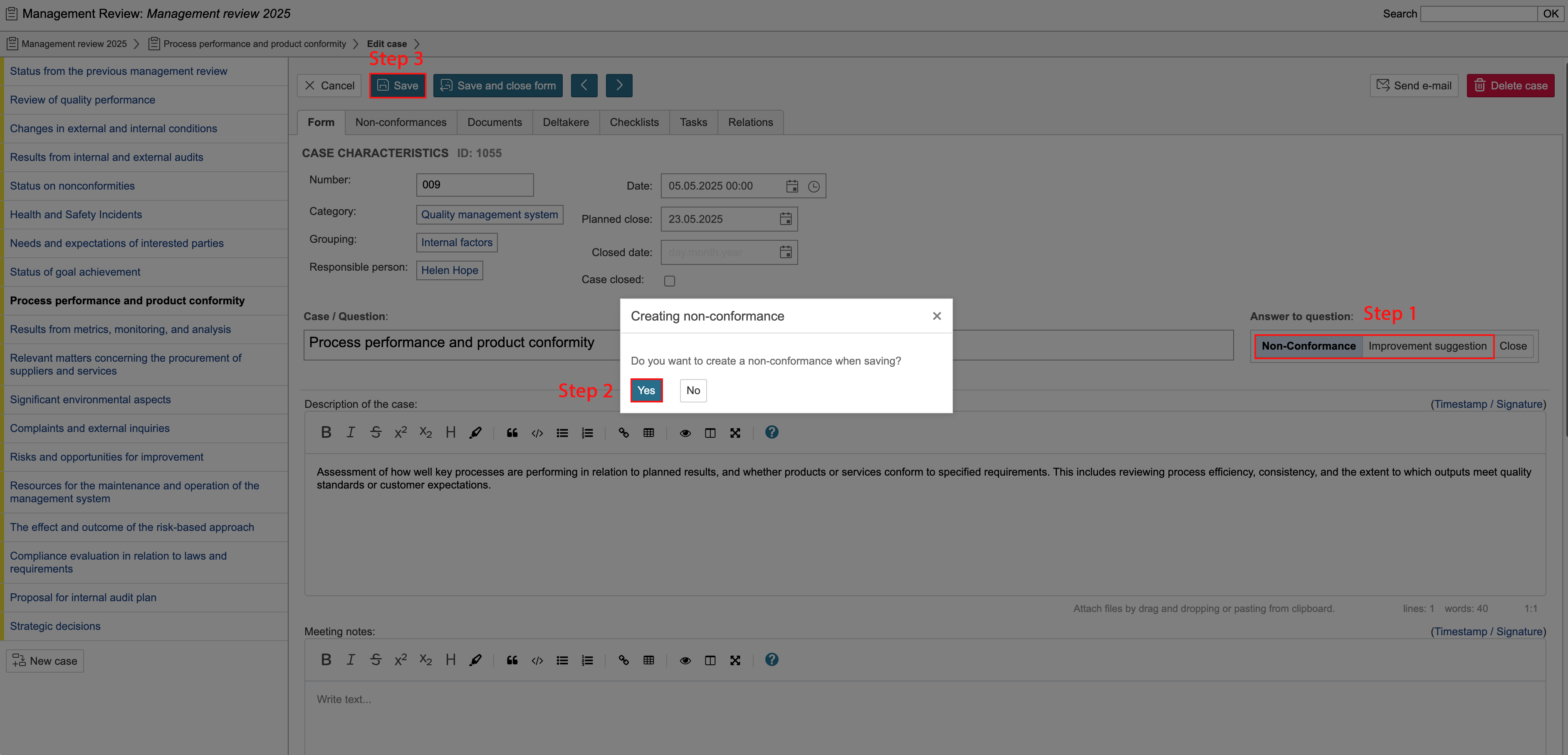
If a non-conformance or improvement suggestion is identified or is to be registered during the review of the protocol, you can create a linked non-conformance or improvement case. The case will be linked to the protocol case it was created from. To create a case in the non-conformance module, click Non-Conformance or Improvement Suggestion. When the confirmation prompt appears, select Yes and save the case. Follow steps 1–3 as illustrated in the screenshot. Linked cases can be found under the Non-Conformances tab on the protocol case.
If no action is selected for the answer, no options will appear when you click it.