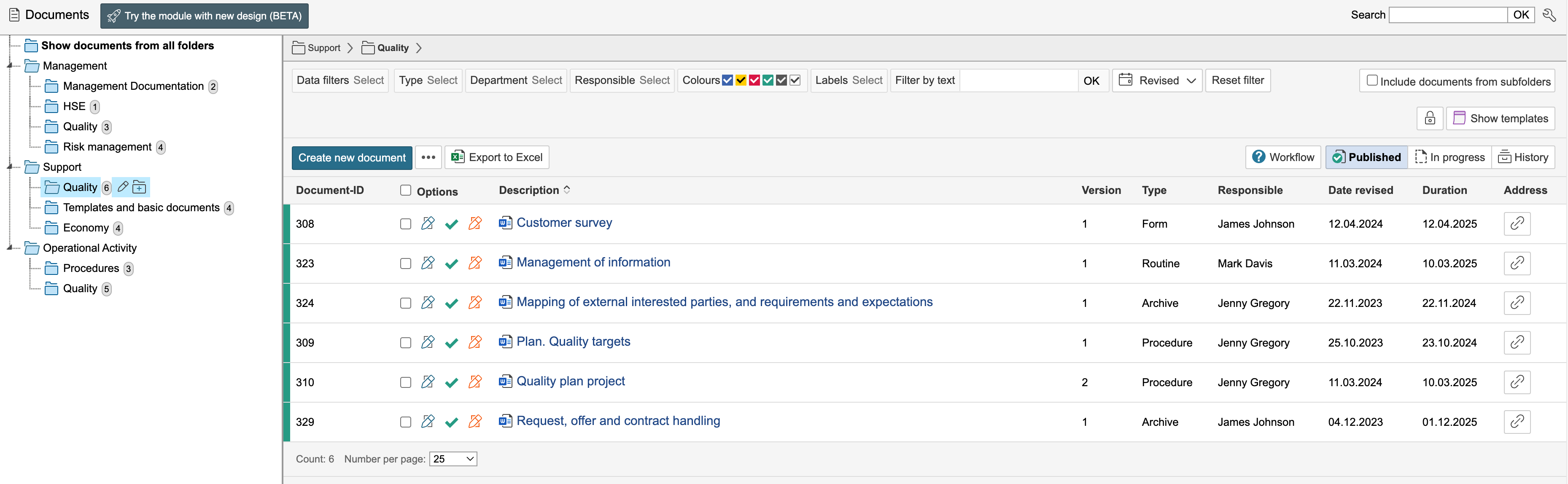
You can create a folder structure consisting of main folders and subfolders. For guidance on how to create new folders and edit existing ones, as well as how to edit the folder structure, click here.
The folder overview provides a list of the documents in the folder and the documents' metadata.
Info: Enabling configuration mode allows you to select which columns for the documents' metadata are to be visible in the list. |
The number after the folder name indicates how many documents are in the folder.
If you are not sure about the various colours of the documents, hover the mouse over the boxes in the Colours field for more information.
You can set a password for a folder by clicking  . Only people who know the password can access the folder.
To view documents marked as template only, click  .
.
You can apply a filter to show versions of documents based on their status. Click the boxes  to see versions that are published, in progress or sent to history. If the box is blue, the documents with that status are displayed.
The Document ID, Description, Type, Department, Responsible, Revised date, Duration, etc. columns show metadata for the documents.
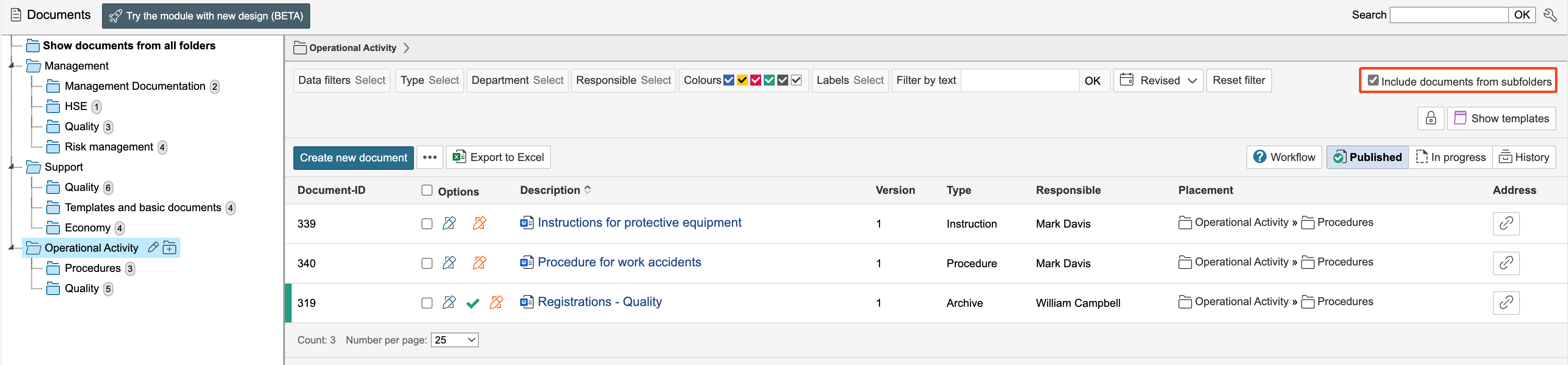
In folders that have subfolders, you can opt to view the documents from the subfolders by checking Include documents from subfolders. The column Placement indicates in which subfolder the document is placed.
If you want to view all versions of a document in the folder list, you can select in the filter to view versions that are in progress and historical. The icon  indicates that it is a version of a document that is either in progress or history. In the overview you can see which version of the document is displayed and the status of the version.
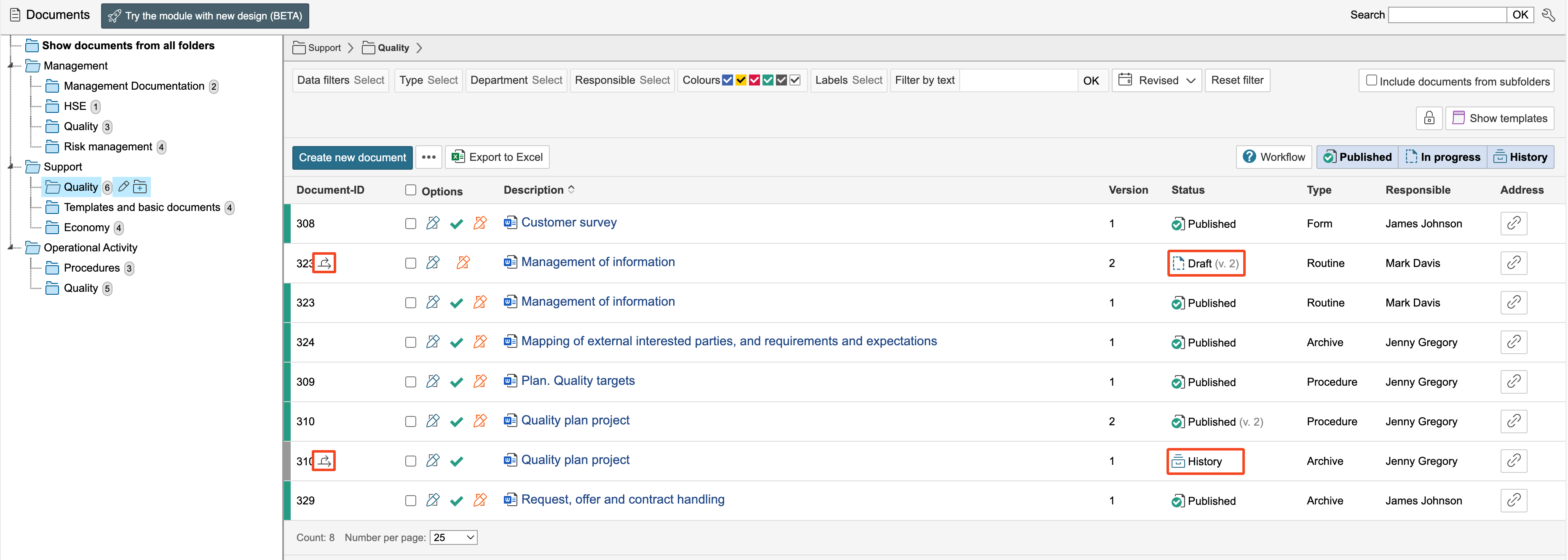
Info: The published version of a document is not marked as a version as it is the current version of the document. |