There are several ways to create new documents in Landax.
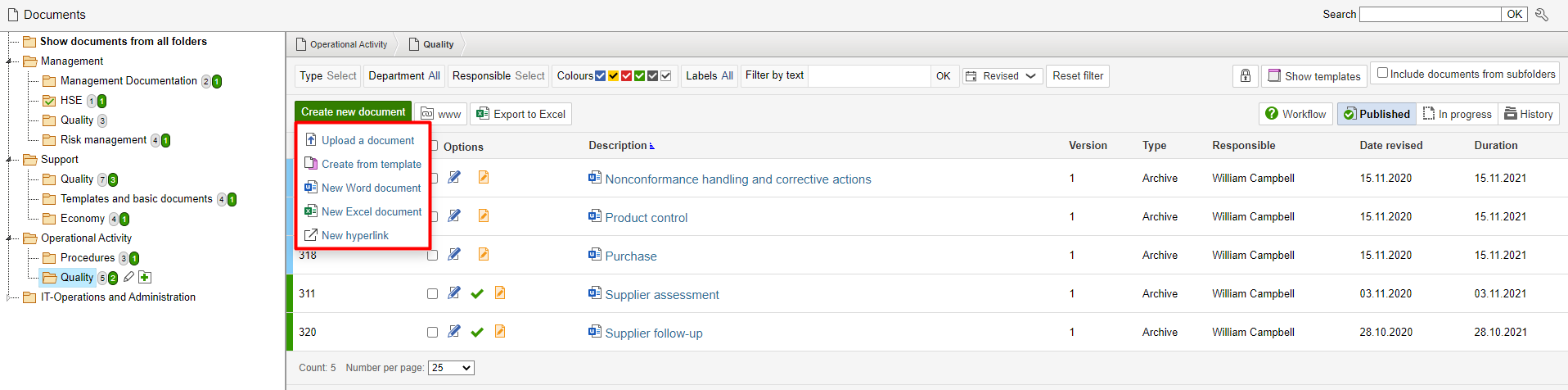
Click the folder where you want to create a new document. Hover the mouse over Create new document and click an option in the drop-down list.
Upload a document
If you want to upload a document located locally on your computer, you can click Upload a document to open your folders and upload the file.
Create from template
To create a new document from a template, click Create from template. You will then see a list of documents that are marked as templates. Select the template document that you want the new document to be based on and click Create document based on selected template.
Note: Documents created from templates are assigned the same filename and description as the template document. Edit the filename and description before leaving the page to make it easier to maintain control of your documents. |
Info: To edit the contents of the document created from the template, click Edit file directly. The Relationships tab displays which template the created document was based on. |
New Word document and New Excel document
These options creates a blank Word or Excel document. Assign the document a filename and a description, then click Save. Edit other metadata if you wish. Edit the contents of the document by clicking edit file directly.
New hyperlink
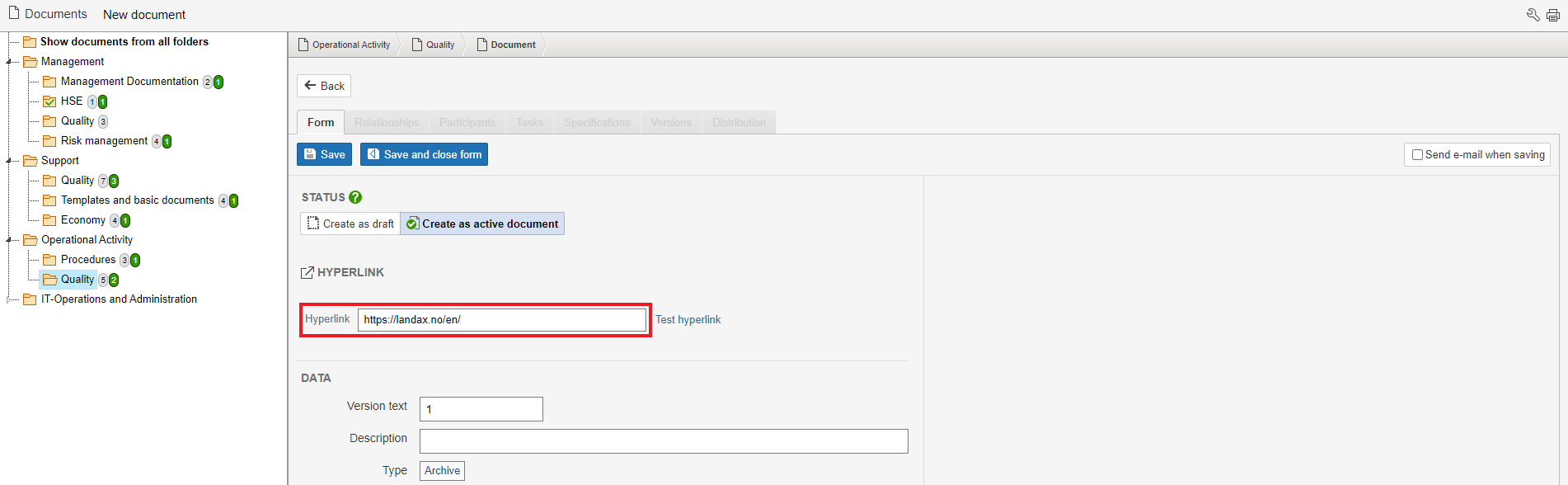
It is possible to create a hyperlink as a document. This provides the same options as for other documents such as Word and Excel in that they can be linked to records in other modules.
Enter the URL of the page you want to link to in the Hyperlink field, then click Save.
Drag and drop
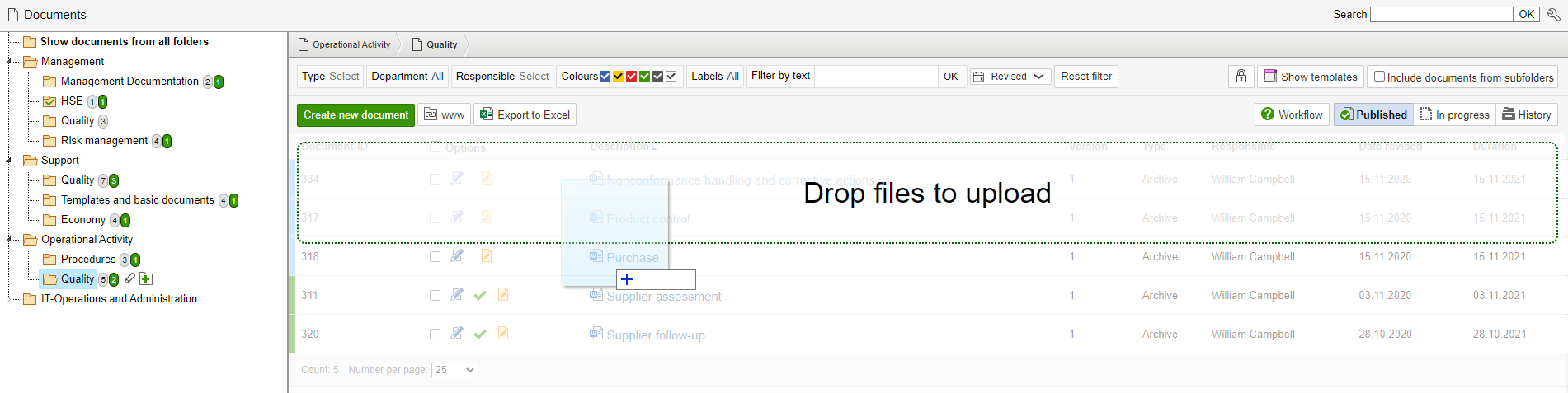
If you have multiple documents to upload at the same time, you can use the drag-and-drop method instead of clicking Upload a document for each individual file.
Open the folder in Landax where the documents are to be uploaded
Find the documents to be uploaded from your PC and select them
Drag them to the folder in Landax
Drop the files over Drop files to upload