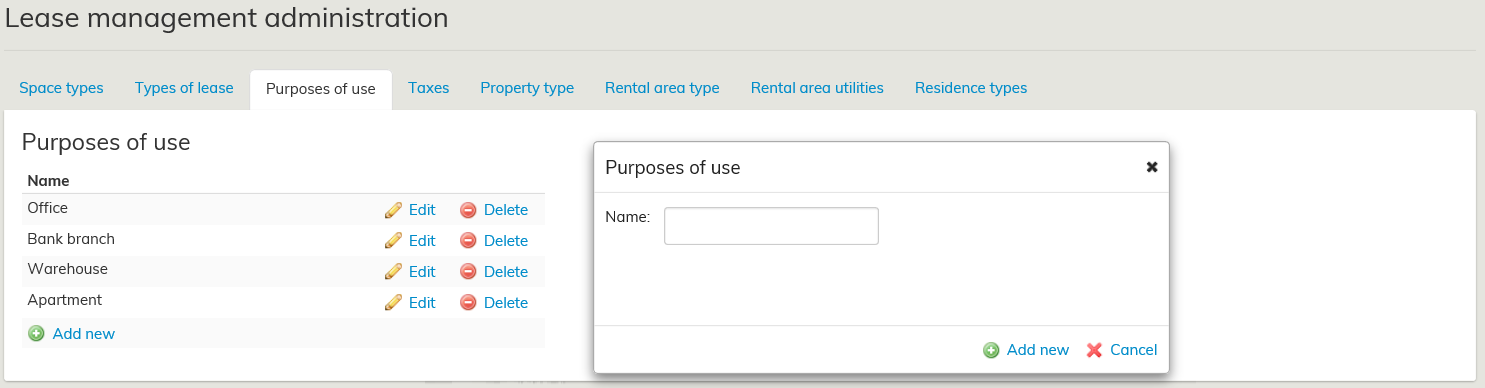
Objects of lease can be given a purpose of use on the agreement form.
Start creating a new purpose of use by opening the Purposes of use tab under Lease management. Add a new purpose of use by clicking on Add new under Purposes of use. You can choose whatever name you want for the purpose of use. Once finished, select Add new.
An Edit link can be seen next to an existing purpose of use. By clicking on it, you can edit the name of the purpose of use. Once you have made the changes, click on Save.
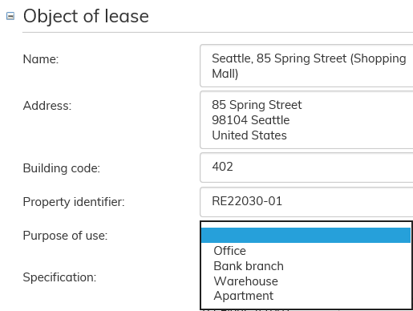
The purposes of use created here can be selected for each object of lease from a pull-down menu on the agreement form, under Object of lease.