Creating taxes
Managing taxes and tax rates for different payment types in lease agreements is done under Lease management administration in Management – Lease management administration – Taxes.
Taxes created here are connected to payment types in lease management, and they are used for invoicing and rent calculation in reports.
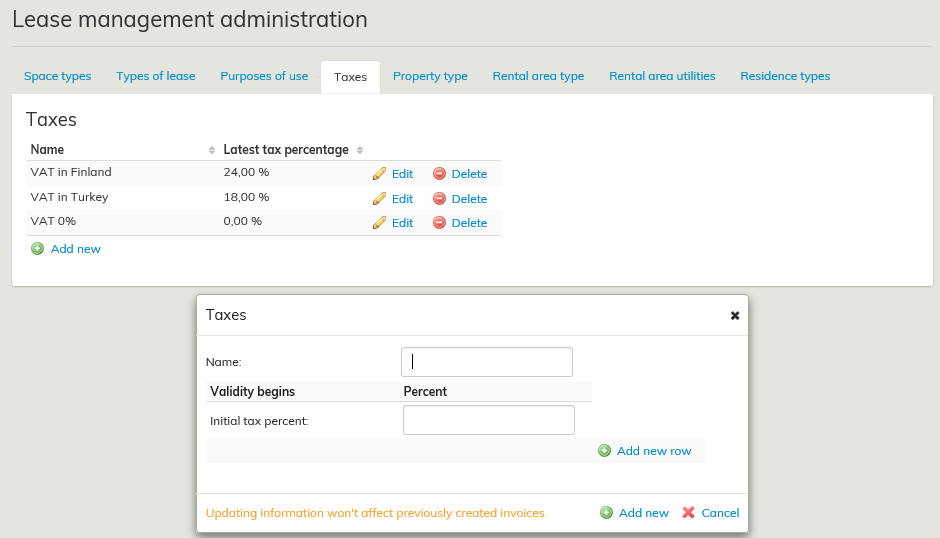
Create a new tax by clicking on Add new, or edit an existing one by clicking on Edit. The following display opens:
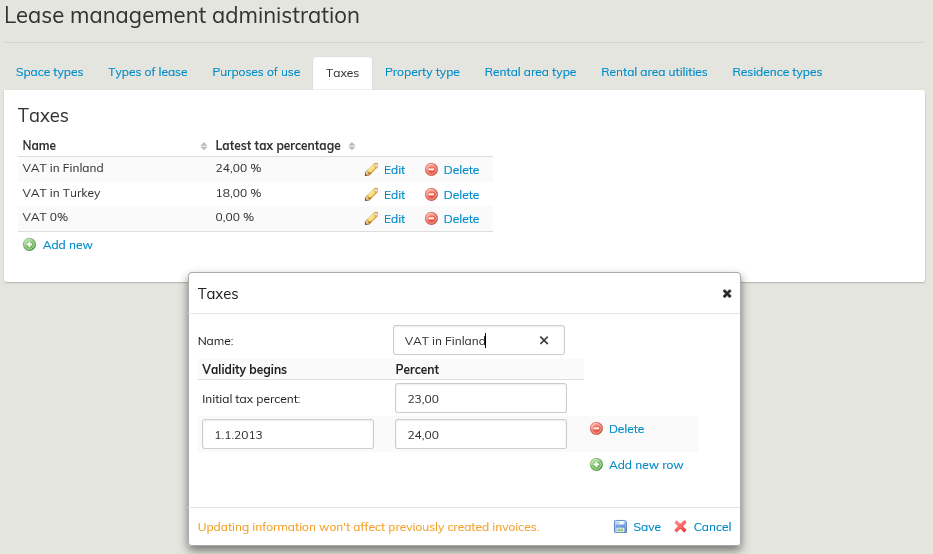
- Enter a clear name for the tax, e.g. VAT in Finland.It is recommended that you use a generic, descriptive name for each tax, rather than a name based on a percentage or a year.
- Enter the initial tax percentage, e.g. 24%. The initial tax percent is a mandatory field, and it is used as default percentage for the tax.
- Add new tax percentages for the same tax by clicking on Add new row.
- For each new percentage, enter the date when the validity begins and the new tax percentage, e.g. 1/1/2013 and 24.
- Click Save, when you have entered all required information
Adding a tax to a payment type
When a new tax has been entered into the system, it must be added to the appropriate payment type.
In lease management, select the tenant whose payment types you wish to edit. Select the Payment types tab on the tenant information page.
- Open a payment type for editing by clicking on its name, e.g. Rental area taxable.
- Select the tax from the Tax pull-down menu. (Taxes are entered in the system on the Tax management page.)
- When you have selected the appropriate tax for the payment type, click Save.
Updated taxes for payment types can be viewed on the Payment types tab on the Agreement summary page.