Instruktionerna för hyresadministration gäller både in- och uthyrning. Funktionerna inhyrning och uthyrning fungerar i stort sett likadant i Optimaze. På uthyrningssidan finns skapande av faktureringsmaterial och på inhyrningssidan behandlas betalningsmaterial. Till uthyrning hör också upprättande av offerten, som saknas i inhyrningen.
I Optimaze Hyresadministration administreras hyresavtal och ärenden i anslutning till dessa. Du kommer till funktionen Skapa hyresavtal från många olika vyer i Optimaze. Du kan skapa ett hyresavtal via administration av Hyresområden eller administration av Avtal. Från planritningen kan du också skapa ett hyresavtal i samband med att du skapar ett hyresområde.
I avsnittet Avtalsadministration presenteras upprättande, redigering och avslutande av hyresavtal samt avtalsblankettens innehåll.
Instruktionen för Hyresområdesadministration behandlar begreppet hyresområden samt deras administration mer i detalj.
| Tips |
|---|
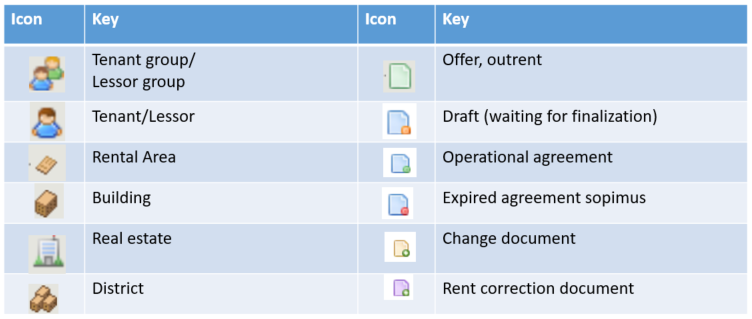
I hyresadministrationen används ikoner som underlättar programmets användning om man förstår deras innebörd. Nedan presenteras hyresadministrationens ikoner med förklaring. |
Various access rights are used in Optimaze lease management, and they determine what kinds of documents each user can create and edit.
If a document cannot be opened or edited, the user might not have the access rights required to complete the action.
You can search for existing agreements in the following ways:
You can search for rental areas and documents according to the property, tenant and date, for example.
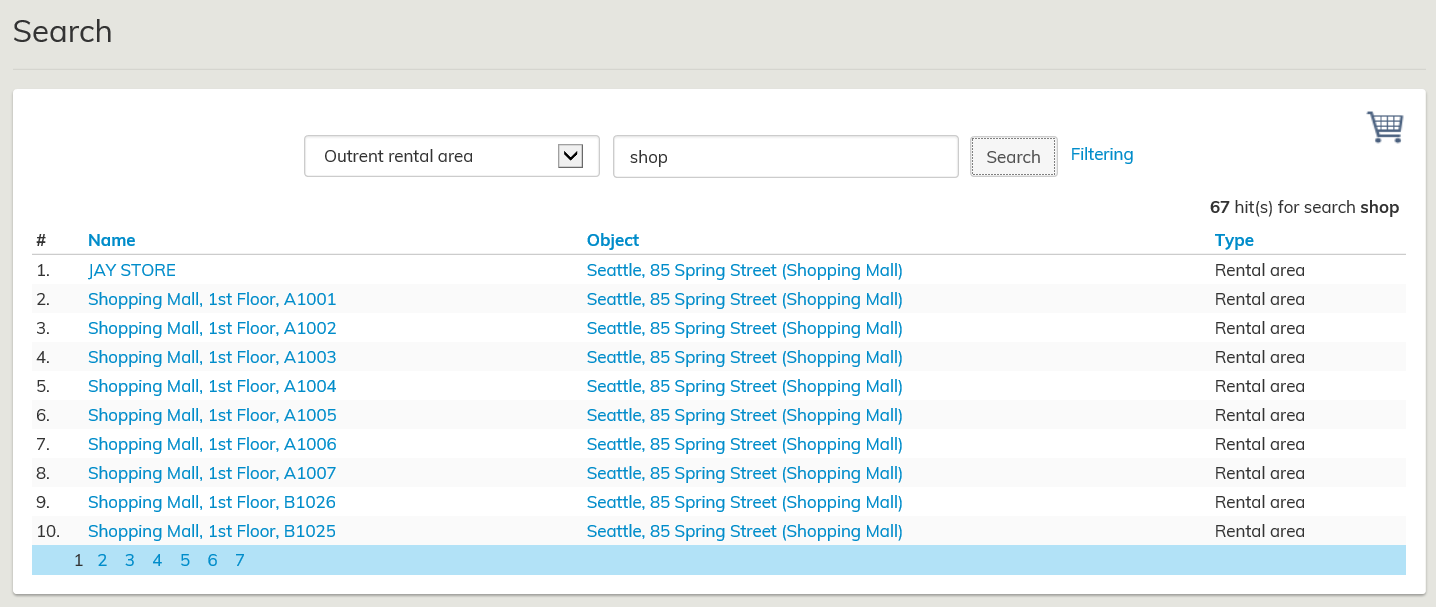
Filtering lets you find information more quickly and more efficiently, with more accurate search results. The selected information to be filtered affects all the data and reporting found in the system. You can find more detailed instructions on using these functions under Search and filtering.
| Tip |
|---|
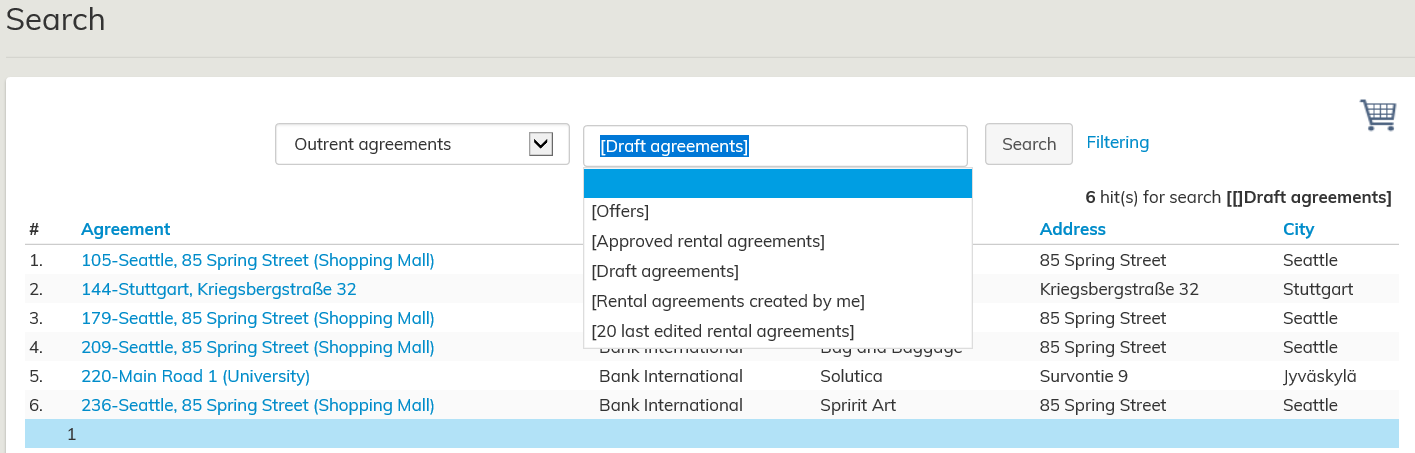
With the Search function, you can also search for draft agreements that include data that is not displayed in any other lease management report.
When you search outrent or inrent agreements, the text Draft agreements appears in the pull-down menu. By clicking it, a list of draft agreements in Optimize opens |
Select the agreement by clicking the blue agreement number with your mouse.
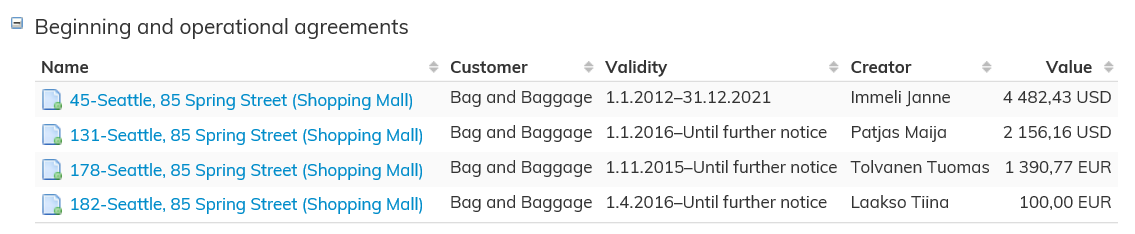
Select the agreement by clicking the blue agreement number with your mouse.
Instructions on using the floor plan browser can be found under Help in the menu header on the upper right corner of the floor plan.