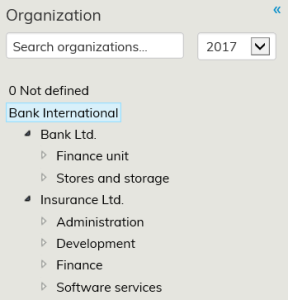
The organization level is selected at the organization hierarchy. The selected organization level is shown in blue background.
Different organization levels can be opened at the arrow next to the organization name. Only when organization name is on a blue background, is the orgaization selected.
Selected organization level affects the level shown in the reports. It is possible to view reports at different organization level.
Organizations may be rewieved in different years. Select the year at the Organization year dropdown bar. The list shows organization at last day of the year.
Select organization affect also what drawings are listed to the floor plans page.
Organization selection is possible to hide by clicking the left arrow icon: 