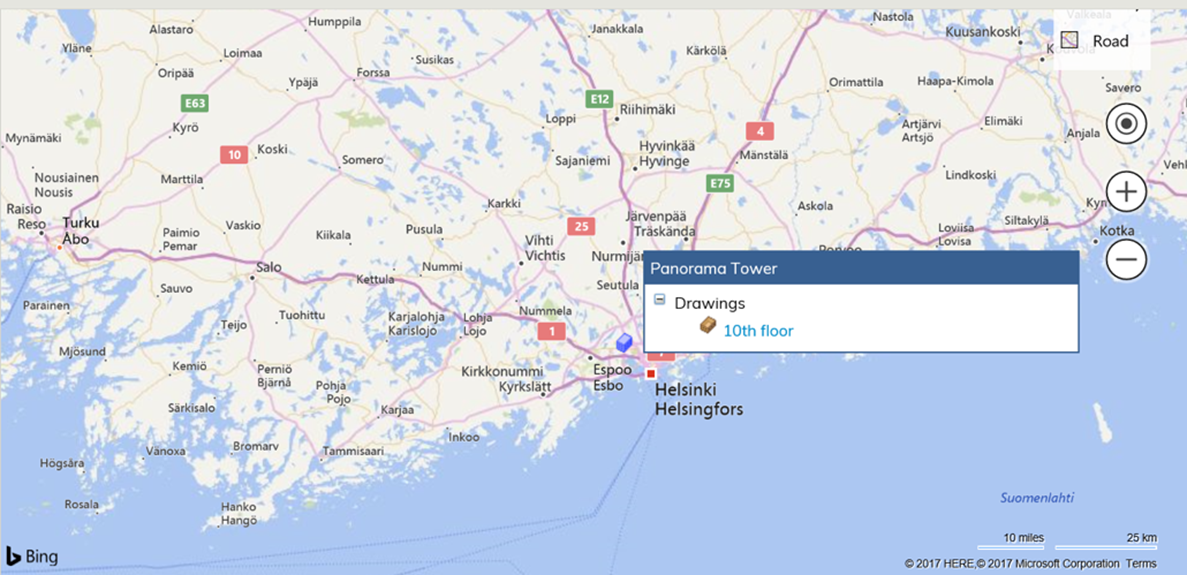
Map search can be used to manage and view buildings using a map (satellite, road or bird’s-eye view). Building floor plans can be accessed from the map. Buildings are located on the map according to contactinformation in the property and building register.
Map Search is a separate search application which a customer can see only, if it has been taken into use as a part of Optimaze.net.
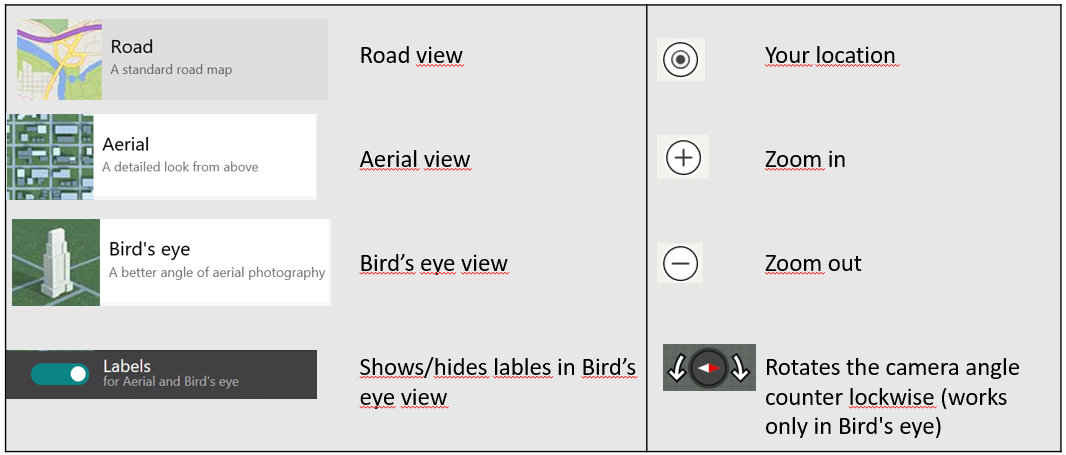
Below you can see explanations for the icons that are used in Map Search. The actions that can be used at that moment are marked with white text. For instance, the bird’s-eye view can’t be used unless the map has been zoomed in enough.
Zoom in on the map so that you can find the correct location, and then drag the building onto the map using the right-hand mouse key. After this, the building is shown on the map as a red block .
When you take the mouse cursor to the red block, you can see a list of drawings and contracts. By clicking the drawing or the name of the contract, you can open the selected drawing or contract data.
If you zoom out enough and there are several buildings in the same town or area, you can see them as a set of blocks on the map and you can access all the buildings’ drawings and contracts.
For each situation, there are different kinds of views to select from. The Little triangle under the view name shows which view is active 
Road view
Road view shows you the traditional map view with roads and streets, depending on how you have zoomed in on the map. Labeling is not available in this view, because road and street names are set default.
Aerial view
The Aerial view shows you the selected building or location photographed from above, as a satellite view. If you choose to show labels, the road and street names will be shown on the map. The sample map below has labels on, and you can see a little triangle under Labels showing they are in use.
Bird’s eye view
Bird’s eye view pictures have been taken from a perspective and altitude that the building or location can be recognized from. In this view, you can rotate the picture different ways and see the same building e.g. from the front and from the back