Prerequisites are located in the menu on the left.
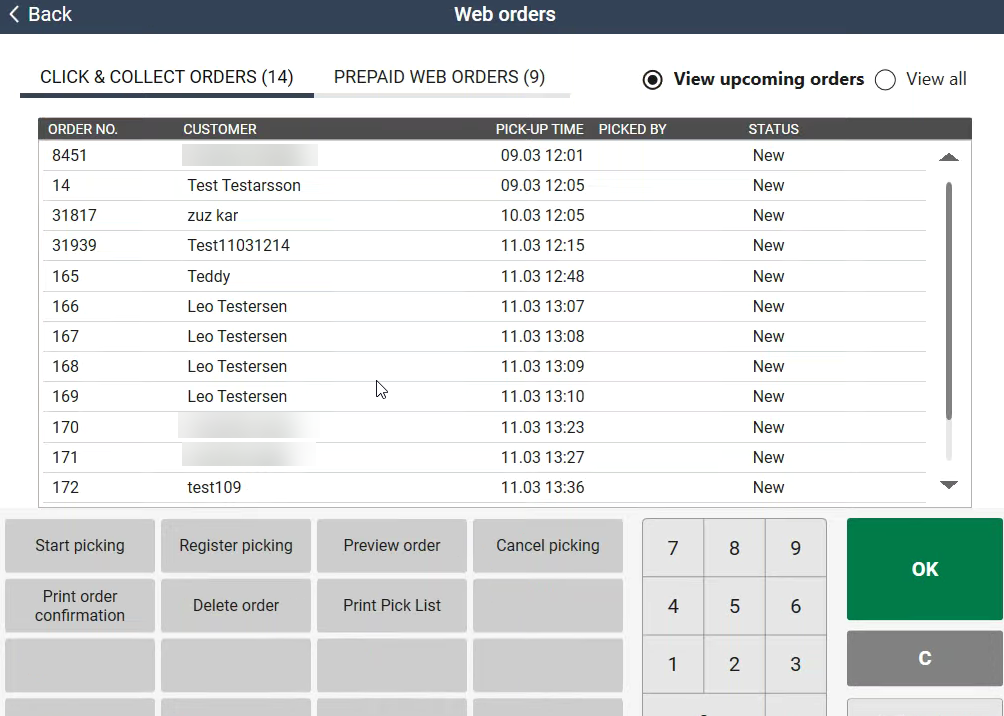
A new POS Configuration parameter, PickingLeadTimeInMinutes, can be setup to show reservation orders when there is less than a configured number of minutes until planned pickup time.
|
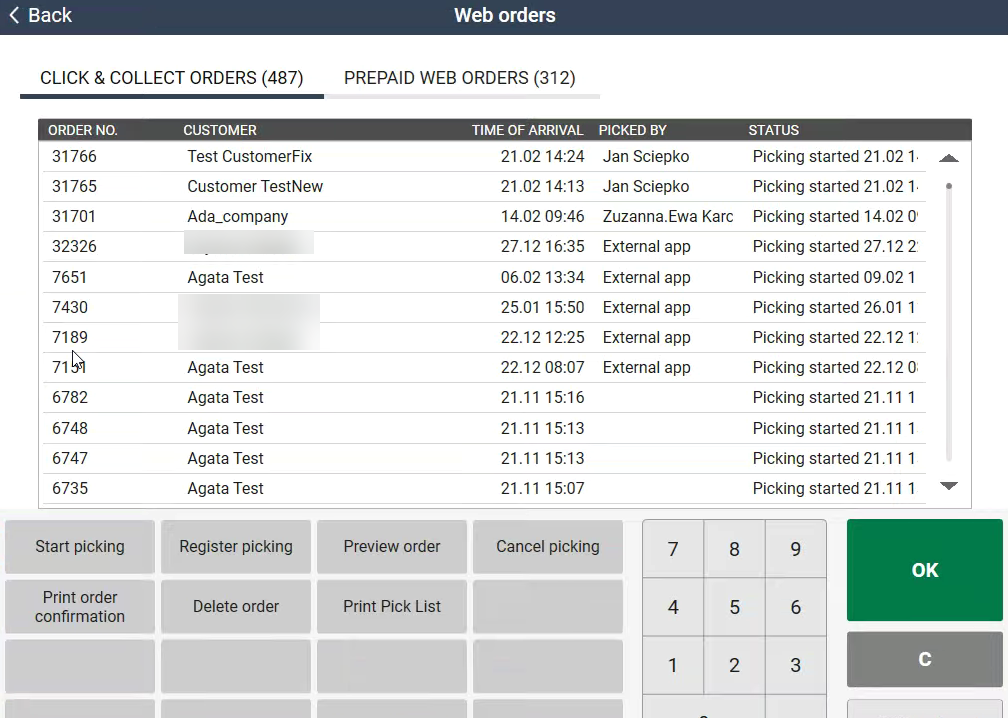
A new parameter, SortOrderAfter, can be configured to control how the orders are sorted in EG POS.
POS Master v. 3.0.0.151 or higher. |
|
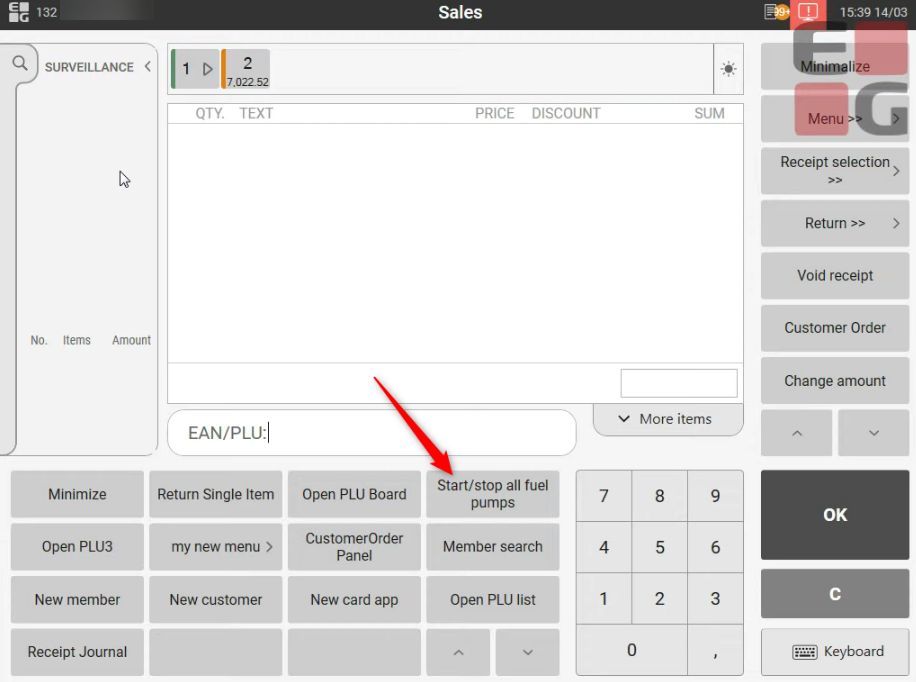
In case of emergencies, all pumps can be stopped or started from a configured function button in normal sales view or convenience sales view.
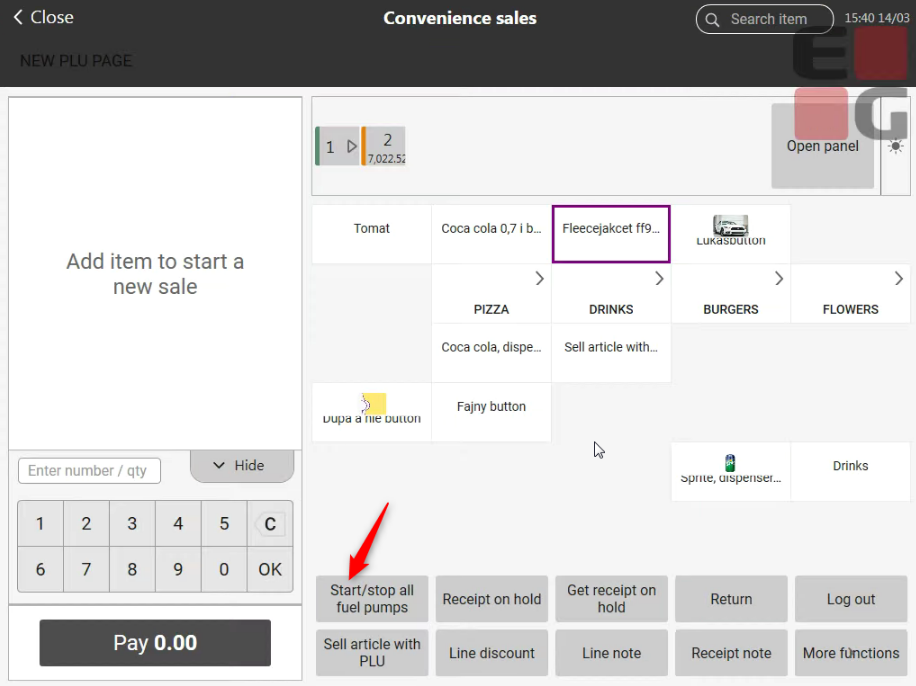
|
If a store has CommissionStoreArticleGroupList parameter configured in POS Configuration and a fuel item included in the parameter is added to a sales transaction, then the footer text to indicate that fuel is sold on consignment will be shown in the receipt. This text can be configured in POS configuration parameter PrinterTextFooterConsignmentSoldFuel.
POS Master v. 3.0.0.152 or higher. |
|
When buying items limited by Norwegian Toll Quota rules, the number of tobacco and alcohol quotas available on a boarding pass will be used in the quota calculation.
When a sale is finished:
| Area | Description | ||
|---|---|---|---|
| Orders | Redeeming Voyado coupons when paying Dispatch orders in POS (RTP-27472) When placing a web order/dispatch order in POS it's possible to use Voyado coupons when paying for the order. Previously coupons could not be redeemed as part of the payment process. POS Configuration:
Redeeming Voyado coupons when paying Reserve & Collect orders in POS (RTP-28760) When paying a Reserve & Collect order in POS it's possible to use Voyado coupons as part of payment. Previously coupons could not be redeemed as part of the payment process for any customer orders. POS Configuration:
| ||
| Fuel | Receipt text when fuel is paid with YX Card (RTP-28523) "Not a valid VAT receipt" text is displayed on the receipt when paying with YX Card for fuel. | ||
| Fusion Fuel integration | Fusion Fuel Integration - Manual changing of fuel modes (RTP-21275) Fuel modes of the Fusion controller can be manually changed in POS. | ||
| Loyalty | Support using https in endpoints when searching member in Bridge / Loyalty (RTP-28458) Endpoints used by EG POS for searching members in Bridge / Loyalty may now use https as well as http. POS configuration: Relevant existing parameters: BridgeMemberWSUrl, BridgeWSUrl and BridgeGiftVoucherWSUrl. | ||
| Member | Avoid displaying Member name when adding member using QR (RTP-27564) Name is now only displayed in POS, if member is searched by mobile number or COOPID (only COOPID number). | ||
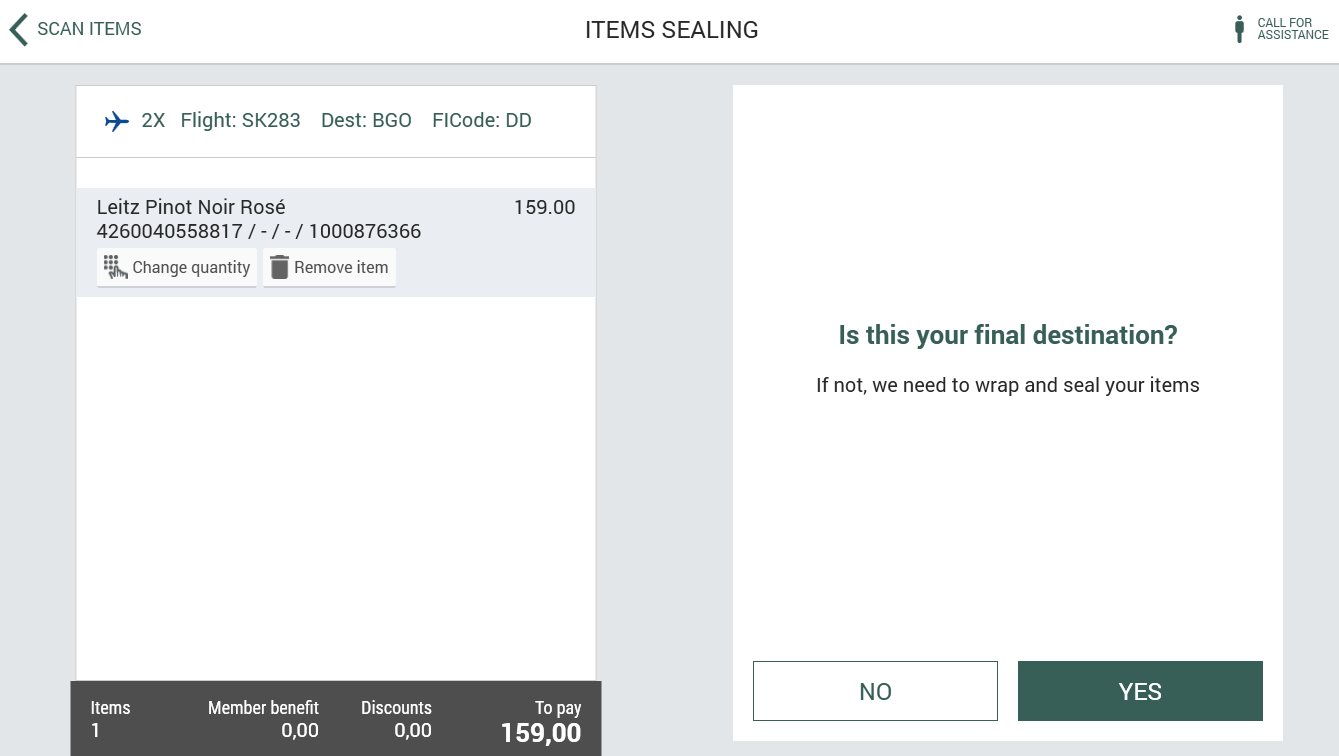
| Self-service | Sealing bags / 'Is this your final destination?' dialog (RTP-28661) Dialog in which you can decide if your items need usage of sealing bags is shown only once when adding other items before finishing the payment. The choice is remembered so the customer doesn't have to answer multiple times for the same question in one receipt.
| ||
| Voyado integration | Improved receipt format when sent to Voyado (RTP-28749) A correction of the receipt format sent to Voyado ensures that the transaction does not fail when imported to Voyado. Previously, transactions with Reserve & Collect orders where a member was specified but no coupons was redeemed, would fail import to Voyado because the format of the 'usedPromotions' node was incorrect. |