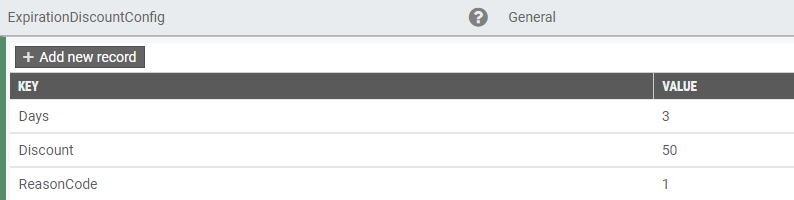
Prerequisites are located in the menu on the left.
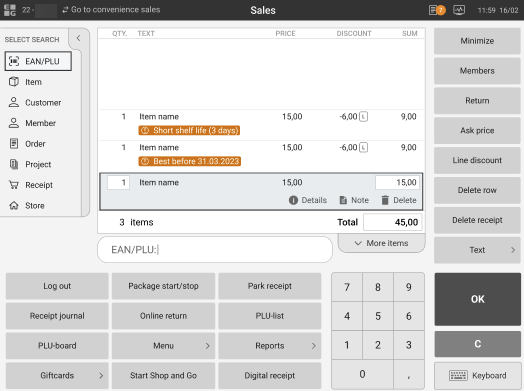
When a GS1 barcode with an item close to the best before or expiration date is scanned in EG POS, information about this is shown to the cashier in the sales view:
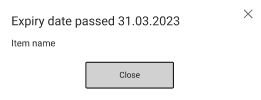
If the expiry date has passed, the item will not be added to the receipt and a warning will be shown:
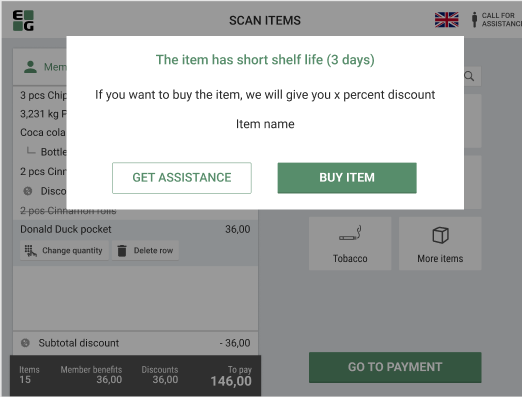
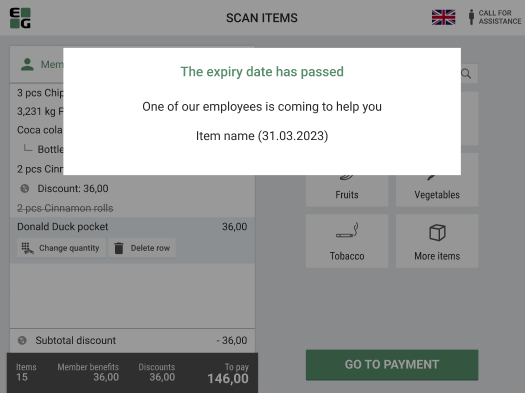
The same logic will apply to Self-service mode:
|
| Area | Description |
|---|---|
| Self-service | POS Messages are moved from file to database for improved stability (RTP-35821) POS Messages, including surveillance messages to and from self-service POS, are stored in the database instead of the VolatileSettings file (User.Config). The file still exists but holds other information. By reducing traffic to this file, the risk of file corruption is minimized, making startup interruptions less likely. |