Working Agreement on Team Availability/Jira/PR Activity
Working Agreement on Team Availability/Jira/PR Activity
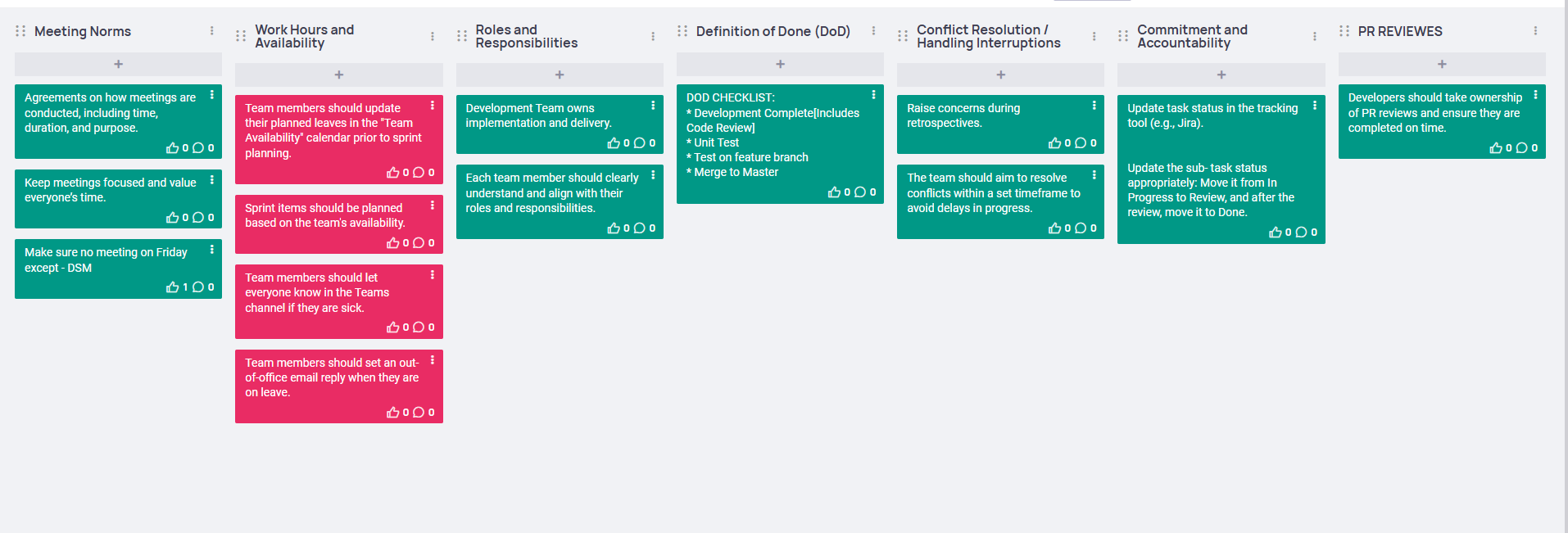
If you are on leave for more than 2 days, it’s your responsibility to catch up on project updates by checking with the team.
When moving a Jira story to In Progress, add a short comment with the current status or details. This helps others quickly understand the progress if they missed the DSM.
Raise any blockers or issues in the DSM so the team can help solve them quickly.
All PRs must be approved by a Senior and Mid.
PRs should not stay open for more than 2 days.
Releases are being managed in a round-robin manner.
BRANCHING STRATEGY:
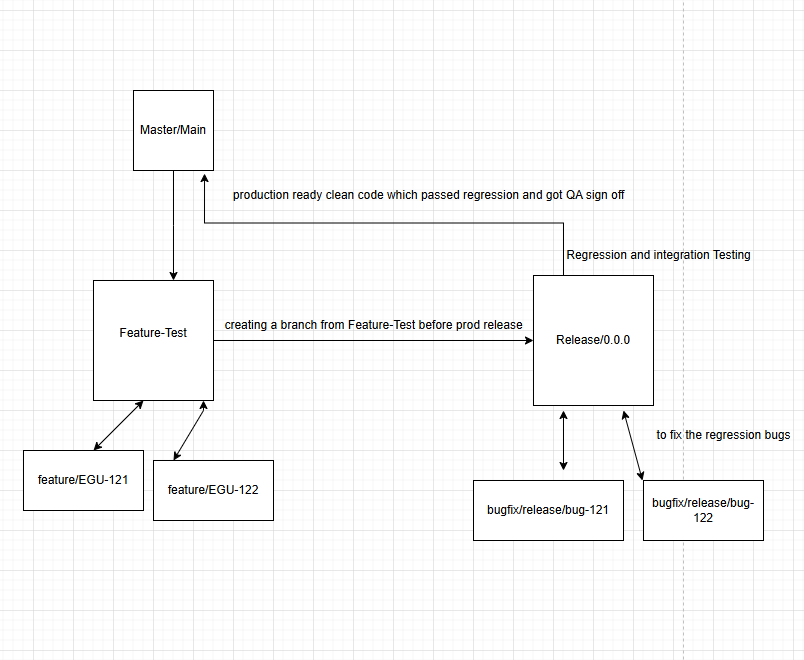
We are following Git Flow Branching Strategy in our partner portal, that defines a strict branching strategy designed around the project release. It provides a robust framework for managing larger projects with multiple developers. Here’s a concise explanation of the Git Flow model:
Main Branches
1. main (or master) Branch:
• This branch contains the production-ready code.
• Only stable and tested code is merged into this branch.
• Releases are tagged in this branch.
2. develop Branch (In our scenario its feature_test):
• This branch contains the latest development changes.
• It is the integration branch for features and fixes.
• It is always kept in a deployable state.
Supporting Branches
1. Feature Branches:
• Branch off from: feature_test
• Merge back into:feature_test
• Naming convention: feature/*
• Used to develop new features for the upcoming release.
• Example: feature/user-authentication
2. Release Branches:
• Branch off from:feature_test
• Merge back into: main andfeature_test
• Naming convention: release/*
• Used to prepare for a new production release.
• Allows for minor bug fixes and preparing meta-data for a release.
• Example: release/1.0.0
Write Unit Test Cases:
It is important to write unit test cases for your API project whenever you implement new features. This ensures that your code is reliable, maintainable, and less prone to bugs. Additionally, using a testing framework like Bunit for your Blazor UI projects is a good practice to ensure the quality and correctness of your UI components.
We have implemented unit test cases for API projects using the xUnit framework and are planning to implement front-end unit test cases using Bunit.
Always ensure that all test cases pass before pushing your code to the feature_test branch.