
HFA, GFA and GLA - which one should I use? And how does the area division work when I then want to extract key figures and reports?
If you don't have a background in construction, picking the appropriate type of area can be quite a headache. Our customers tend to use HFA and GLA, but we also support the areas listed below for your convenience.
You will always be asked to register an area when creating a property. If you where unsure at the time and perhaps registered something arbitrary, please navigate to the property's Edit page and enter the relevant areas.
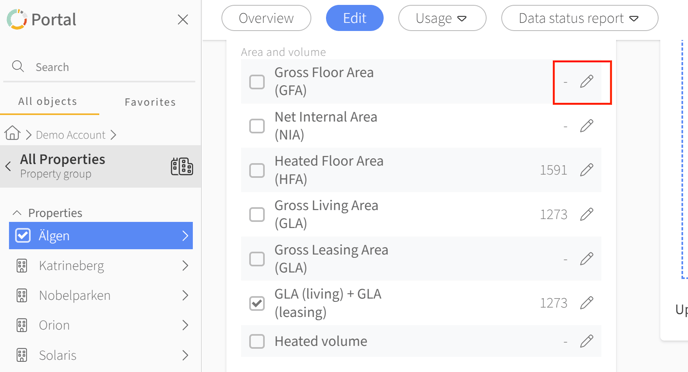
N.B: We support version control in order to ensure that your key figures are as comparable as possible. Simply click the pen icon on the appropriate row, enter the new area and from which date it is to be applied by the system. Click save.
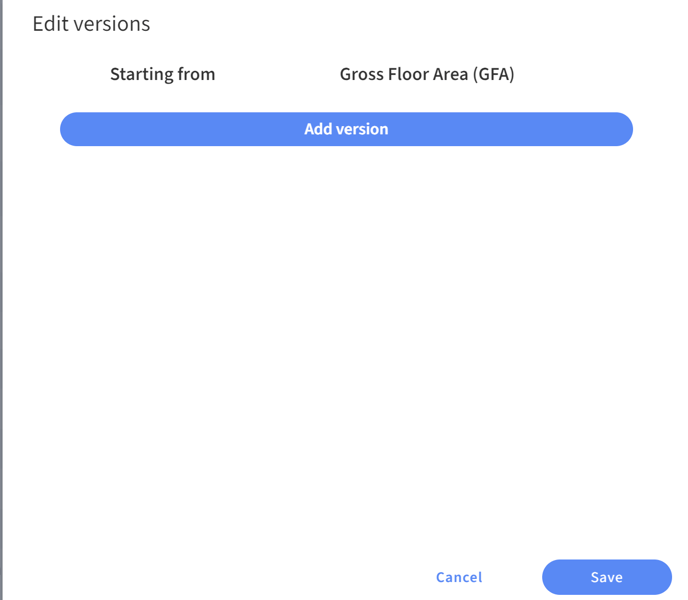

Some of you have properties that contain multiple buildings in Mestro Portal. It is also possible to add these areas for more in-depth analysis. The system sums these areas in key figures reports as long as there are active meters at the building level. Keep in mind that all main meters on a property, both those at the property and building levels, will be summed up to the total.
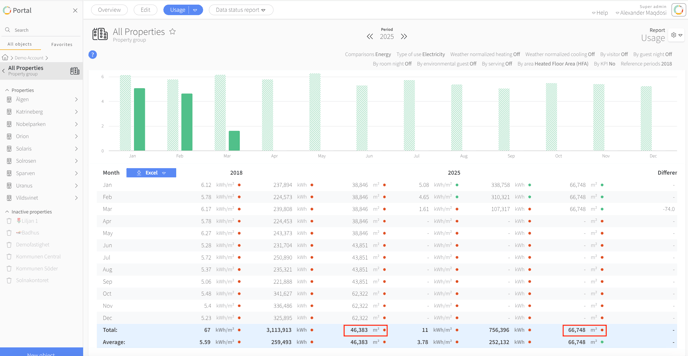
When you generate a report in the portal, the system will go through all the properties in the selected node and include those that have data for the selected period. In the example below, 9 properties with electricity meters are included. The total electricity usage is then divided by the summed area. In 2018 there were fewer properties with electricity meters, therefore the areas differ.
Gross Floor Area (GFA): Gross area includes so-called measurable parts of a building's all floors, including the building's exterior walls. There are different guidelines for which areas are classified as "measurable". If the penthouse in your property has a sloping roof, 0.60 meters of the area outside the line where the room height is lower than 1.90 meters is included, regardless of how the area with room height lower than 1.90 meters is. This should not be used for calculating energy key performance indicators.
Gross Leasable Area (GLA): In principle, usable area for spaces set up for purposes other than housing. Also side functions for housing. The building's operations or general communication (e.g. water and sewage pipes, fiber connection, electricity) and partition walls (wall thickness up to 30 cm). Area for activities in a building. Staff rooms. Garage. The the rooms and spaces needed to conduct business. Useful for calculating how much energy is used in different rooms. The division between business electricity and property electricity will be necessary to make correct calculations (I think.)
Gross Living area (GLA): This applies to residential and apartment buildings. It only includes floor area above ground. This area type is used by landlords as the basis for calculating rents. It is useful when calculating energy used by tenants in e.g. apartments.
Heated Floor Area (HFA): HFA is the interior area of the building that is heated to more than 10 degrees Celsius. The area includes GLA (gross leasable area) and GLA (gross living area). If you don't have an exact measurement, HFA is normally calculated as follows:1.25 x (GLA + GLA) = HFA. This is the primary area used to calculate a property's energy performance since it includes heated areas outside of leasable and livable areas.
Utility area (NIA): Is the sum of all floor areas within the enclosing building parts with certain exceptions. For example. does not include vertical building components that are thicker than 0.3 meters.
Heated volume: Same as net volume. Heated volume is limited by the insides of the building components and is calculated as a product of the net area and associated room height.