Purpose
Here you find instructions on how to chain salons in Hallinta. Please note that there are few things to consider before chaining salons (especially if the salons are completely new). Please read this article first: “Chain salons: What to consider before chaining the salons 🏢🏭”
Scope
For internal Timma / CuHa use.
Definitions/Acronyms
- Main salon 🏢**:** The main salon of a chain of which registers can be shared to other salons
- 2nd, 3rd etc. salons 🏭**:** These salons are secondary salons chained to the main salon.
Procedures
This is how you chain salons:
- Step 1: Choose which one the salons are the main salon (there must be one main salon and other salon(s) are secondary salons) §
- Step 2: Go to the salon’s Company page in Hallinta which will be the main salon
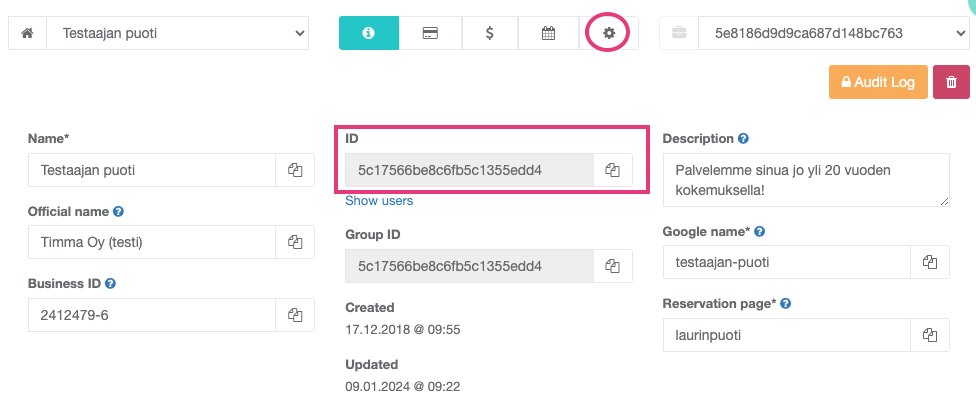
- Step 3: Go to Settings tab and click “Change”.
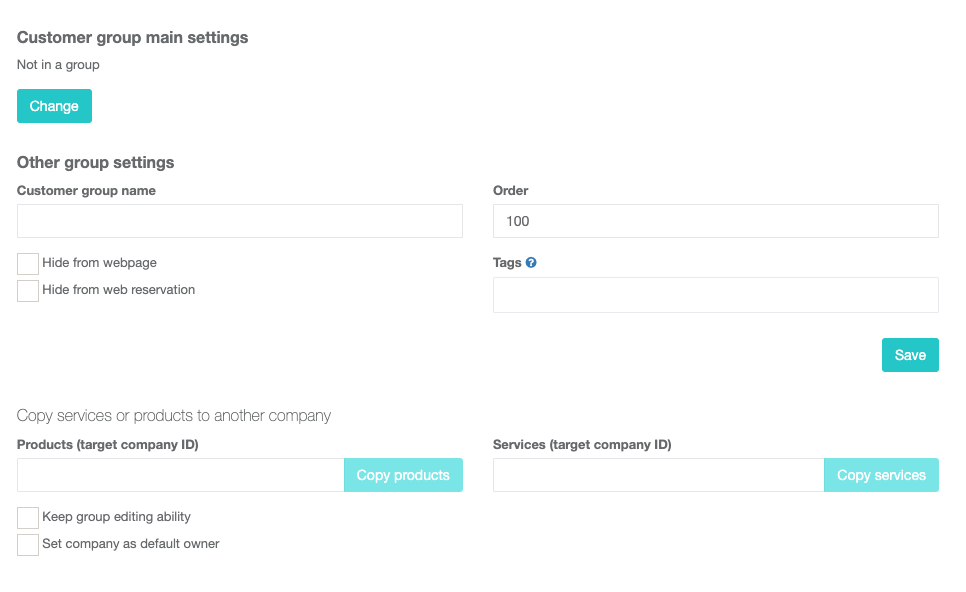
- Step 4: Start a group by selecting the first option and save the changes.
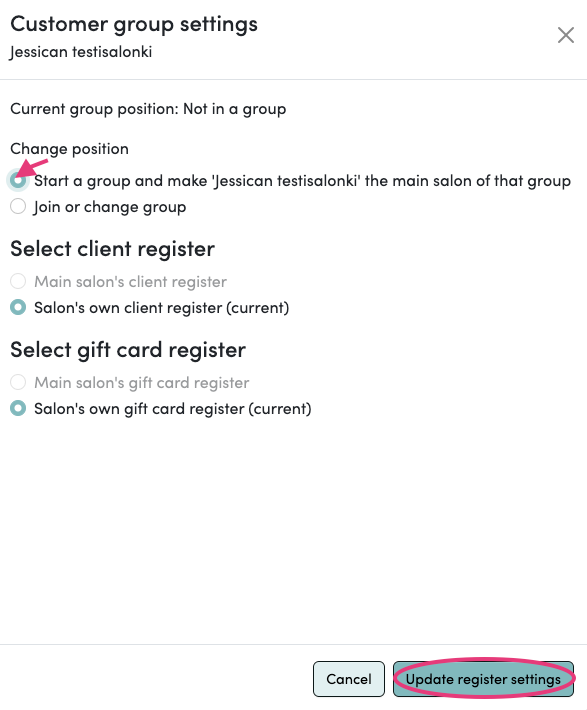
- Step 5: Remember to give a name to your group.
- Step 5.1: When choosing a customer group name please select a name that fits all the salons (e.g. if salon is Hair Vantaa, Hair Helsinki, Hair Espoo, then choose Hair as the customer group name).
The main salon's customer group name is the only one that will show in online booking v3
Please make sure you edit the customer group name under the main salon (and not others).
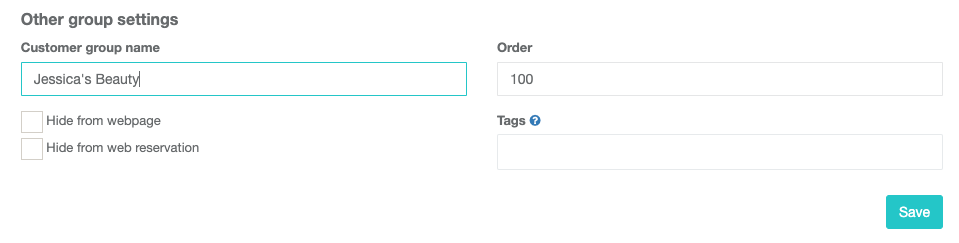
- Step 6: Copy the main salon’s Company ID.
- Step 7: Go the the other salon’s Settings page and do the same thing you did with the main salon. Only now you just need to choose the other option “Join or change group” and paste the Company ID into the **field. You will see the name of the salon appear there as well.
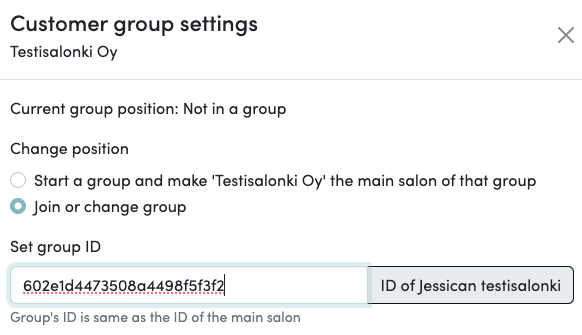
- Step 8: You can then select if the salon has the same customer register as the main salon or remain on its own. Also, the gift card register can be either the same or separate.
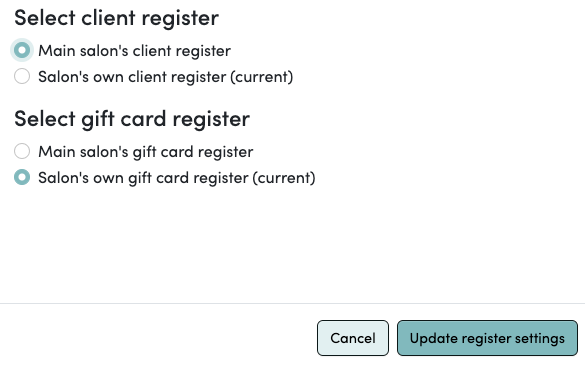
- Step 9: Remember to set up the Customer group name as well.
- Step 10: Repeat to process for every salon you want to chain (steps 6, 7, 8 and 9). It is important to always use the main salons Company ID.
- Step 11: Link to the chain online reservation is
- Step 12: iFrame code to the chain online reservation is also changed
- Find the online reservation link in the main salon’s iFrame code and replace “reservation” to “customergroup”
- Example
Corrected:
<iframe width="100%" frameborder="0" id="webReservationIframe" src="https://bestill.timma.no/customergroup/laserclinicsnorway"></iframe>
<script src="https://cdnjs.cloudflare.com/ajax/libs/iframe-resizer/2.8.3/iframeResizer.min.js"></script>
<script type="text/javascript">iFrameResize({checkOrigin: false}, "#webReservationIframe");</script>
Note! Order field affects the order of chain salons in the combined web reservation.
Billing of chain salons
Finland:
- The main salon maximum billing for calendar+cashier is
- FIN: 110€/month
- NO: 1150 nok/month
- SWE:
- 2nd, 3rd etc. salons maximum billing for calendar+cashier is
- For main salons, Hallinta counts the discount automatically for maximum billing amount
- For 2nd, 3rd etc. salons, set the billing manually (if maximum) by choosing “other (recurring)” product billing.
- If Company/chain wants combined bill of all salons, move secondary salons’ billings to main salon’s billing. Choose “other (recurring)” product billing for secondary salons.
- “Lock billing” locks company’s billing and no new billings will get automatically added. Select “Lock billing” for 2nd, 3rd..salons if max price for calendar+cashier.
- Select “Lock billing” for main salon if billing is added as “other (recurring)” product.
- Remember to update billing if a new salon has been added to the chain.
Related articles
Related articles appear here based on the labels you select. Click to edit the macro and add or change labels.
