Here you will find the instructions on what CuHa should do when a salon wants to leave / terminate their contract with Timma.
If the salon wants to stop using Timma. For individual Users ending their contract see this article (Needs to be written)
Salon contacts Timma via Phone (N.B. Termination of contracts are never accepted on the phone, to prevent mistakes / misunderstandings)
Salon contacts Timma via email
Step 2: Termination of contract
If they are switching to another system send Churn: Switching to another system, and start the win-back process.
Option 1: Winback successful
Option 2: Termination proceeds**
Step 2.4: Check what additional products the salon is using in Hallinta.
Cashier
Timma Pay
Nets
Website
Check the One-off SMS cost and return shipping cost of Timma Pay, and notify the salon about them. Create a bill in Hallinta for them.
Step 3.1: If the salon just uses the calendar ( not the cashier) you can send them our help article for “Offboarding calendar” and confirm their termination of Timma.
Step 4: If salon uses Nets payment terminal
Step 4.1: If we do not invoice the salon for the terminal, and they want to terminate their contract ask them to contact Nets directly. If we invoice the salon follow step 4.2.
Step 4.2: If we invoice the salon for the payment terminal, look up if there is any remaining time on the contract. If there is any remaining time → Invoice the salon for the remaining period.
Step 4.3: If there is not any remaining time on the contract contact nets via email with following information: TermID, company name, business ID and end date for the termination of the contract.
Step 4.4: After sending the email to Nets - inform the main user that we are waiting for the approval of the termination.
Step 4.5: When you have received the confirmation from Nets - then can you add the end date to all the billings and inform the main user about the termination for both Timma and Nets. For specific details for Timma see steps from step 1.
Step 5: If salon uses Timma website
Step 5.1: If salon want to keep their domain proceed to step 5.2 If not go to step 5.3 (Domain is always paid for a year and no returns given on that)
Step 5.2: If they want to keep the domain we give them domain transfer key so that they can keep it for the future. For how to get a transfer key see article.
Step 5.3: If the domain has been bought by us then we most likely need to cancel the contract for the domain. See article.
Step 5.4: Correct the billing in Hallinta and send the main user further information such as help article and a confirmation for the end date.
Step 5.5: Schedule the date in your / someone’s calendar to remove the website link in Company > Hallinta.
Step 7.1: In Hallinta find the salon you wish to remove under Companies
Step 7.2: Select the red trash bin
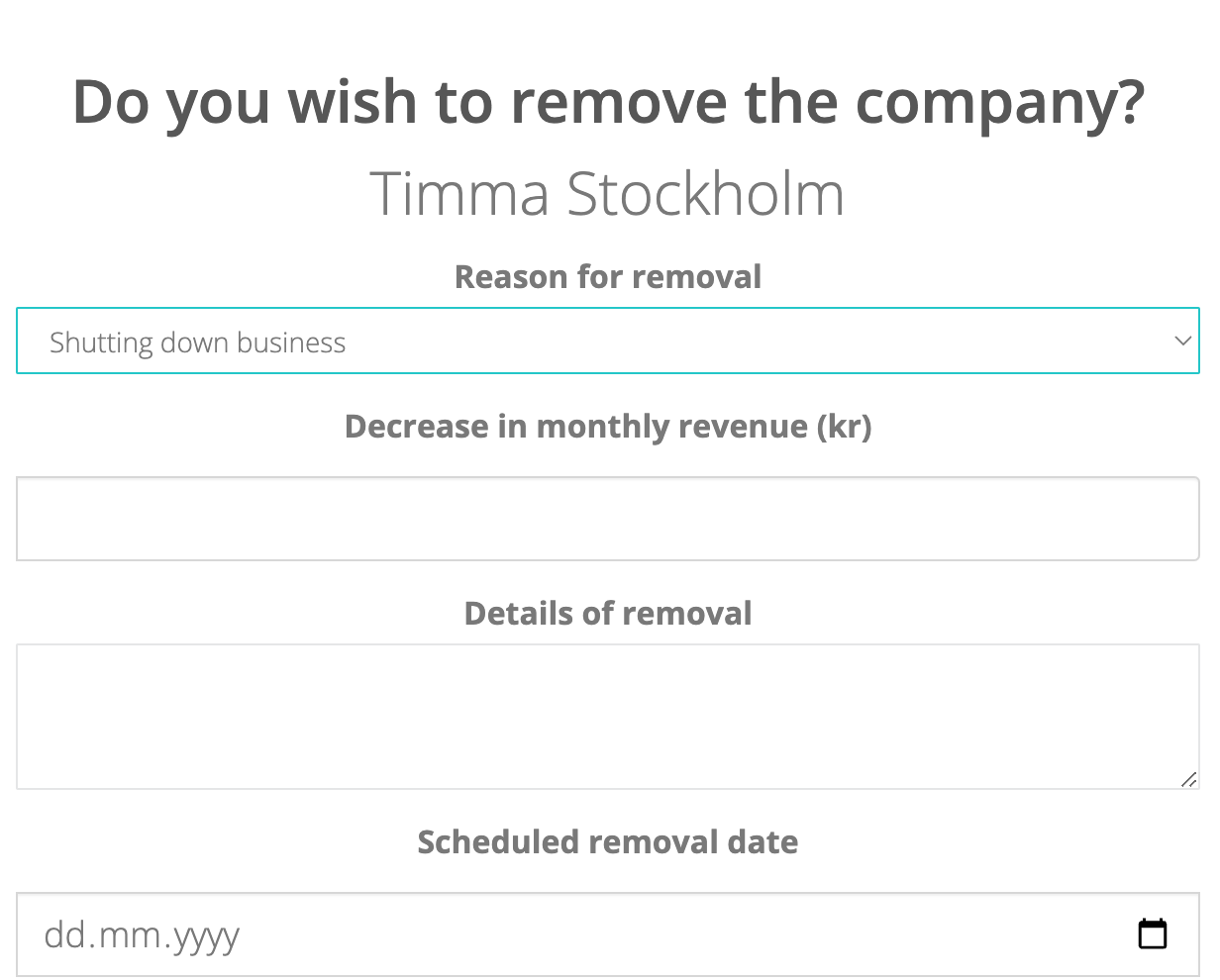
Step 7.3: Fill in the missing fields
Step 7.4: If salon was part of chain, and after removing it, the chain will only have one salon - remember to unchain that one salon. This is important as otherwise they will have wrong UI and we will have wrong data on chains.
- The main user needs to send an email to CuHa with a transfer of contract and detailing who is going to take over the contract ( info such as name, phone number, email, organization number and start date).
What if a rental chair wants to terminate their contract with Timma?
Then the rental chair needs to email us with further information such as: Organization number, end date for billings, name of the salon they work at and name of their own company.
What should you do if there are disagreements in the salon. e.g. if main user doesn’t want to give customer register to rental chair
If the main user do not want to give the customer register to the rental chair you should do the following:
| You may also want to use visual panels to communicate related information, tips or things users need to be aware of. |
Related articles appear here based on the labels you select. Click to edit the macro and add or change labels.
|