Refunds made through Timma Pay are always automatically returned to the consumer’s bank account. Sometimes the customer needs to correct the receipt without making a refund. If so, ask the customer to follow the steps below.
Where do you have to make changes:
Step 1: Go to Timma Pro:
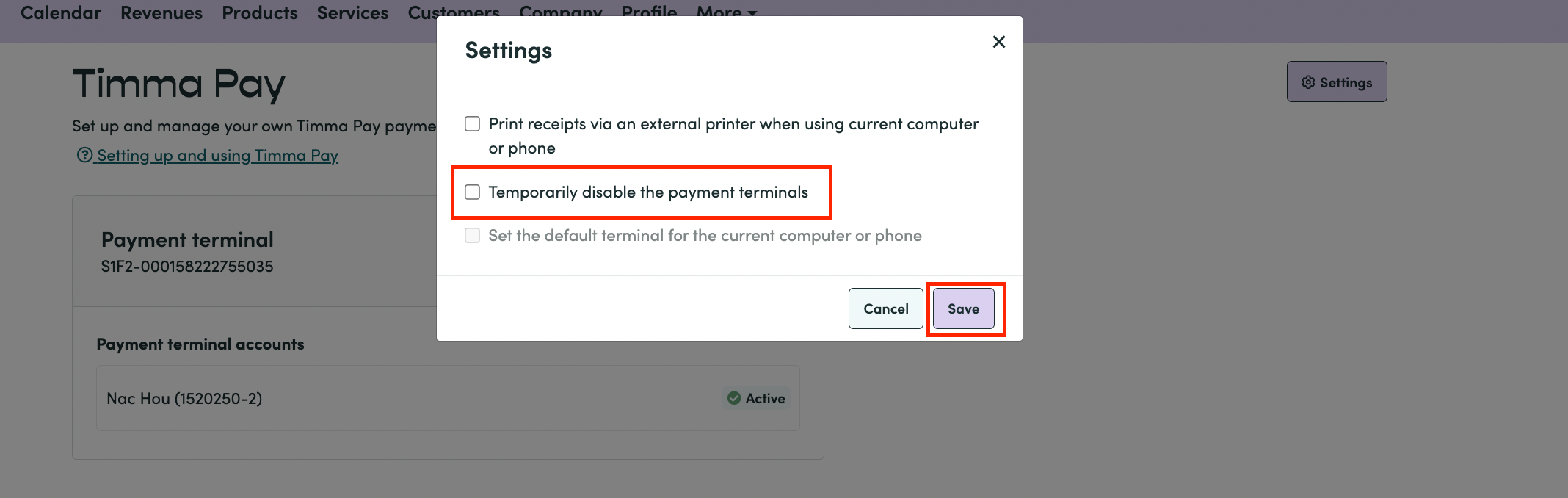
More-Tab > Timma Pay > Settings
Step 2: Press ‘Temporarily disable the payment terminals’ > Save
Step 3: Find the receipt you want to fix:
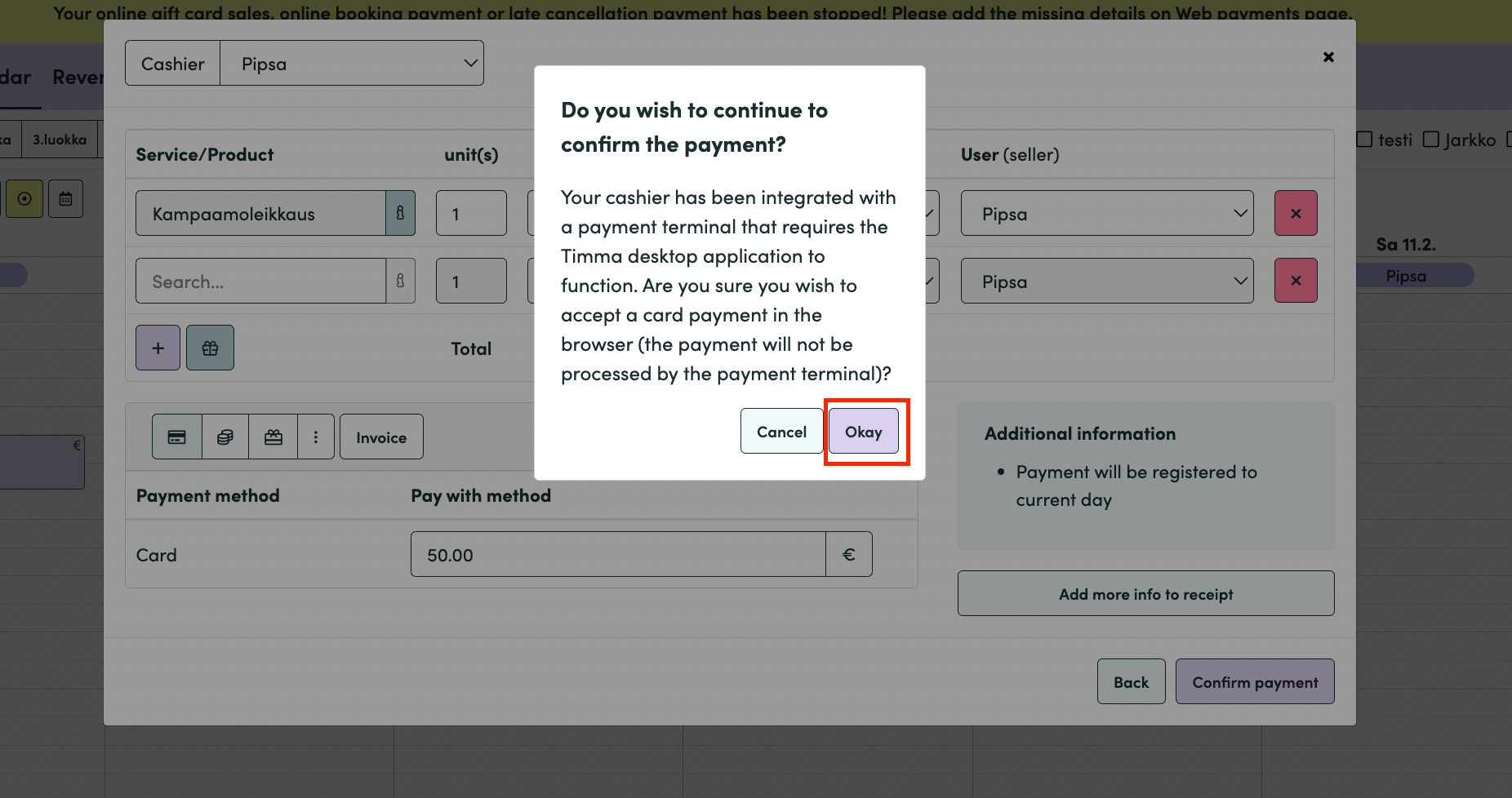
The system will warn that the payment terminal is not currently integrated (with different text but in the same way as in the picture below)
>Press ‘Okay’
Now the receipt is fixed without making a refund to the consumer through Timma Pay. 💸
Step 4: Go back to the More-tab
Timma Pay > Settings > Reset the integration > SAVE!
| You may also want to use visual panels to communicate related information, tips or things users need to be aware of. |
Related articles appear here based on the labels you select. Click to edit the macro and add or change labels.
|